
Open-source voice input tool typeformic: Large model error correction turns speech into typing
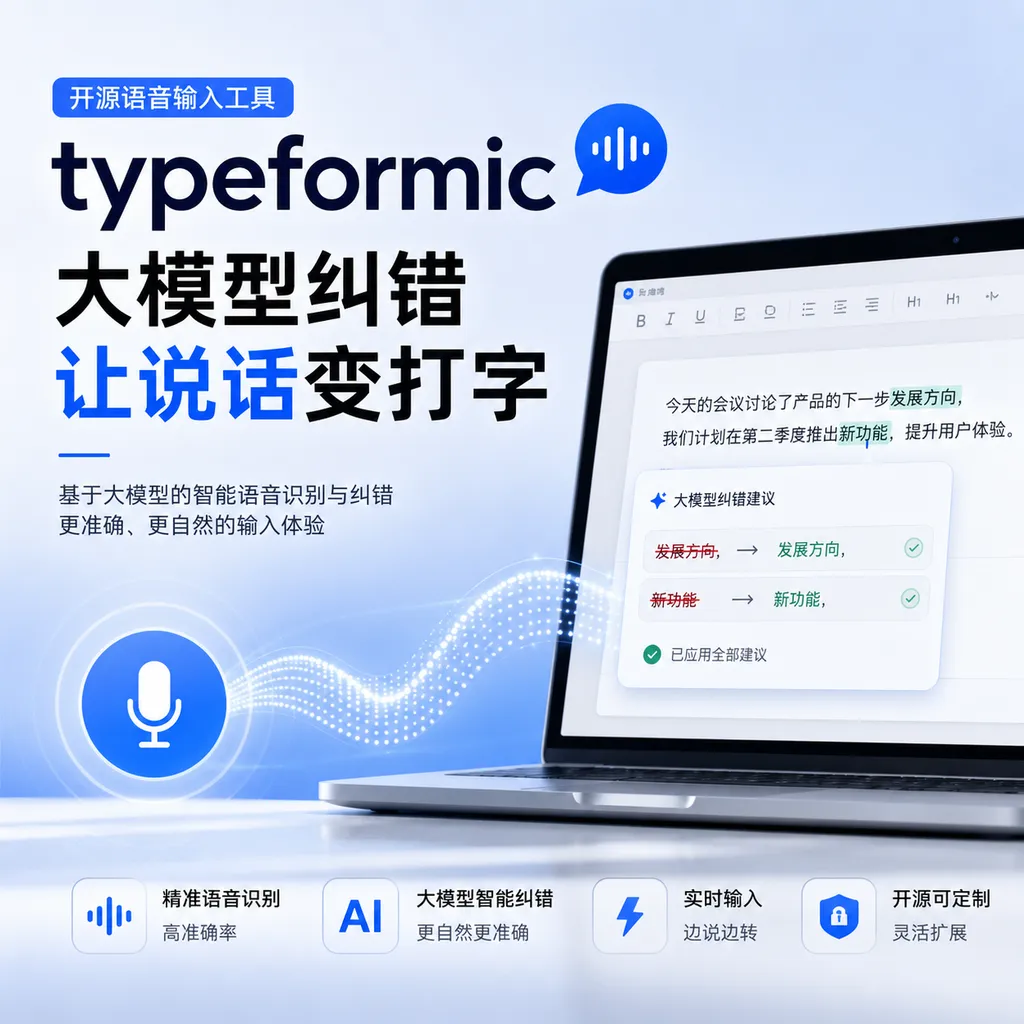
Developer **uk0** has open-sourced a macOS speech-to-text tool **typeformic**, which uses the system’s built-in speech model for recognition and then hands it over to a large model for error correction, completing input within 1.5 seconds. This approach solves the long-standing problem in speech recognition: fast recognition but many errors.
Open-source voice input tool typeformic: Large-model correction turns speech into typing
Developer uk0 released an open-source tool called typeformic in the Linux.do community, specifically designed for macOS users to convert speech into text input. Its core selling point is combining the system’s built-in speech recognition model with a large language model (LLM): first using the local model for quick transcription, then sending it to an LLM for correction, and finally automatically typing it into the current cursor position. The entire process is kept under 1.5 seconds, depending on the response speed of the LLM API you use.
This tool essentially tackles an old problem in speech recognition: balancing speed and accuracy. Apple's built-in speech recognition engine is fast enough, but struggles with proper nouns, homophones, and polyphonic characters. The traditional approach is to use heavier models or post-processing rule libraries, but typeformic takes a different path—outsourcing the correction work to a large model.
Why Do Speech Corrections
Text output from speech recognition models often suffers from “hallucination” issues. This is not the model making things up, but rather because there is inherently a gap between acoustic features and textual features in vector space. Microsoft Research pointed out in its FastCorrect series of papers that ASR models are particularly prone to errors in noisy environments—especially in real-time transcription scenarios where the model lacks sufficient context to disambiguate.
Another typical issue is "language switching." You speak English, and it’s recognized as a Chinese translation. This happens because multilingual models will automatically enable translation capabilities when acoustic feature mapping is insufficiently precise. Alibaba’s Tongyi Lab analyzed this phenomenon in the FunAudio-ASR technical documentation. Their solution was to use a CTC decoder to generate the first transcription pass as a contextual prompt, guiding the LLM to focus on recognition rather than translation.
typeformic’s approach is similar but lighter. Instead of training its own correction model, it simply calls an existing large-model API. The benefit is low development cost, the drawback is needing to make a network request every time.
Workflow Breakdown
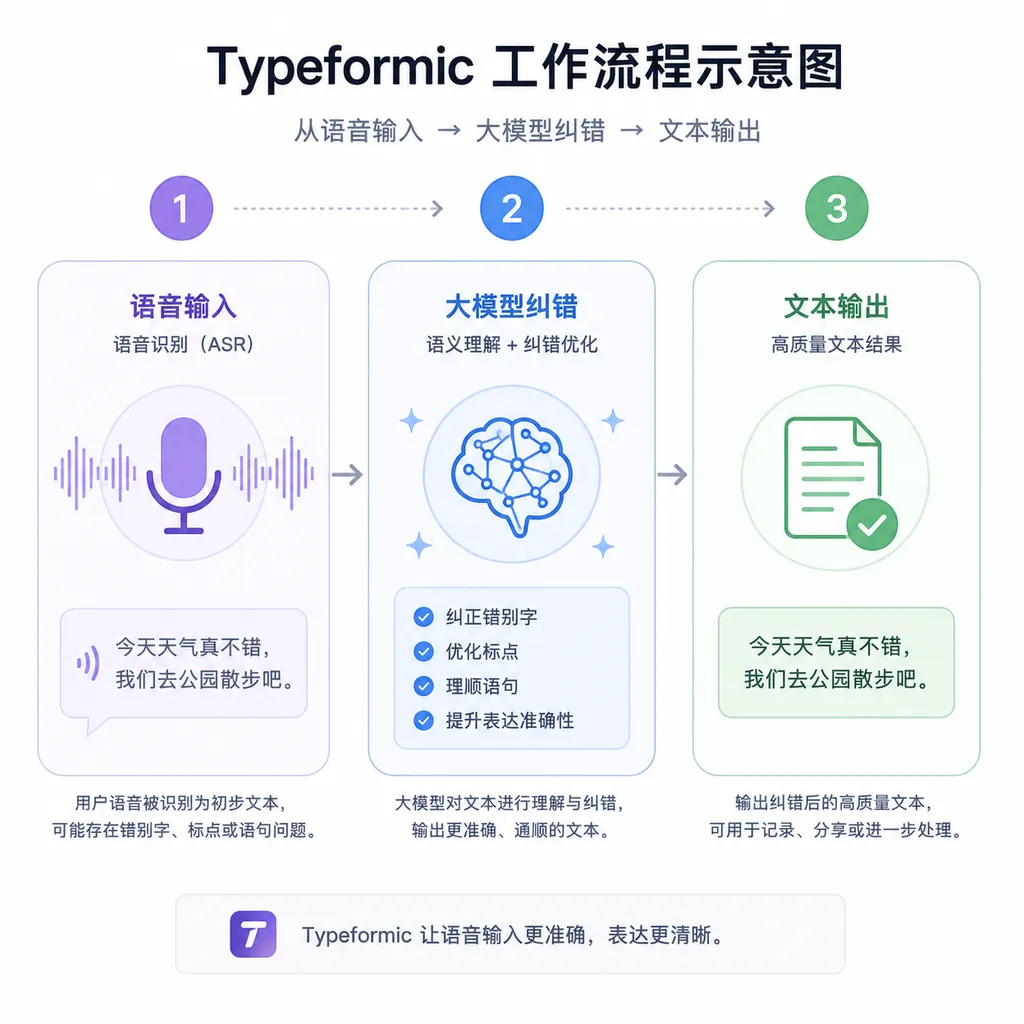
The full typeformic process consists of three steps:
-
Speech Recognition: Calls the macOS system’s Speech Recognition API. Since macOS 10.15, Apple has provided localized speech recognition capabilities supporting multiple languages without requiring an internet connection. The recognition is very fast and can handle real-time transcription.
-
Text Correction: Sends the recognition result to an LLM API (the project does not specify which model; in theory, it supports any API compatible with the OpenAI format). The prompt design should cast the model as a text proofreader—inputting the raw transcription and outputting the corrected version.
-
Auto Input: Uses macOS’s Accessibility API or CGEvent to simulate keyboard input of the corrected text into the cursor position within the active window. This step requires enabling accessibility permissions.
The delay in the chain is mainly in step two. Local speech recognition and auto input are millisecond-level. LLM API response is typically between 500ms and 2 seconds, depending on model size, prompt length, and network quality. The author states that 1.5 seconds is the average, though actual experience will vary.
Why Choose a Large Model for Correction
Traditional ASR correction solutions are mainly of two types: rule-based post-processing and model-based end-to-end correction.
Rule-based methods rely on manually curated dictionaries and grammar rule libraries to match and replace errors. Advantages are strong controllability and low latency, but coverage is limited—they fail with new words or complex contexts.
In model-based approaches, Microsoft’s FastCorrect series is relatively mature. FastCorrect 1 uses a non-autoregressive edit alignment architecture, reducing the delay of autoregressive correction models by 6–9 times. FastCorrect 2 further uses N-best hypotheses (ASR models often output multiple alternative results) to cross-verify and improve accuracy. However, these require dedicated training of correction models and annotated incorrect–correct text pairs.
The advantage of large models lies in generalization. Having seen vast text data, they have grammar, semantic, and commonsense understanding, and can handle long-tail scenarios beyond the coverage of rule libraries and small models. They need no extra training—just a well-designed prompt to go live. The downside: high cost (API calls), uncontrollable latency (dependent on provider speed), and unstable results (prompt engineering is hit-or-miss).
typeformic’s choice to use a large model essentially trades inference cost for development cost and coverage. For individual developers or small teams, this trade-off is reasonable.
Technical Implementation Details
The project’s code is fully open-source on GitHub, mainly written in Swift. Choosing Swift over Python or Electron likely helps better call native macOS APIs and control performance.
The speech recognition part uses the Speech framework, Apple’s official speech recognition API available since iOS 10 / macOS 10.15. The core class is SFSpeechRecognizer, supporting both real-time transcription and audio file transcription. In real-time mode, you can feed it an audio stream and receive continuous interim and final results.
The auto input part may use one of two methods:
-
CGEvent Keyboard Simulation: Using
CGEventCreateKeyboardEventto create key events, then sending them viaCGEventPost. This simulates real keyboard input, has good compatibility, but requires sending characters one by one—inefficient for long texts. -
Accessibility API Direct Text Insertion: Using
AXUIElementto get the focused text field, then callingAXUIElementSetAttributeValueto set its text content directly. This is faster, but not all applications support the Accessibility interface.
The large model call is likely a standard HTTP client sending a POST request to the LLM API endpoint, placing the recognized text in the messages array, and parsing the returned JSON for the corrected text.
Actual Usage Scenarios and Limitations
The suitable scenarios for voice input tools are quite narrow. They work best in:
-
Long-form writing: Articles, emails, documents—manual typing is slow, voice input can speed it up significantly. Requires clear, coherent thoughts; frequent stop-and-edit reduces benefits.
-
Hands-free situations: Driving, cooking, child care while needing to reply to messages or record ideas.
-
Typing inconvenience: Keyboard malfunctions, hand injuries, or long text input on mobile devices.
typeformic’s limitations:
- macOS-only: Speech recognition and auto input both rely on Apple’s proprietary APIs; cross-platform support is nearly impossible.
- Dependency on external APIs: LLM correction requires internet access; each call has cost (token fees) and latency (network RTT). If the API is down or rate-limited, the tool won’t work.
- Unstable correction quality: Large models aren’t specifically trained for ASR correction; they may “over-correct,” replacing proper nouns or colloquialisms with formal language. Prompt design heavily affects results.
- Privacy concerns: Every spoken sentence is sent in plain text to the LLM provider. Sensitive info (passwords, private conversations, trade secrets) is at risk.
- Limited punctuation & formatting handling: Speech recognition often lacks punctuation; large models can add some, but complex structures like lists or code blocks are hard to handle.
Comparison to Other Solutions
Existing voice input tools:
- Built-in system input: Both macOS and Windows have built-in voice input requiring no installation. Their correction capability is weak—only basic grammar fixes, failing easily with homophones or proper nouns.
- Commercial input methods (iFlytek, Sogou): High accuracy, dialect and domain-specific dictionaries; but closed-source with privacy concerns (your voice data is uploaded for training).
- Talon Voice: Voice programming tool for developers—control IDEs, write code, execute commands. Not general input, but replaces keyboard/mouse; steep learning curve.
- Whisper + local LLM: Using OpenAI’s Whisper for recognition (open-source, runs locally), then calling Ollama or LM Studio to run a local large model for correction. Fully offline, zero cost, privacy-safe, but complex setup and weaker correction than cloud models.
typeformic’s strengths: lightweight, out-of-the-box, cloud-model correction quality; costs: API fees, privacy risk.
Potential Improvement Directions
The project is still early; clear optimization points include:
- Offline mode: Integrate a small local model for basic correction (e.g., a GGUF quantized model on llama.cpp), only calling cloud LLM for difficult cases—reducing API cost/latency, improving privacy.
- Context enhancement: Reference FunAudioLLM’s CosyVoice 2—use CTC decoder to produce first-pass transcription as part of prompt, reducing hallucinations and language switching.
- Custom dictionaries: Let users upload specialized term lists, using RAG during LLM calls to improve recall. Verified in FunAudio-ASR’s industry customization.
- Multimodal correction: Incorporate acoustic features (pitch, speed, pause) to determine phrasing and punctuation naturally.
- Streaming input: Current process outputs after recognition+correction+completion. Change to streaming: recognition, correction, and input in parallel for smoother experience. CosyVoice 2 achieves 150ms streaming latency—technically feasible.
- Cross-platform: Windows via Windows Speech API, Linux via PocketSphinx or Vosk; auto input with cross-platform automation libraries (e.g., PyAutoGUI). Core logic rewritten in Rust or Go for CLI portability.
The Ecological Niche of Open-source Voice Tools
In speech recognition, commercial solutions are mature (Google, Amazon, Azure, iFlytek, Alibaba)—high accuracy, full features, stable APIs. Open-source value lies in controllability and customizability.
For developers: open code means full implementation visibility, modifiability, offline privacy protection, vendor lock-in avoidance.
For enterprises: lower long-term cost (no per-call fees), higher security (sensitive data stays internal), stronger customization (model optimization for vertical fields).
typeformic, as a personal project, has little code (likely a few hundred lines of Swift), but demonstrates an idea: combining open system APIs with commercial LLM APIs can quickly create practical tools. This idea can extend—e.g., using system OCR to read image text, then LLM to extract structured data; using system TTS to generate speech, then LLM to optimize text dialogue.
Final Thoughts
Speech-to-text is an old problem, yet unsolved. Current ASR models are near human level in quiet environments with standard pronunciation and common words, but fail in noisy, accented, proper noun, multi-speaker scenarios.
Large models offer a new path: no special training data or manual rule libraries needed—just a well-designed prompt can handle long-tail cases. Of course, cost, latency, and privacy remain trade-offs.
typeformic’s value isn’t in technical innovation (it combines existing components), but in being open-source, runnable, and solving real problems. For developers aiming to build similar tools, it’s a great starting point.
If you’re a macOS user who often inputs long text, try this tool. Assess privacy risks before use—if sensitive content is involved, consider a fully offline Whisper + local LLM solution.
Project address: https://github.com/uk0/typeformic
References
- typeformic Project Discussion Thread – Original post by the author in the Linux.do community, including background and usage instructions
- typeformic GitHub Repository – Full source code and documentation
- FastCorrect Paper – Microsoft Research’s ASR correction model series
- pycorrector Chinese Text Correction Tool – Open-source text correction toolkit supporting multiple models


