
New Custom Agents for GitHub Copilot CLI: Workflow Engine in the Terminal Takes Shape
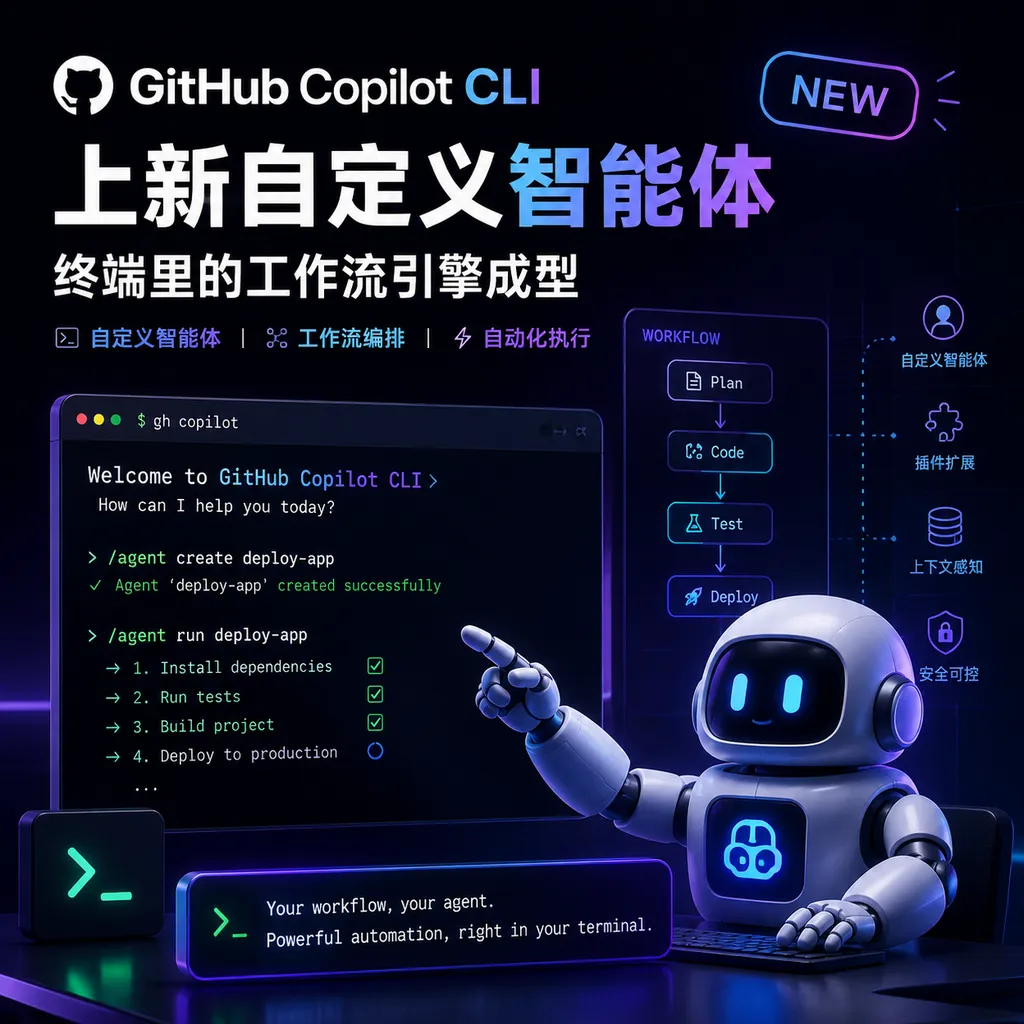
GitHub Copilot CLI introduces a custom agent feature, enabling developers to turn one-off terminal prompts into reusable, reviewable team workflows, and inject context via MCP.
GitHub Copilot CLI introduces new Custom Agents: Workflow engine in the terminal takes shape
In the past two days, GitHub has released a major update to Copilot CLI on its official blog — Custom Agents. In a nutshell: the one-off prompts you used to type in the terminal can now become named, contextualized, constrained, and reusable Agents that can be shared across projects and teams.
This is more significant than it appears at first glance. Over the past year, command-line AI assistants have become a fiercely contested space — Claude Code, Aider, Codex CLI, Warp, Cursor Agent — all aiming to claim the most fundamental entry point for developers: the terminal. GitHub’s own Copilot CLI introduced custom Agents and task delegation last October, and has been steadily expanding its capabilities. This update essentially pushes the CLI from “an AI that can type” to “a workflow engine that can embody team standards.”
What exactly changed this time
The core move is simple: turn Prompts into Agents.
Previously, you would open the terminal, enter copilot, and tell it “help me optimize this Go service’s Dockerfile and add multi-stage builds.” It would do a great job. But the next time you wanted to do the same thing, you’d have to retype all the context again — what your tech stack is, your team’s naming conventions, whether CI is Actions or something else, where the image registry is.
Custom Agents solve exactly this “repeat context” problem. You can define Agents at three levels:
- Project level: Stored in the
.github/agents/directory in the repository, version-controlled alongside code, available to any team member after cloning - User level: Stored in
~/.copilot/agents/, usable across projects — for example, your personal “code review assistant” - Built-in: Default Agents provided by GitHub
An Agent config looks like this (YAML metadata + Markdown instructions):
---
name: k8s-expert
description: "Cloud-native specialist that helps manage and generate Kubernetes YAML manifests."
tools:
  - read
  - write
  - shell
---

# 🧭 Kubernetes Agent Instructions

- Generate, explain, and optimize Kubernetes YAML configurations
- Always follow our team's resource naming convention: <team>-<service>-<env>
- Prefer Deployment + HPA over bare Pods
- Use `kubectl --dry-run=client -o yaml` for validation
In Copilot CLI’s interactive mode, enter /agent to switch, create, or edit Agents. This syntax will be straightforward for those familiar with Claude Code’s CLAUDE.md or Cursor Rules, but GitHub’s advantage lies in its direct integration with GitHub’s account system and repository permission model.
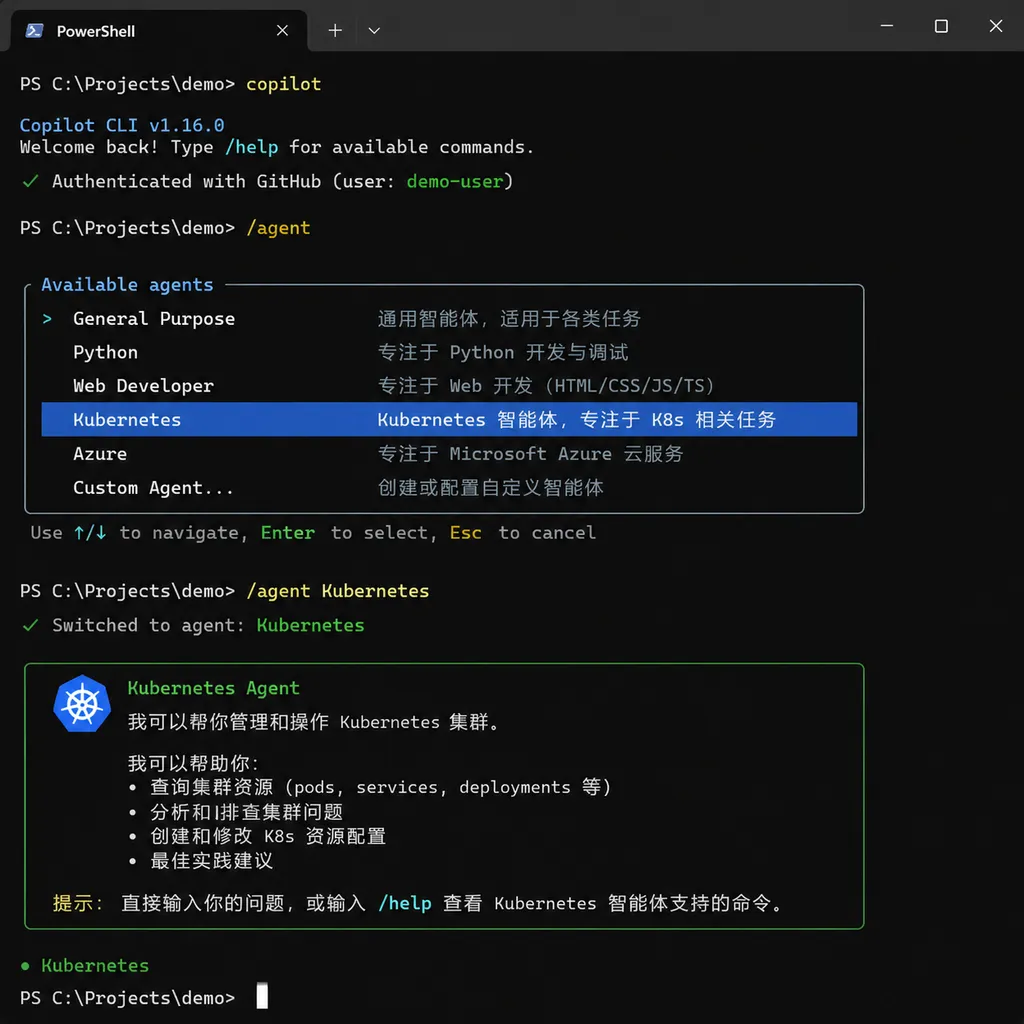
The difference between “one-off prompts” and “workflows”
This is something GitHub emphasized in the blog title (From one-off prompts to workflows), and it’s the true value proposition of this update.
First, the problems with one-off prompts:
- Not reusable: No matter how clever you write it, others won’t know, and you’ll forget it yourself after a week
- Not reviewable: Teams can’t code review a spoken description
- Not evolvable: If you find the prompt isn’t good, there’s no place to improve it
- Context drift: Each LLM interpretation will vary slightly, leading to unstable output
When a prompt is turned into an Agent file committed to the repository, all four problems are solved at once:
- Files can be invoked by anyone, with clear names
- PR processes naturally bring review: who changed the Agent, why, before/after effect comparison— all recorded on GitHub
- Agent instructions can be iterated like code
- The team has a single source of truth for “how to generate K8s YAML” or “how to write migration scripts”
In short, this turns AI collaboration best practices into team assets. This is similar to early DevOps solidifying operations knowledge into Ansible Playbooks.
Combine with MCP for the full picture
Agent instructions alone aren’t enough — the CLI must also be able to “do the work.” Copilot CLI comes with built-in MCP (Model Context Protocol) support, enabling the Agent to go beyond pure text generation to read local files, connect to the GitHub API, query databases, and integrate with Jira.
Example scenario: you define an incident-responder Agent and mount three MCP Servers:
- GitHub MCP (read-only): Pull recent PRs, Issues, Actions failure logs
- Datadog MCP: Query metrics and alerts
- Slack MCP: Post analysis results to a specific channel
During a midnight shift, you open the CLI in the terminal, switch to this Agent, and ask, “What happened with the production 503 spike five minutes ago?” The Agent will follow your preset troubleshooting SOP, fetch and correlate data from these three sources, and give you a preliminary analysis you can paste directly into an incident report. Doing this with a one-off prompt might take half an hour; as an Agent, it’s just one line.
Task delegation: CLI is not just local
Another point worth noting in this update — enhanced /delegate capability.
You can push a task to a cloud Copilot Agent for asynchronous execution from Copilot CLI:
/delegate Let's deal with issue #14 to add the rest of the CRUD endpoints to games
Copilot will spin up a branch on the cloud, write code, run tests, and open a PR — with no need for you to watch it. When you return, the terminal will tell you the PR is ready for review. This flow is identical to what Devin and Cursor Background Agent aim to do, except GitHub is closer to the repository — it already manages branches, PRs, Actions.
Combining custom Agents and /delegate opens many possibilities. For example, define a “dependency upgrade specialist” Agent with set rules (no major version upgrades, run tests before PR, PR descriptions use team templates), then every Monday morning you /delegate dependency upgrade tasks for dozens of repositories, and just check PRs on Tuesday.
Comparing with Claude Code and Codex CLI
This is a core concern for developers. A quick comparison of the three mainstream CLI Agents:
| Dimension | GitHub Copilot CLI | Claude Code | Codex CLI |
|-----------|--------------------|-------------|-----------|
| Custom Agent | ✅ Project-level + user-level YAML | ✅ CLAUDE.md + Subagents | ✅ AGENTS.md |
| MCP support | ✅ Native | ✅ Native (first to support) | ✅ |
| Cloud delegation | ✅ /delegate | ⚠️ Third-party solution | ✅ Codex Cloud |
| Multi-model | ✅ Switchable | ❌ Only Claude | ❌ Only OpenAI |
| Repository integration | ✅ Deepest native | Average | Average |
| Pricing | Included in Copilot subscription | Per token | Per token |
Copilot CLI’s unique advantage is deep integration with GitHub repositories — Issue, PR, Actions, Projects are its native language. Its past weakness was that the model capabilities weren’t as strong as Claude/GPT, but in February this year GitHub released Copilot SDK and multi-model support, giving model choice to developers, addressing that gap.
Tips for developers to get started
If you’re already using Copilot CLI, you can start today. If not, install with one npm command:
npm install -g @github/copilot
copilot  # Enter interactive mode
/agent   # Create or switch Agents
Practical advice:
- Start with the most painful repetitive tasks. Don’t aim to create an “all-purpose assistant” right away — pick something you’ve done more than 3 times this week, like “convert Markdown tables to SQL DDL” or “generate new service scaffolding following team standards” — start with small, specific Agents
- Put Agent files under version control. The
.github/agents/directory is designed for this; Agent iteration should go through the PR process - Write negative constraints in instructions. More important than “what to do” is “what not to do” — for example, “don’t use
anytype”, “don’t introduce new dependencies unless explicitly allowed” - Use MCP to expand capability boundaries. Text-only Agents have limited value; attach GitHub MCP, database MCP, monitoring MCP to achieve full power
- Check Awesome-copilot repositories for examples. The community has already produced many high-quality Agent configs — modifying them is faster than starting from scratch
A bigger trend
Zooming out, this update is another step toward “AI native to the command line.” For the past decade, the CLI tool paradigm has been “command + parameters” — you had to remember each tool’s usage. The AI Agent paradigm is “intent + context” — you just state what you want to do, and the tool assembles the commands.
Push this further, and future CLIs may not be collections of commands like git, kubectl, docker, but collections of Agents like code-reviewer, migration-runner, incident-responder. Behind each Agent is a set of tools, instructions, and team knowledge.
GitHub has implemented this step in Copilot CLI, tying it immediately to what enterprises care most about: “reviewable, reusable, governable.” It’s a smart position. In the short term, developers gain a handy workflow tool; in the long term, teams have their first AI collaboration standard worth storing in version control.
It’s not a huge change, but it’s moving in the right direction.
References
- GitHub Blog: From one-off prompts to workflows — GitHub’s detailed introduction to custom Agents
- GitHub Docs: Create and use custom agents for Copilot CLI — Official Chinese documentation, with full configuration details
- GitHub Docs: About GitHub Copilot CLI — Overview of Copilot CLI concepts and capabilities


