
Huawei released a DevEco Code, putting HarmonyOS development into an Agent.

At HDC 2026, Huawei launched two HarmonyOS AI-assisted development products: DevEco Code and DevEco CLI. The former is based on the OpenCode extension, integrating ArkTS checking, HDC debugging, and real-device execution into the Agent toolchain; the latter converts over 20 million words of HarmonyOS documentation into a knowledge base callable by Agents, enabling tools like Claude Code and Cursor to also develop for HarmonyOS.
On June 12, the Huawei Developer Conference 2026 kicked off at the Dongguan Basketball Center. HarmonyOS 7 was the main course of the day, but for developers, the two things worth unpacking were: DevEco Code and DevEco CLI.
These two products solve a rather awkward problem—over the past two years, general programming agents (like Cursor, Claude Code, Cline) have been fiercely competitive, but when it comes to writing HarmonyOS code, they’re essentially clueless. ArkTS is not TypeScript, Hvigor is not Gradle, HDC is not ADB, and HarmonyOS tools barely exist in the training data of most models. The result is that if you ask GPT‑5 to make an ArkUI page, it might generate something that looks correct at first glance, but running it floods you with Lint errors.
Huawei’s solution this time is a two-pronged approach: build its own “HarmonyOS-savvy” agent (DevEco Code) while transforming the HarmonyOS toolchain into something Agent Friendly (DevEco CLI) so that third-party agents can also connect.
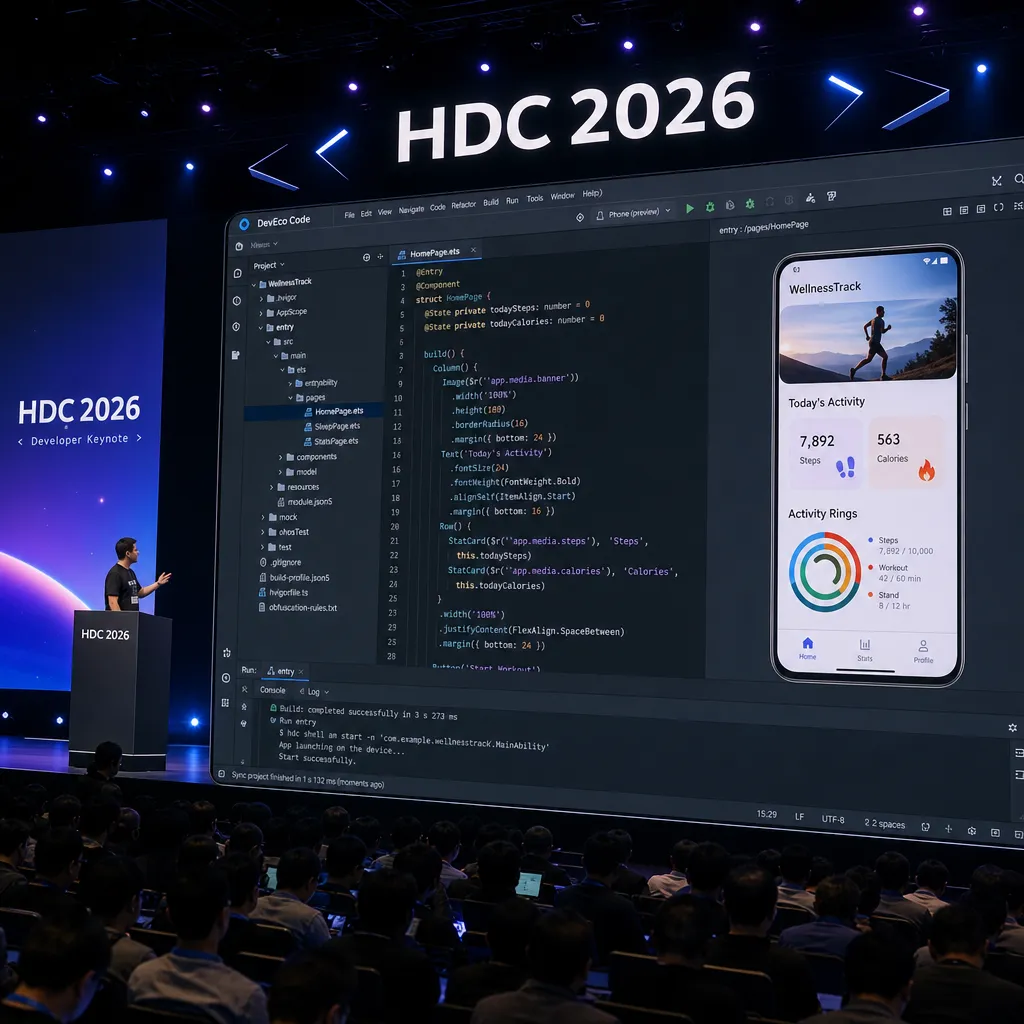
DevEco Code: A HarmonyOS-specific agent built on OpenCode
Let’s start with the technical foundation. DevEco Code is not reinventing the wheel from scratch—it’s an extension built on the open-source OpenCode framework, overlaid with Huawei’s proprietary “Bifang” large model. OpenCode is a community-developed terminal-based programming agent framework, akin to an open-source version of Claude Code, complete with Provider / MCP / Skill / Plugin scaffolding.
Huawei kept this scaffolding as-is—meaning DevEco Code supports custom models. You can plug in DeepSeek, Qwen, or Claude without being tied to Bifang. This is important for domestic developers, since model selection changes over time—the strongest model today might not hold that position six months later. If your team already uses aggregation platforms like OpenAI Hub to run multiple models, in theory you could connect them just by configuring the Provider.
The actual extensions are at the tooling layer. Huawei added a set of HarmonyOS project-specific tools to DevEco Code:
| Tool | Purpose |
|------|---------|
| build_project | Invoke Hvigor for compilation/build and export artifacts |
| start_app | Run the app on an emulator or real device |
| hdc_log | Collect/clear device logs, check connected devices |
| verify_ui | Perform UI operations to validate functionality |
| check_ets_files | ArkTS static syntax check |
| arkts_knowledge_search | Search HarmonyOS knowledge base |
| switch_cwd | Switch build project directory |
In essence, this combination turns all the commands a HarmonyOS developer would type in a day into agent-callable tools—from opening projects and checking documentation to coding, linting, compiling, deploying to a real device, grabbing logs, and UI automation verification. Upon receiving a request, the agent can run a full loop: write code, immediately check_ets_files; fix any errors and build_project; if the build passes, start_app; if it crashes, pull hdc_log; finally, verify_ui to confirm correctness.
Huawei’s Terminal BG Software President Gong Ti described it vividly on stage—“distilling the expertise of senior HarmonyOS R&D engineers.” Marketing talk aside, this toolset is clearly designed to enable end-to-end task completion by agents, not just supplementing a line or two of code with a plugin.
Skills: Wrapping adaptation headaches into “one-line commands”
Another key design element in DevEco Code is the Skill mechanism. This concept already existed in OpenCode, but Huawei adapted it specifically to HarmonyOS scenarios.
Two Skills demonstrated live at the event were quite representative:
- Multi-device development Skill: One line—“Help me adapt”—automatically adapts a slab-phone project to foldables, tablets, and other form factors. Handles avoidance, rotation, hardware calls, and other common adaptation issues. Huawei claims this improves adaptation efficiency by 50%.
- Problem location Skill: One line—“Help me locate”—targets memory leaks, crashes, and force closes. Supports root cause analysis, self-repair, and self-verification.
This “scenario-based encapsulation” is smarter than simply stacking tools. Many pain points in HarmonyOS development are highly scenario-specific—such as multi-device adaptation, with scattered rules and diverse cases. Expecting a general agent to deduce everything from scratch is both token-intensive and unstable. Encapsulation into Skills essentially turns the “implicit knowledge” of senior architects into reusable capabilities that agents can call directly.
Huawei also announced it would share this batch of HarmonyOS AI-assisted development Skills with the OpenHarmony community, encouraging developers to contribute their own Skills. This is the right move—Skills are essentially know-how, and community co-building is far more sustainable than official solo maintenance.
DevEco CLI: Feeding HarmonyOS documentation to “outsider” agents
The more ambitious product is actually DevEco CLI.
It’s positioned as “a HarmonyOS development command-line tool for programming agents” and supports mainstream programming agents—in other words, whether you use Claude Code, Cursor, Cline, Roo Code, DevEco CLI exposes the HarmonyOS toolchain, knowledge base, and Skills through agent-friendly interfaces.
The killer move—Huawei translated over 20 million words of HarmonyOS official documentation and materials into knowledge resources accessible by agents. Any third-party agent connected via DevEco CLI can query HarmonyOS docs like a local knowledge base, without relying on the tiny fraction of HarmonyOS data that might be in pretraining corpora.
This is a pragmatic move. Huawei likely realized: The ecosystem of general agents is already here, and it’s unrealistic to expect developers to drop Cursor and adopt DevEco Code. But if Huawei makes “HarmonyOS capabilities” into a middle layer accessible to any agent, then regardless of which tool you use, the code you write can be “HarmonyOS-literate.” It’s reminiscent of how LSP unified IDEs—once the protocol layer is standardized, the upper layers can flourish.
Real-world data: ByteDance and Kuaishou AI development practices
Forget the PPT—the figures shared by ByteDance and Kuaishou at HDC were more telling:
ByteDance HarmonyOS Edition — AI smart testing at batch-application stage:
- Main feature coverage: 100%
- High-frequency, rule-defined scenarios: effective success rate 70%
- Overall validation efficiency boost: 20%
Kuaishou HarmonyOS Business — Building a dual Agent Loop system:
- Human efficiency improved 1.7×
- AI code generation rate in development phase: 80%
- Direct adoption rate of generated test cases: 84%
- Adoption rate of ops troubleshooting and repair suggestions: 73%
- Jointly developed Ark Refiner‑Sendable Skill: performance optimization shortened from two people/one week to half a day; cold start improved by 16%
These numbers need a nuanced view. An “80% code generation rate” metric depends heavily on how you define the denominator (lines? files? commits?)—so replicability is questionable. But the 70%–84% adoption range matches the internal agent coding adoption rates overseas vendors have publicly disclosed, indicating that HarmonyOS’s scenario-based agent architecture truly has room to hit high ceilings.
The most convincing example is Ark Refiner‑Sendable Skill—shortening “two people, one week” to half a day. Performance optimization typically requires senior expertise, so its Skill-ification shows Huawei has indeed made progress in “expert knowledge distillation.”
An observation: Huawei’s “open posture” was prompted
Building DevEco Code on OpenCode, sharing Skills with OpenHarmony, turning HarmonyOS docs into third-party-agent-accessible knowledge, supporting custom models—all these moves reflect a realization: HarmonyOS’s developer ecosystem bottleneck is not the lack of tools, but the lack of tools with an AI-era posture.
Previously, HarmonyOS’s development experience was long criticized as “DevEco Studio is the one IDE to rule them all,” with poor documentation search, inefficient debugging, and cumbersome cross-device adaptation. The arrival of AI agents offers HarmonyOS a chance to skip the traditional IDE improvement path entirely—you don’t need to turn DevEco Studio into VS Code, you just need to let agents access all HarmonyOS capabilities.
From a product standpoint, DevEco Code follows OpenCode’s terminal interaction route, meaning it doesn’t strongly depend on a GUI and can theoretically run in any environment with a terminal. This modern choice matches the thinking behind Claude Code, Codex CLI, Aider—part of the new generation of agents. HarmonyOS’s developer experience is catching up to the cutting edge faster than expected.
A practical note
If you’re a developer considering getting into HarmonyOS, now’s a good time: HarmonyOS 6 has over 66 million installations, HarmonyOS 7 developer beta is out, and the tooling layer now has DevEco Code and DevEco CLI as a safety net. ArkTS’s learning barrier has been drastically lowered by agents—you don’t need to fully learn the syntax before starting; you can let the agent write and teach you on the fly.
If you’re already using Cursor or Claude Code for other platforms, DevEco CLI deserves more attention. Once document integration is released, in theory you can wire it into your existing agent’s MCP/Tool configuration and start work—no need to switch tools.
As for model choice, since DevEco Code supports custom Providers, you can plug into aggregation APIs like OpenAI Hub—calling GPT, Claude, Gemini, DeepSeek with one key. This is handy for teams comparing model performance across different tasks. Of course, Huawei is pushing its own Bifang model; which works best for HarmonyOS scenarios will likely emerge from community data over time.
Gong Ti’s words on stage were telling—“Let AI not only write HarmonyOS code, but write good HarmonyOS code.” Whether that proves true will depend on developer feedback in the next six months. But judging by today’s product forms and data, HarmonyOS is no longer going down the old “build a closed toolchain” path. That’s a promising sign.
References
- ITHome: Huawei releases DevEco Code HarmonyOS development AI agent tool — List of DevEco Code tool capabilities and details of OpenCode extension architecture


