
Handing Over TIA Portal to AI: Hands-on Experience with TIA_Portal_Openness_MCP
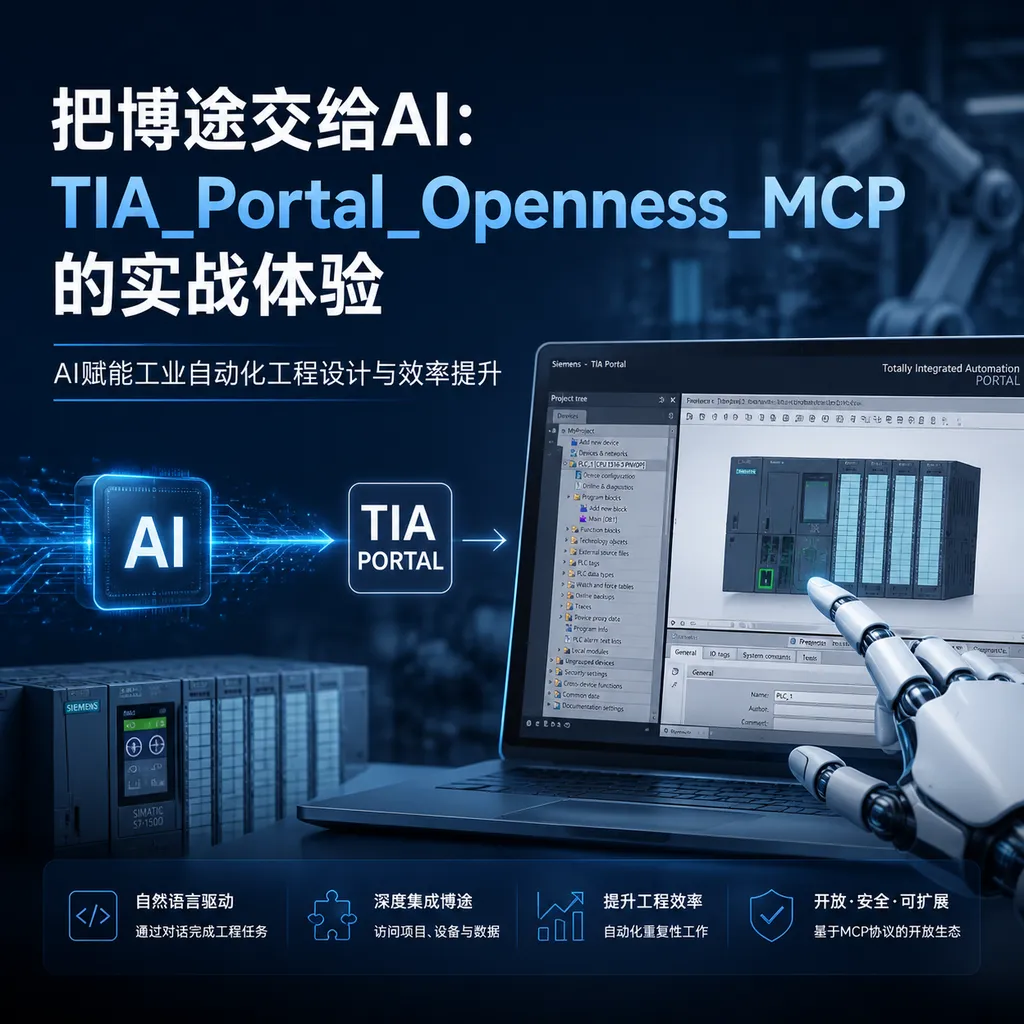
An open-source project that connects Siemens TIA Portal to the MCP protocol has recently been repeatedly discussed in the industrial control community. We took a look at the source code, tried both the CLI and MCP usage modes, and will talk about what it can currently do and how far it is from being production-ready.
The Industrial Control Circle Has Started Playing with MCP
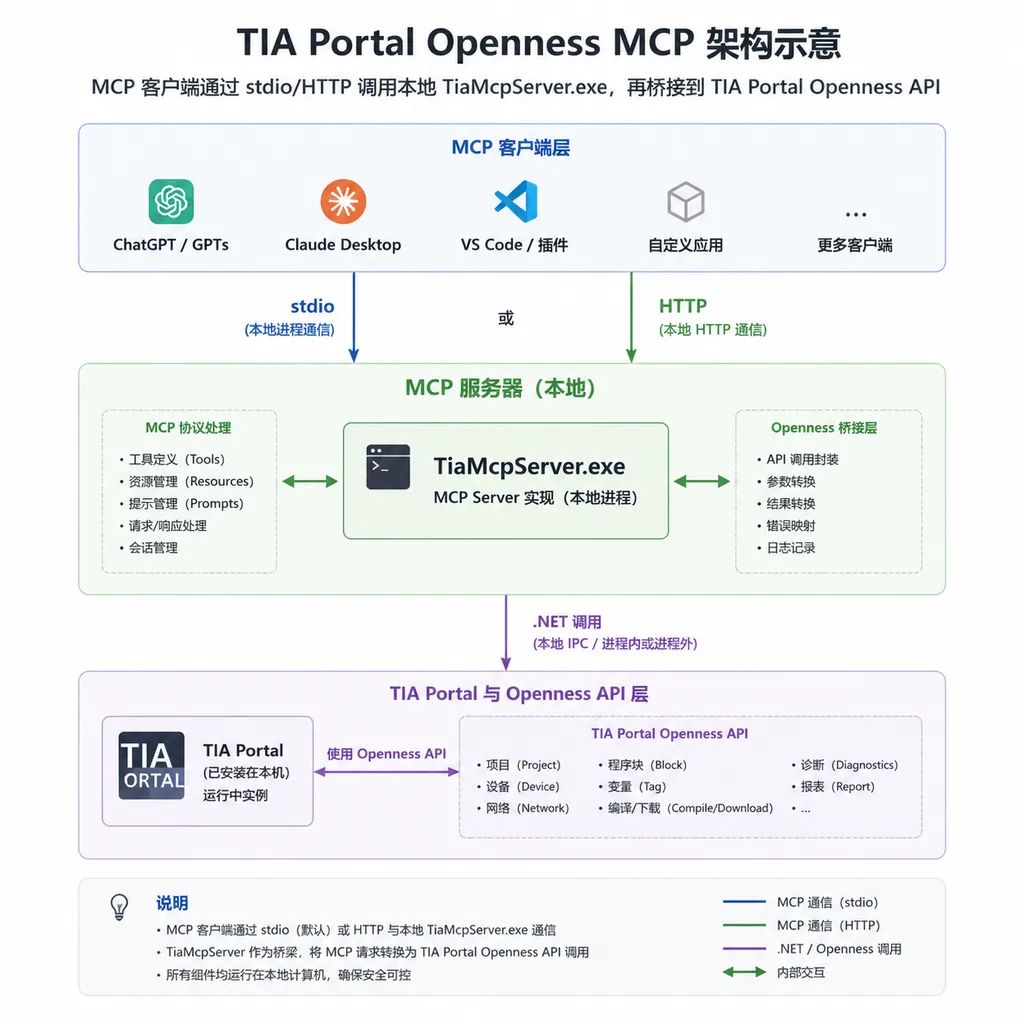
During the week of June 14, a post on linux.do made many automation engineers pause their scrolling fingers: someone connected Siemens TIA Portal to the MCP protocol. The project is called TIA_Portal_Openness_MCP, the latest version is v2.2.1, and it supports TIA Portal V20 and V21. The author wrapped the notoriously discouraging Openness .NET API into an MCP Server, so that clients like Cursor, VS Code, Claude Desktop can configure a JSON file and let AI help you create projects, add hardware, write SCL, generate WinCC Unified screens, compile, diagnose, save—one stop.
For the automation industry, this is quite a subtle point in time. Earlier this year, Siemens rolled out a Copilot integrated into TIA Portal V20+, but it's a SaaS assistant that sends PLC code to the cloud, something that many factories’ IT security policies simply won't allow. The MCP route means: users can choose Claude, GPT, DeepSeek, Qwen, or even Llama 3.1 running locally on Ollama, with data never leaving the engineer's workstation.
This article is based on a long-term user's sharing on linux.do, combined with hands-on testing of the project repository, to discuss the project's real current state.
What Problem Does It Solve
Anyone who has done secondary automation development with TIA Portal knows that Openness is Siemens’ official .NET interface suite, theoretically allowing control of TIA Portal from code—create projects, add hardware, generate program blocks, compile, import/export. But actually writing it is very discouraging:
- You must add the current Windows user to the
Siemens TIA Opennessuser group, or access is denied; - Registry paths, version numbers, Assembly references must be exact;
- All operations must be offline; many APIs throw
This function is not supported in online modeif the device is online; - Documentation is scattered, and most sample code is stuck in the V15 or V16 era.
This leads to the awkward situation: Openness was meant to be the golden key for "PLC engineering automation," but its threshold is higher than writing PLC code manually.
TIA_Portal_Openness_MCP takes a straightforward approach—wrap all that messy stuff into MCP tool calls. The author delivers a precompiled TiaMcpServer.exe (.NET Framework 4.8), no need to set up Openness SDK or write a single line of C#. A typical Cursor MCP configuration looks like this:
{
  "mcpServers": {
    "tia-portal": {
      "command": "D:\\tia-mcp\\tools\\tiaportal-mcp\\src\\TiaMcpServer\\bin\\Release\\net48\\TiaMcpServer.exe",
      "args": [
        "--tia-portal-location", "D:\\app\\TIA20\\Portal V20",
        "--tia-major-version", "20"
      ]
    }
  }
}
Once configured, you can directly tell AI in Claude Desktop or Cursor, “Generate an SCL block for motor start/stop, import it into the existing project and compile,” and leave the rest to the model + MCP.
Two Usage Modes: MCP or CLI?
The project actually provides two call chains, with completely different positioning.
MCP Mode: Natural Interaction but Longer Chain
This is the project's flagship form. Mount TiaMcpServer.exe as an MCP Server in your client, the AI gets a set of tool descriptors via tools/list—Bootstrap, CreateProject, PlcBuildAndImport, CompileAndDiagnosePlc, EnsureUnifiedHmiButtonAction, ApplyUnifiedHmiScreenDesignJson, SaveProject—then chats and calls tools step by step.
The experience feels like an “AI assistant”: you say something, it does it, you fix errors as reported, great for quickly shaping a prototype idea.
But issues are obvious:
- Client Compatibility: The author's doc
docs/mcp-ide-and-tool-visibility.mdexplains “why some IDEs can't see certain tools”—MCP protocol is defined, but clients’ tool descriptor caching strategies vary wildly; - Context Drift on Long Inputs: Even moderate TIA projects require thousands of tokens to describe Tag tables, UDTs, DB block naming conventions; once model context overloads, naming conflicts and address overlaps appear;
- Poor Controllability: AI decides tool sequence and parameters, troubleshooting requires digging through a long dialog history.
CLI Mode: Blunt but Effective
The other path bypasses MCP clients entirely, using command line directly. The project exposes generate, patch, compile, describe, export / import, prewarm commands.
Frankly, for engineers who want to actually use it, CLI is more appealing:
- Errors show up immediately in stderr, no guessing why AI skipped a tool;
- Want to batch-generate 50 similar program blocks? Just write a shell script;
- Integrate into Jenkins or GitLab CI, making TIA project compile/diagnose part of your pipeline;
- Debugging is clearly cheaper.
The trade-off is losing the “natural language” layer—you must break tasks into command sequences yourself. For veteran engineers, this is a familiar stance.
Real-World Capability
Following the author's runbook, a full “generate PLC + Unified HMI from scratch” flow is roughly:
Bootstraplaunches TIA Portal process;CreateProjectcreates an empty project;- Add hardware and network configuration;
- PLC part uses
PlcBuildAndImportto import items one by one, withdryRun=truefor validation first; CompileAndDiagnosePlccompiles and returns diagnostics;- HMI part uses
EnsureUnified*tools to build the screen skeleton, thenApplyUnifiedHmiScreenDesignJsonto apply layout,BindUnifiedHmiTagDynamizationfor animation binding; SaveProjectwraps up.
In testing, SCL writing assistance is the most valuable. Let Claude 3.5 Sonnet or GPT write a motor start/stop, PID control, or state-machine style function block: output quality is much higher than plain text requests—because MCP can feed the model with existing Tags, UDT structures from the project, so generated code compiles directly.
But beware, there are obvious pitfalls:
- Standard Consistency: Models won't automatically follow your company's naming rules or comment templates—you must enforce them via system prompts;
- Complex Interlock Logic: Add a few interlock conditions and AI forgets earlier Tags are already used by another FB, causing compilation failures;
- HMI Layout: Can generate valid Unified screen JSON, but aesthetics and production-quality HMI are inferior;
- Online Monitoring Read-Only: Currently only “online read-only” monitoring exists—don’t expect it to download programs or modify runtime params; this is basic engineering safety.
Relationship with Siemens’ Own Copilot
This is unavoidable. Siemens’ TIA Portal Copilot is closed-source SaaS, fixed model, code goes cloud, subscription-based. TIA_Portal_Openness_MCP is a different path:
| Dimension | Siemens Copilot | TIA_Portal_Openness_MCP | | --- | --- | --- | | Model Choice | Siemens proprietary, no choice | Any LLM supporting MCP | | Data Flow | Code sent to cloud | Local stdio/HTTP, fully offline possible | | Integration | Embedded in TIA Portal | Independent MCP Server, IDE-agnostic | | Maturity | Official, stable | Community project, fast iteration but unstable | | Second Dev | Closed | Source control, extensible |
For medium/large integrators and compliance-bound factories, local MCP is almost the only choice. For individuals and small teams, it’s a cheap AI + PLC experimentation platform.
How to Choose Models
Since you can connect any LLM, model selection becomes key. We ran the same “motor control FB with ramped start/stop” task across models:
- Claude 3.5 Sonnet / Claude 4: Highest SCL syntax accuracy, best understanding of Siemens data types (
Time,TON,UDT); - GPT-4.1 / GPT-5: Strong global project structure comprehension, stable cross-file edits;
- DeepSeek V3: Solid on standard logic, misses branches in complex interlocks, but very cost-effective;
- Gemini 2.5 Pro: Long context advantage, can ingest full exported project XML for analysis.
If you don’t want to juggle multiple API Keys, consider an aggregation platform like OpenAI Hub—single Key for all models. MCP only needs a client compatible with OpenAI format to work; the saved effort is better spent refining prompts and system rules.
Some Judgments
This project’s current positioning is clear: SCL writing assistance tool, experimental platform for AI access to TIA Portal, exploratory prototype for automated engineering generation.
It is not yet a replacement for engineers’ production tools. Complex projects, commissioning phase, standard consistency, controllability are all far from production-ready. Once you try it on a large project with thousands of Tags, you’ll feel MCP’s context-management strain.
But as a starting point, its value lies in: for the first time, ordinary automation engineers can drive TIA Portal with natural language without learning Openness SDK. This simply hasn’t happened in the past decade of industrial control software.
Worth watching next: boundaries of online editing, maturity of automatic HMI generation, and consistency management for multi-user project states. If the author refines these a few more versions, AI assistants in industrial control might no longer be Siemens’ monopoly.
References
- bulaofen0036-coder/TIA_Portal_Openness_MCP - GitHub: Main repository, with full v2.2.1 package, docs, templates, and sample configs.
- AI Access to TIA Portal in Practice - linux.do: Original discussion post, author sharing real impressions and trade-offs of MCP and CLI usage.


