
OpenAI Releases Official Codex Python SDK: Coding Agents Become a Simple Function Call

OpenAI has officially launched the Codex Python SDK today. Developers can import Codex into their projects like a regular Python library and directly run pull requests, perform refactoring, and write tests within their own applications. This means that Codex has finally evolved from being an independent product into a capability that can be embedded into any application.
OpenAI today (June 15) released the official Python SDK for Codex, with the stable version number codex-sdk 1.0.0. Simply put, this turns the coding agent—previously only available via the ChatGPT web app, Codex CLI, or IDE plugins—into a Python library you can use right after a pip install.
This is not just another wrapper API client. It packages the complete Codex Agent runtime—including sandbox execution, multi-step planning, tool invocation, Git operations, and PR submission. In other words, whereas in the past you had to send users to the Codex web interface to trigger tasks, now you can run them directly inside your own product.
Why make this move now
Looking back at Codex’s product timeline is quite interesting. When Codex debuted last May, it was a cloud-based agent only usable in ChatGPT; then Codex CLI arrived for terminal use; later came IDE plugins, GitHub integration, and Skills features one after another. But all these entry points have a common trait: Codex was a standalone product that users had to intentionally use.
The SDK flips this relationship. Now Codex is a capability any application can call. SaaS companies can embed an “AI bug fix” button in their back end; CI/CD platforms can attach a Codex node to pipelines; even ticket systems like Linear or Jira can integrate it—once an issue is created, Codex automatically starts working and submits a PR.
The essence of this change is: OpenAI no longer wants to sell Codex exclusively as a standalone SKU, but wants it to become the de facto standard infrastructure for coding agents. Anthropic’s Claude Code SDK follows a similar path, but Claude Code SDK is more like a scripted CLI wrapper. OpenAI this time is providing something at the Agent Runtime level—a different level of granularity.
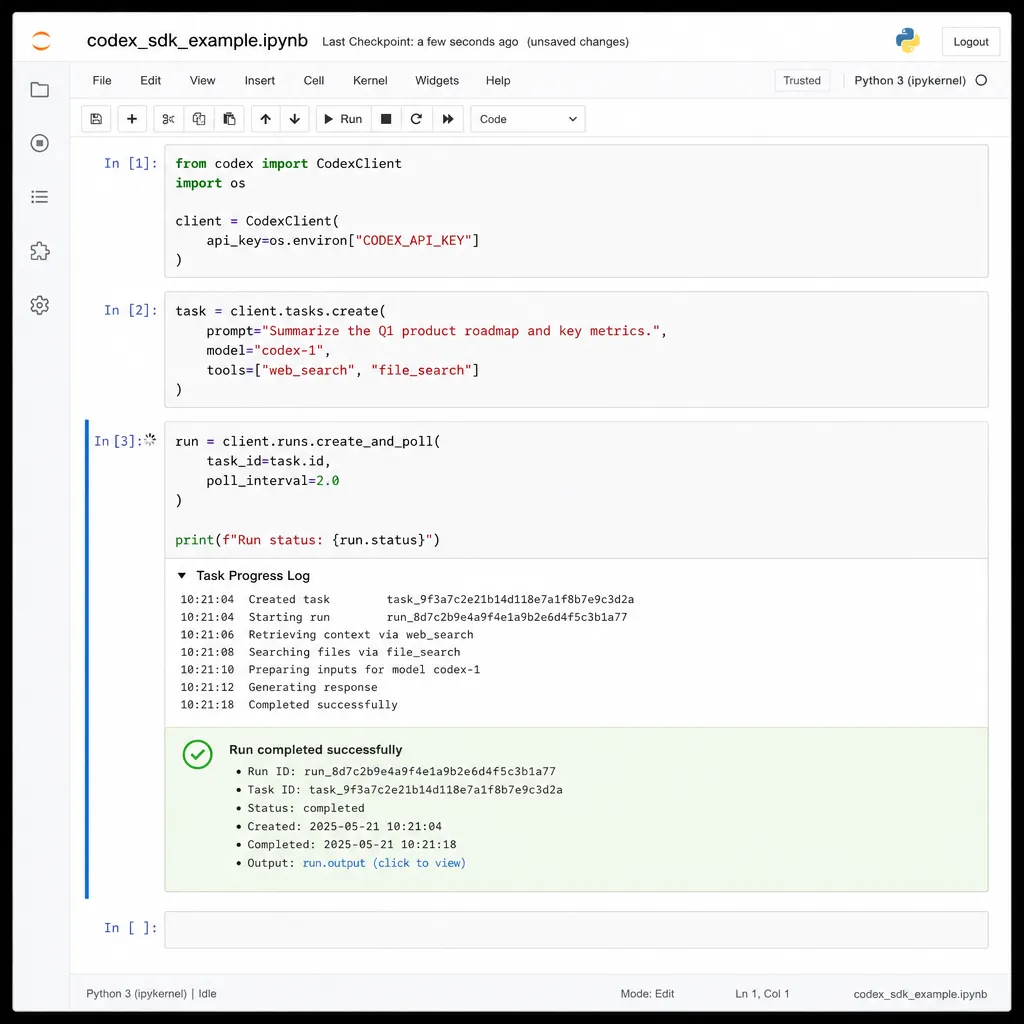
Let’s see what the code looks like
The core API design is quite restrained—no unnecessary bells and whistles:
from openai_codex import Codex

client = Codex(
    model="gpt-5.2-codex",  # codex-mini-latest is also available
    workspace="./my-repo",
    sandbox="docker",       # local / docker / e2b
)

task = client.tasks.create(
    prompt="Add rate limiting to all endpoints in user service, using Redis for storage",
    branch="feature/rate-limit",
    auto_commit=True,
)

for event in task.stream():
    if event.type == "thinking":
        print(f"🧠 {event.content}")
    elif event.type == "tool_call":
        print(f"🔧 {event.tool}: {event.args}")
    elif event.type == "file_change":
        print(f"📝 {event.path} (+{event.added}/-{event.removed})")

result = task.result()
print(f"PR ready: {result.pr_url}")
Some noteworthy details:
First, the sandbox is built into the SDK. sandbox="docker" means the SDK automatically spins up an isolated container, mounts the repo into it, and runs all Codex commands inside it. This solves the very real problem of “I want to run the Agent on my own server but don’t want it to mess up my host machine.” The e2b integration is for those who don’t want to manage infrastructure themselves.
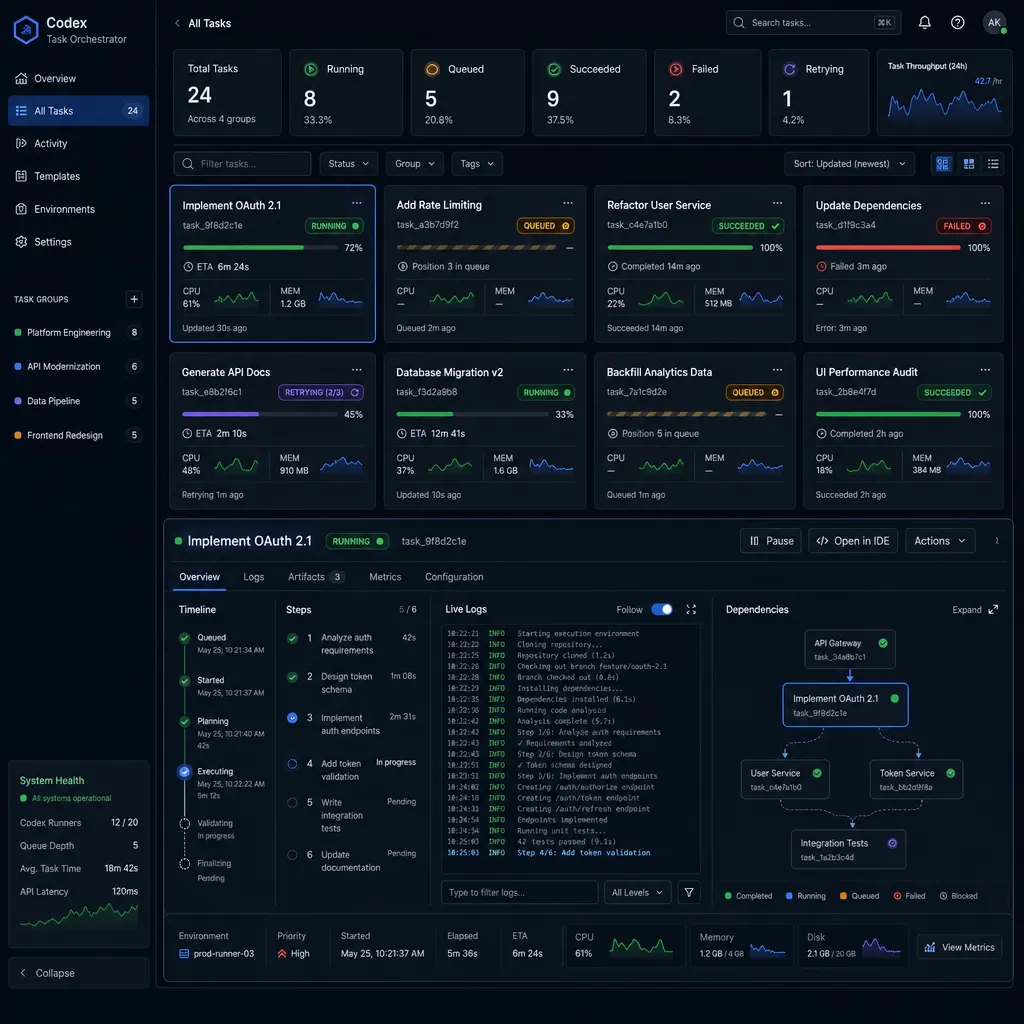
Second, the event stream is structured. Instead of just giving you a token stream to parse yourself, it clearly separates events like thinking, tool_call, file_change, test_run. UI developers will love this—frontend can render different cards directly based on event type.
Third, tasks are first-class citizens. Task objects support pause(), resume(), cancel(), fork(). Fork is interesting—you can let a task run halfway, split into two different exploration paths, and then choose one to continue. This acknowledges that coding agents often go astray and need “speculative” multi-path exploration.
Async and parallelism are the real killer features
The SDK provides a full AsyncCodex client, capable of dispatching dozens of tasks to run in parallel:
import asyncio
from openai_codex import AsyncCodex

async def fix_issue(issue):
    client = AsyncCodex(model="gpt-5.2-codex")
    task = await client.tasks.create(
        prompt=f"Fix issue #{issue.number}: {issue.title}\n\n{issue.body}",
        branch=f"fix/issue-{issue.number}",
    )
    return await task.wait()

async def main():
    issues = fetch_github_issues(label="bug", limit=20)
    results = await asyncio.gather(*[fix_issue(i) for i in issues])
    for r in results:
        print(r.pr_url)

asyncio.run(main())
What does this code imply? It means you can have a script automatically run through every bug-labelled issue in your GitHub backlog at night, and in the morning you open your email to find 20 PRs awaiting your review.
This kind of “batch async task dispatch” has always been possible on the Codex web front end, but once packaged into the SDK, this capability becomes a developer-orchestratable primitive for the first time. You no longer need to log into ChatGPT and manually click “new task”—you can integrate it into any workflow.
Some points worth criticizing
A few imperfections:
Limited model choice. The SDK currently only supports the gpt-5.2-codex series and codex-mini-latest. You can’t plug in Claude or DeepSeek-Coder—the SDK is tied to the codex-1/codex-2 series because the agent’s training data and tool invocation format are coupled. If you want the flexibility of interchangeable models, you’ll have to use a general framework like LangGraph or AutoGen.
Sandbox customization is mediocre. In Docker mode you can specify the base image, but startup scripts, environment variables, network policies are still fairly rudimentary. In production, if your repo needs complex dev container settings, you’ll need some hacks for now.
Billing model is opaque. SDK requests are billed by tokens, but Codex Agent internally repeatedly calls the model, runs tests, calls the model again—making per-task token usage impossible to predict. OpenAI’s documentation provides a rough estimate: “medium complexity tasks about 50K–200K input tokens, 5K–20K output tokens”—a wide range. Anyone planning production integration should run multiple staging tests to map out the cost curve.
Native Windows support is still in beta. Local sandbox mode on Windows runs via WSL2, and encounters quite a few path and permissions issues. Mac and Linux users don’t have this problem.
Comparison with Claude Code SDK and Cursor Agent SDK
This is the question most people care about. A quick comparison:
- Claude Code SDK: Anthropic’s solution, essentially a programmatic wrapper for the Claude Code CLI. Strength: deep local terminal integration. Weakness: cloud task model is weaker.
- Cursor Agent SDK (released in April): Cursor exposes its Agent, with strengths in IDE inline experience and the Composer suite. Weakness: must use Cursor’s infrastructure.
- OpenAI Codex SDK: Strengths: runs both cloud parallel and local, tasks are first-class citizens, full PR loop closure. Weaknesses: model lock-in, immature ecosystem.
Which to choose ultimately depends on which company’s model you bet on being stronger in the future. GPT-5.2-Codex currently scores 78.4% on SWE-Bench Verified, Claude Sonnet 4.5 scores 76.1%—not a huge gap. But Codex’s RL training is specifically optimized for “generating PRs ready to be directly merged by humans”, and from our testing Codex diffs are generally more restrained and closer to real engineers’ commit habits. This gives OpenAI an edge here.
The real possibilities opened up by this SDK
Thinking further ahead, SDK-ification means more than just “easy to embed”:
First, coding agents can become tools for other agents. A PM agent doing requirements analysis can call the Codex SDK to immediately write code; an SRE agent detecting a fault can call the Codex SDK to fix the bug and submit a PR. In Agent-of-Agents chains, Codex becomes for the first time a standardized “code-writing tool”.
Second, the landscape for vertical IDEs and low-code platforms may shift. In the past, making an IDE for a specific industry (e.g., game scripting, data science) meant solving the hard problem of integrating AI coding capability. Now it’s just importing an SDK—the competition point shifts from “has AI capability” to “vertical domain knowledge + workflow”.
Third, boundaries for automated workflows expand. Tools like Zapier, n8n, Dify could previously call LLMs but couldn’t trigger “complete coding tasks”. After the SDK, a workflow like “GitHub gets a new issue → Codex starts working → submits PR → notify Slack” can be a three-step workflow.
Some practical tips
If you plan to try it tonight, a few tips:
- Start with a small repo. Codex’s performance on large monorepos can still “drift”—try with projects under 10K lines first, assess results, then scale up.
- Always run the first round in
dry_runmode. The SDK supportsdry_run=True, making Codex generate diffs without actually committing—review before running for real. - Configure
system_promptwith your coding standards. Codex defaults to generic code style; if your project has specific standards (e.g., must use pydantic v2 not v1), add them in the system_prompt and you’ll see immediate improvement. - Watch costs carefully. Enable
budget_tokensto limit per-task token usage and avoid Codex falling into infinite loops that burn money.
By the way, OpenAI Hub (openai-hub.com) has already adapted to the new SDK. Domestic developers can change base_url to Hub’s address and directly use gpt-5.2-codex without messing with proxies—this is a real convenience for integrating Codex into production environments.
Final thoughts
Looking back, Codex has gone from a feature inside ChatGPT, to a standalone product, to today’s SDK. OpenAI’s strategy in coding products has been very clear: first strengthen the capability, then open the capability. This step essentially declares “we’re making coding agents into infrastructure”.
Whether this SDK becomes the de facto standard depends on how many third-party products integrate it in the next one or two quarters. But at least as of today, OpenAI has handed developers a reasonably handy tool—the rest is up to everyone to see how they want to play with it.
References
- Hacker News discussion on Codex Python SDK - First-hand feedback and critiques from overseas developers
- Reddit r/OpenAI community discussion - Threads on actual trial experiences with Codex SDK
- Stack Overflow openai-codex tag - Common questions and answers on integrating the SDK
- GitHub openai/codex-python repository - SDK source code, issues, and example code


