
Microsoft integrates AI agents into the Win11 Terminal: Hands-on test of Intelligent Terminal
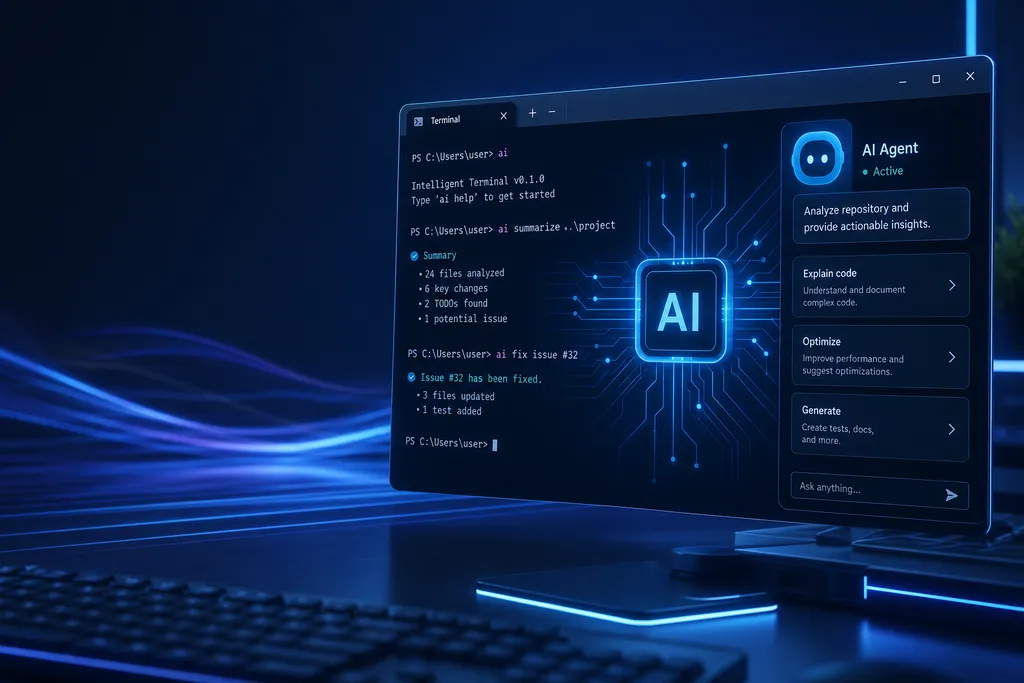
At Build 2026, Microsoft officially released the Intelligent Terminal for download, integrating ACP agents such as GitHub Copilot directly into the command-line sidebar, so developers no longer have to constantly switch back and forth between the terminal and chat windows.
Microsoft has finally started revamping the command line that hasn’t changed much in over a decade.
On June 14, Windows Central released a hands-on test of Intelligent Terminal, a new tool Microsoft announced earlier this month at Build 2026 — an experimental terminal forked from Windows Terminal, natively integrating AI agents. It’s now searchable in the Microsoft Store, and you can install it with a single winget command.
In short, instead of forcibly injecting AI into the main Windows Terminal branch, Microsoft has created a separate fork to test the waters. This restrained approach allows long-time users to continue with the pure version, while early adopters can install Intelligent Terminal — separate streams without interference. This product strategy is consistent with how VS Code introduced Copilot as an extension and Edge integrated Copilot into a sidebar — AI features enter as optional first, and later market response determines whether to merge them into the mainline.
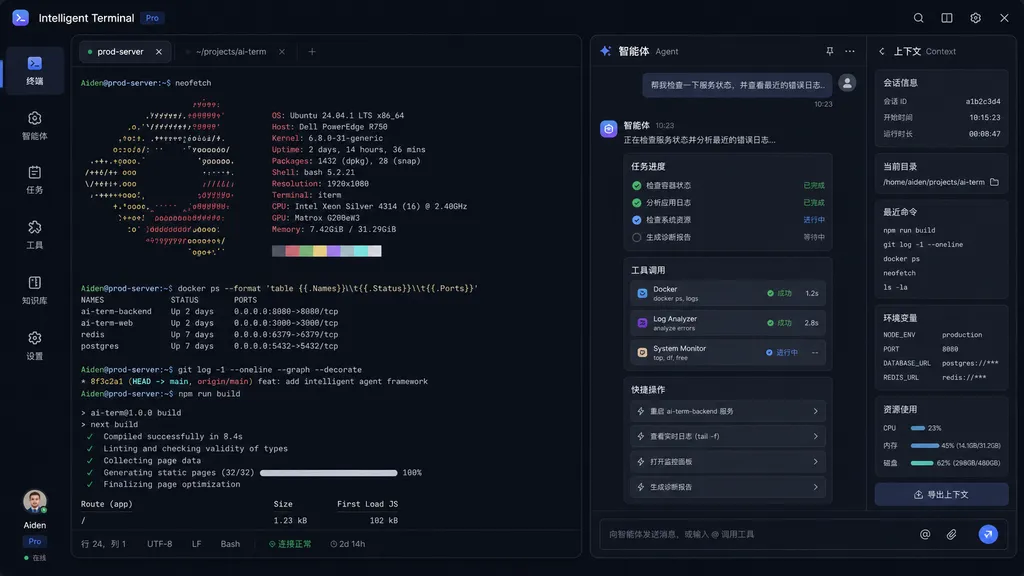
Install in one command and shake hands with Copilot first
The installation path is straightforward. Open Windows Terminal (preferably with administrator privileges) and type:
winget install Microsoft.IntelligentTerminal
Or just search “Intelligent Terminal” in the Microsoft Store. On first launch, a panel will pop up to let you choose an agent compatible with ACP (Agent Client Protocol) — by default it detects the installed GitHub Copilot CLI.
Here’s a detail worth noting: Intelligent Terminal has no proprietary agent of its own. It’s just a shell that communicates with external agents via the open ACP protocol. In theory, any vendor that implements ACP in the future can connect to it. This is Microsoft’s relatively open side, smarter than hardwiring Copilot into the terminal — developers are extremely sensitive to being “locked in.”
The ACP protocol’s positioning is similar to LSP (Language Server Protocol) in editors: it defines how terminals/editors communicate with command-line AI agents, decoupling front-end from back-end. Microsoft has essentially standardized the interface layer at the terminal level, enabling free competition in the ecosystem.
Real selling point: agents can “see” your shell
If it were just a chat box in the sidebar, that’s nothing new — third-party terminals like Warp, Wave, and Hyper have done that. The differentiator for Intelligent Terminal is agents can directly read the shell context.
What does this mean? It means you no longer have to repeat that all-too-familiar sequence:
- Run a command and get an error
- Copy the error message
- Switch to browser and paste into ChatGPT
- Get the answer
- Switch back to terminal and run again
Now the process goes: after a command fails, press Ctrl + Shift + . to open agent chat and simply say “Why did it fail?” The agent already has the full error message, current directory, shell type, and recent command history. It can even, without interrupting your main shell work, generate fixes, explain failure reasons, and run multi-step tasks in a dedicated pane.
Key shortcuts to remember:
Ctrl + Shift + .: Call up agent chatCtrl + Shift + I: Hide agent chatCtrl + Shift + /: Open the agent management panel to view, resume, or terminate various agent tasks
The agent management panel is interesting in design. It treats each agent task as a “background process” that can be paused, resumed, or checked. In other words, you can let an agent handle a long task (such as batch renaming files or running dependency upgrades) while you continue other work in the main terminal, and come back later to check progress.
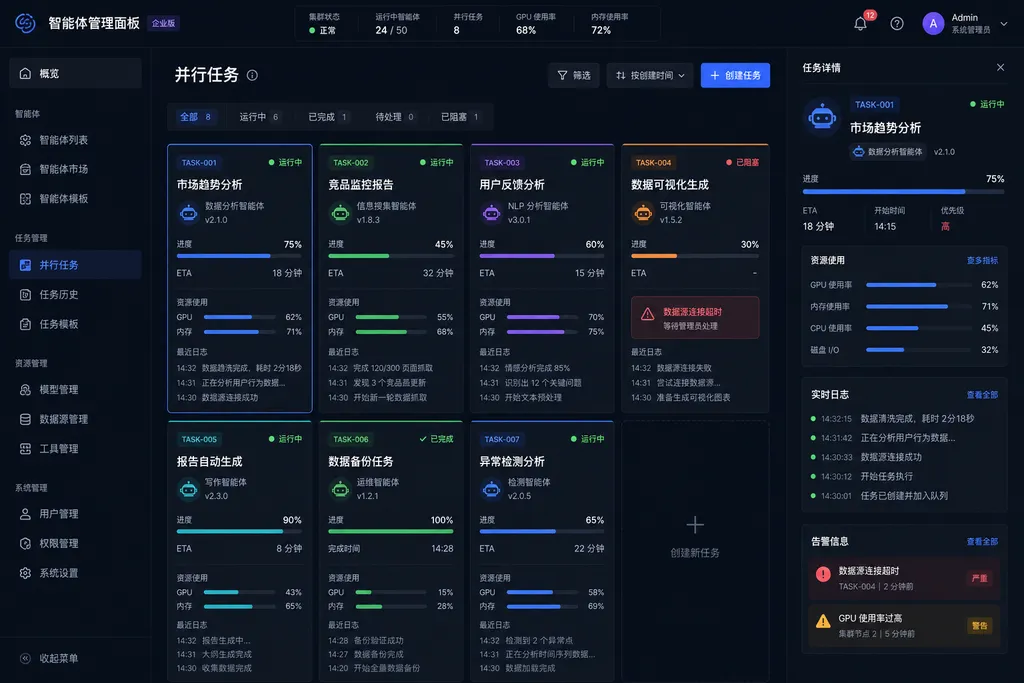
How automatic error detection works
There’s a detail in the hands-on worth expanding: enabling error detection automatically installs shell integration.
This is a hook mechanism supported by PowerShell 7+ and modern bash/zsh, essentially injecting a script into the shell’s prompt hook to send command start/end, exit code, current directory, and other info to the terminal via OSC (Operating System Command) escape sequences. Windows Terminal previously used this mechanism for command history and block-level navigation; now Intelligent Terminal repurposes it for error monitoring.
The benefit: agents don’t need to hack the shell or parse the screen buffer — the terminal layer knows exactly whether a command failed and its exit code. The drawback: you need a shell that supports shell integration — traditional cmd.exe users are basically excluded.
Session management also works similarly. When enabled, agent activities across terminal sessions are recorded, so you can retrieve context when switching between different windows or tasks — especially convenient for developers running a dozen tabs at once.
Has Microsoft regained ground against Warp?
Warp is the unavoidable comparison. The YC company has been reimagining terminals since 2022, building a mature experience with AI command completion, natural language to command conversion, and AI Workflows, launching Agent Mode last year. For a while, any discussion of “modern terminals” in dev circles was essentially about Warp.
Intelligent Terminal can’t match Warp’s polish in the short term, but it has two cards to play:
First, native platform advantage. Being a Microsoft fork of Windows Terminal, it naturally fits into the Windows ecosystem — PowerShell, WSL, CMD, Azure CLI, winget. Warp’s Windows experience has long lagged behind macOS, a gap Microsoft can easily fill.
Second, open protocol. Warp’s AI is closed-source and tied to its own service, while Intelligent Terminal uses ACP — in theory you can plug in Claude, Gemini, or local models, provided they implement ACP adaptation. This is particularly important for enterprise users, many of whom forbid sending code or command history to third-party SaaS.
Of course, the current 0.1 version is still highly “experimental.” Windows Central noted shortcut conflicts, slow agent responses, and occasional misses in error detection. Microsoft openly states — this is an experimental terminal, not a production tool.
Why the terminal race heated up suddenly
Zooming out, terminal tool revivals have been a moderate trend since 2024. Projects like Warp, Wave, Zellij, and Ghostty have popped up sequentially. The logic is clear: LLMs have made natural language interfaces truly usable, and the terminal is one of the highest-value AI use cases for developers.
Think about it: how much of a developer’s day is spent in the command line? grep, find, awk, sed, git, docker, kubectl… each with dozens or hundreds of flags, each prompting “Can’t it just let me say what I want to do?” This natural language → precise command transformation is exactly what LLMs excel at.
Microsoft’s timing isn’t early, but the weight is substantial. Since Windows Terminal’s open-source release in 2019, it has amassed millions of developer users; coupled with GitHub Copilot’s dominance in code assistance, Intelligent Terminal begins with strong channels and branding. If it can polish the experience in the next couple of versions, it could put real pressure on independent products like Warp.
Tips for developers
If you want to try it now, some practical advice:
- Don’t replace your main terminal. Version 0.1 has many bugs; keep the original Windows Terminal.
- Choose PowerShell 7+ or WSL bash with shell integration, otherwise error detection and context capture will be compromised.
- GitHub Copilot CLI is the default partner — if not installed, first run
gh extension install github/gh-copilot. - Pay attention to the ACP ecosystem. If your team has its own CLI agent, ACP is the official integration path for Intelligent Terminal, worth researching early.
Also, for developers who trigger multiple models via a single key, OpenAI Hub has already connected to GPT series models from the same family as GitHub Copilot, including GPT-5.1 with extended context length. If your ACP agent uses an OpenAI-compatible interface to run third-party models, domestic aggregation layers can save you a lot of configuration hassle.
One opinion
Subjectively speaking: Intelligent Terminal is a steady move. Microsoft hasn’t rushed into disruption, but has made AI a pluggable capability in the sidebar, letting users decide whether to use it. This “coexist first, merge later” rhythm is the same playbook Microsoft has repeatedly used in Windows, Office, and VS Code in the past two years — and it’s been effective.
What’s more worth watching is the ACP protocol. If it truly becomes a de facto standard like LSP, the relationship between terminals and agents could shift from “locked into one vendor” to “free combination of front-end and back-end” — benefiting the entire developer tool ecosystem.
Intelligent Terminal is only at 0.1 now, but the direction matters more than the version number: the command line won’t disappear, but it will shift from being “an interface for humans” to “an interface shared by humans and agents.” This truly begins in 2026.
References
- IT Home: Foreign media hands-on Intelligent Terminal, bringing AI agents into Microsoft Win11 terminal — Chinese paraphrase of Windows Central’s hands-on report, including installation steps and shortcuts


