
Google Puts Gemma 4 12B into Mac: Local Multimodality Finally Looks Good
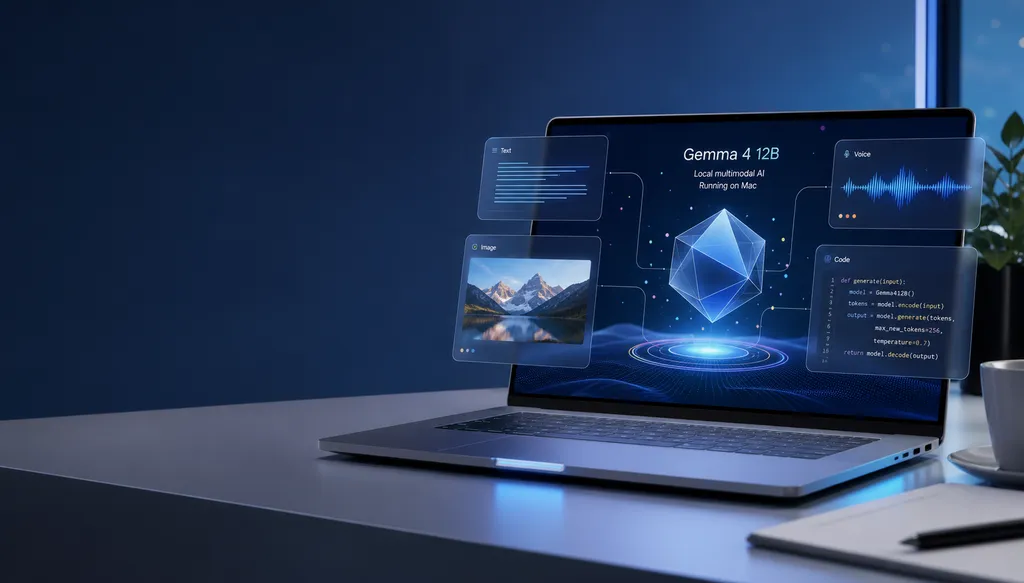
Google has officially brought AI Edge Gallery to macOS, simultaneously releasing the Gemma 4 12B multimodal model with 12 billion parameters, which can run on a MacBook with 16GB of memory. An accompanying offline transcription app, Eloquent, has also been launched.
This time Google didn’t hold a launch event — it quietly brought AI Edge Gallery to macOS. On June 3, this local model runner, previously only available on Android and iOS, finally filled in the last piece of the desktop puzzle. Alongside it came Google’s flagship new model Gemma 4 12B and a local transcription app called Eloquent.
The intent of this combo is crystal clear: push on-device AI from “can run” to “can be used.” Over the past two years, everyone has been competing in the cloud with hundreds of billions of parameters, while local models have been stuck in a “toy” stage — 7B, 9B could barely run, and buckled under real workloads. Gemma 4 12B is Google’s first direct answer to that problem.
This is not just another Ollama
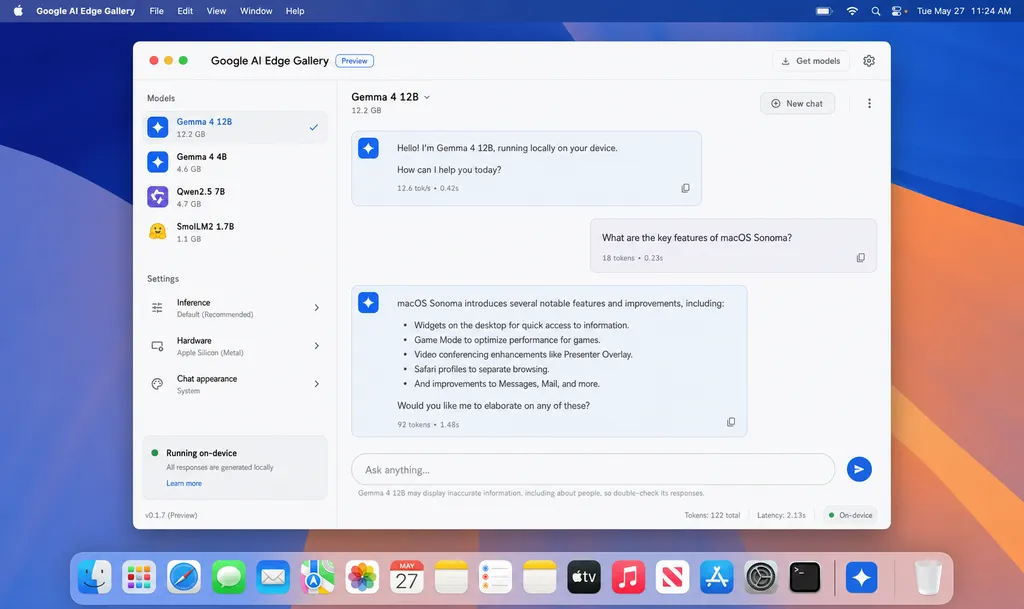
Let’s set the positioning straight: AI Edge Gallery isn’t here to steal Ollama or LM Studio’s lunch — at least not right now.
Ollama and LM Studio’s advantage is openness — thousands of models on Hugging Face, and as long as your hardware is compatible, you can install them all. In contrast, AI Edge Gallery currently only supports five Google-owned models, all of which are instruction-tuned.
This may sound like a drawback, but Google’s logic is different: don’t aim to “run everything”, aim to “run the best one.” The Gemma series is deeply optimized within Google’s own toolchain, and combined with the LiteRT-LM runtime, it theoretically uses less memory and runs faster compared to general platforms scheduling Google’s models. This is similar to Apple’s approach with Core ML — trade openness for performance.
For developers, the takeaway is simple:
If you want to tinker with various open-source models, stick with Ollama; if you want a ready-to-use desktop solution that runs Gemma reliably, install this. They don’t conflict.
Gemma 4 12B: Google’s turning point for “usable” AI
The real star here is Gemma 4 12B.
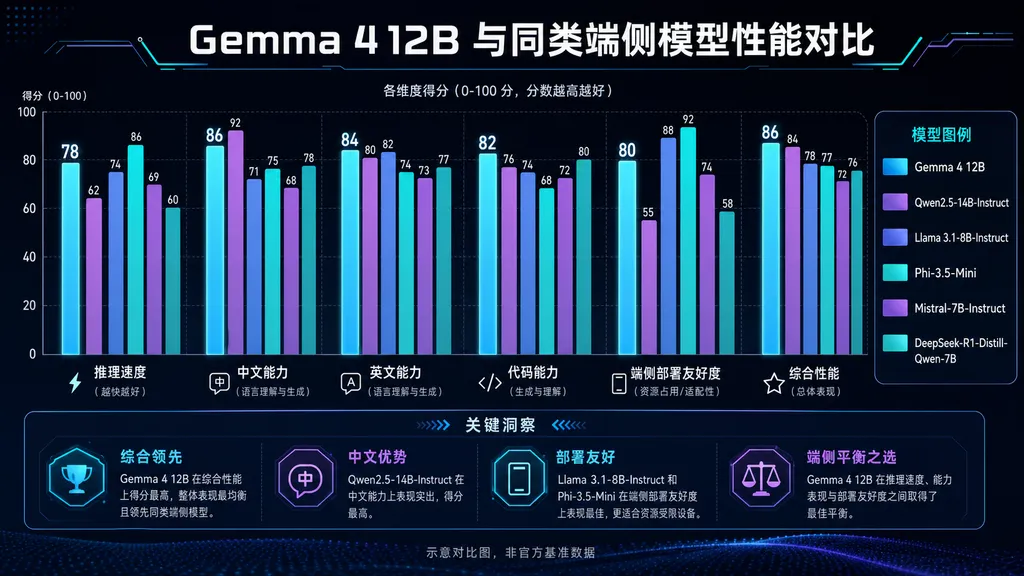
According to Google, this 12-billion-parameter dense model can match the performance of their 26-billion-parameter MoE version. This sounds like marketing talk, but if true, it means that the capability ceiling for on-device models is meaningfully raised.
Key specs:
- Parameter count: 12B (dense)
- Hardware requirement: Consumer-grade laptop with 16GB RAM
- Modality support: Text, vision, audio
- Positioning: Agentic + multimodal, aimed at local programming and data analysis scenarios
The 16GB threshold is intentional. Current mainstream MacBook Air models start at 16GB, and the unified memory architecture of M-series chips is particularly friendly for large model inference — VRAM is RAM, meaning no data shuffling. In other words, this model isn’t made for dev machines — it’s for ordinary users’ laptops.
The multimodal capability is worth highlighting. Until now, on-device multimodal models were mostly crippled — either image-only without audio, or too slow to be usable. Gemma 4 12B packages three modalities together, and Google’s official blog says “directly extract valuable insights from data on the device” — which translated means: they want local models to handle RAG and data analysis tasks.
The three old problems of on-device AI — how many can be solved this time?
The three big selling points of local models haven’t changed: offline use, performance scales with hardware, and data stays local. But in the past two years, despite constant mention, progress has been slow. What has Google actually pushed forward this time?
First — privacy. This was never disputed; local means local. But Eloquent makes the scenario concrete — speech transcription, filler removal, and style refinement all happen on-device. For enterprise users, legal, and medical professionals, that’s a direct, deployable need. Cloud transcription apps have had compliance concerns for years — localization is the only answer.
Second — performance. Apple Silicon is the biggest variable here. The NPU and unified memory in the M3/M4 chips make running a 12B model on an ordinary laptop realistic. Combined with Google’s LiteRT-LM runtime, first-token latency and generation speed are said to approach some 7B cloud calls — pending real testing.
Third — capability. This has been the biggest shortcoming. If Gemma 4 12B really matches a 26B MoE, then for the first time, an on-device model can seriously be used for coding and analytics — no longer just a “toy.”
Eloquent: the underrated launch
Compared to Gemma 4 12B’s high-profile debut, Eloquent feels like an afterthought — but it may be the most product-minded thing here.
Its core function can be summed up in a sentence: local real-time transcription + text polishing. But the details are clever:
- Automatically removes fillers like “um,” “ah,” “you know”
- Light editing to make conversational language clearer
- Supports switching between various writing styles
- Custom vocabulary to ensure proper handling of specialized terms
That last point is key. Anyone who’s used Apple’s native dictation knows the pain — inputting terms like “LangChain” or “Anthropic” usually ends in disaster, requiring manual correction every time. Eloquent lets users add words to their own dictionary, solving this long-standing frustration.
For the transcription SaaS market, this is a major blow. Cloud services like Otter and Rev rely on transcription quality plus editing features for their core value — now Google is giving that away for free, locally, and with privacy guaranteed.
Google’s on-device strategy comes into focus
Putting these releases together, Google’s roadmap for on-device AI is becoming clearer:
- Model layer: Iterating the Gemma series, lowering usability thresholds with each generation (3B → 9B → 12B, with performance equivalent to bigger cloud models)
- Runtime layer: LiteRT-LM unified scheduling, cross-platform (Android/iOS/macOS)
- Application layer: AI Edge Gallery as the showcase, Eloquent as the killer app example
- Developer ecosystem: Model weights open in the litert-community repository on Hugging Face
This combo’s competitor isn’t OpenAI or Anthropic — it’s Apple’s Apple Intelligence. Apple is doing a closed loop with small proprietary models + private cloud inference, while Google is building an open ecosystem with open-source Gemma + local runtime. On macOS, Apple’s turf, Google is actually earlier to achieve “12B multimodal running locally” — which is quite interesting.
Should developers follow suit?
Some suggestions:
- If you’re building local AI apps, Gemma 4 12B is worth testing. 12B parameters + multimodal + 16GB requirement has no direct rival in current open-source models.
- If you’re already using Ollama to run Llama 3 or Qwen, no need to switch right away — but install AI Edge Gallery to compare inference speed. Google’s runtime optimization is likely faster than generic solutions.
- Install Eloquent immediately — it’s free, and offers a tangible boost for writing and meeting notes.
- If you’re building agentic workflows, Google’s blog explicitly positions Gemma 4 12B as an agentic model, with function calling and tool use as focus areas — this deserves special testing.
On the open-source side, Gemma 4 12B’s weights are already on Hugging Face. If you want to integrate cloud calls for a hybrid setup, aggregation platforms like OpenAI Hub also support Gemma series calls — combine them with the local version for a “cloud fallback, local first” deployment strategy.
One unanswered question
What Google hasn’t said: why does AI Edge Gallery on Mac only open its own models?
Technically, LiteRT-LM can run other open-source models. But Google’s lips are sealed. One guess: solidify the experience for its own models first, then open up gradually; another guess: make the Gallery into the official launcher for Gemma, to counter “neutral” platforms like Ollama.
Either way, for developers, the choice is straightforward now:
For flexibility — choose Ollama; for Google’s official optimization — choose AI Edge Gallery. Installing both is totally fine.
On-device AI, by mid-2026, is finally no longer “the future sounds sexy, but the present is disappointing.” Gemma 4 12B and AI Edge Gallery send a clear signal: running a multimodal large model on a 16GB laptop has evolved from demo to productivity.
References
- litert-community/gemma-4-12B-it-litert-lm · Hugging Face - Official model card and hardware specs for Gemma 4 12B


