
Trae SOLO standalone version goes live — Byte has pulled the Agent out of the IDE.

ByteDance’s AI programming tool **Trae** has spun off its **SOLO mode** into a standalone application, available for both desktop and web. It features **MTC** and **Code** dual-mode agents, aiming to evolve from a developer tool into a general-purpose AI workspace.
ByteDance has pulled out the most powerful SOLO mode from Trae and built it into a standalone application. The desktop and web versions are launching simultaneously, and the Chinese version is completely free.
The message is clear: the war of AI IDEs is shifting from “whose code completion is more accurate” to “who can enable non-coders to use Agents.”
From IDE Plugin to Standalone App — Why Split It?
Developers who have used the Trae IDE should be familiar with SOLO mode — you give it a requirement, and it automatically plans tasks, writes code, runs tests, and fixes bugs. It’s basically an AI programmer embedded inside your editor. Its capability is solid, but the problem is obvious: it’s stuck inside the IDE.
A screen full of file trees, terminal panels, and sidebars may be routine for developers, but a turn-off for product managers, operations people, or data analysts. ByteDance seems to have realized this. By breaking SOLO out into a standalone application, they are essentially widening their user base — expanding beyond developers to all knowledge workers who can benefit from AI Agent capabilities.
The official update slogan sums up the intent plainly: “More Than Coding.”
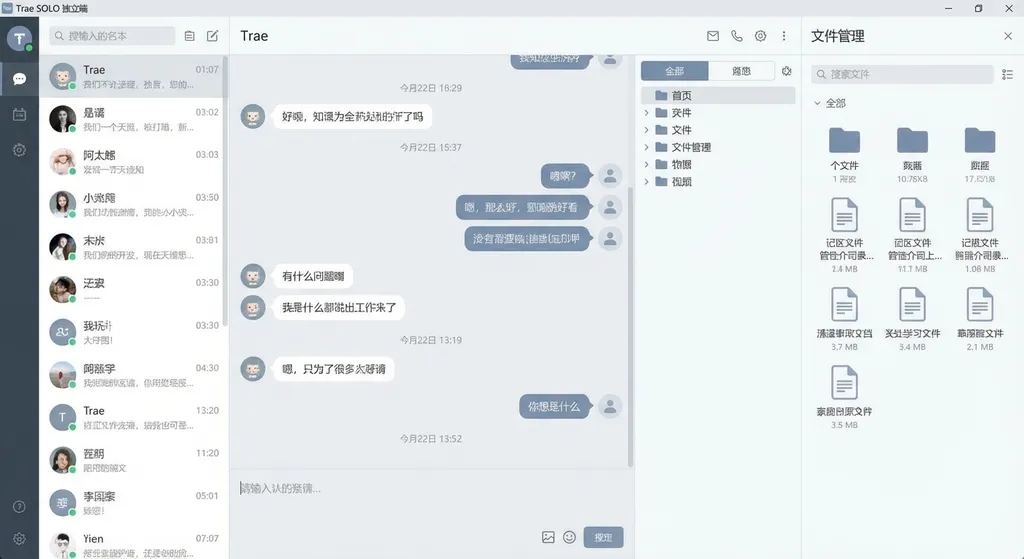
Dual-Mode Agent: MTC and Code
The core design of the Trae SOLO standalone version lies in its dual-mode agent, a rare concept among similar offerings.
MTC Mode (More Than Coding) targets non-programming use cases. You can have it operate a browser, perform data analysis, draft proposals, or generate illustrated tutorials. It includes built-in Skills like browser operation and screenshot capture — it can open a browser window within its own interface to execute tasks, without needing Chrome or any extra plugins.
Code Mode continues the core SOLO capability from the Trae IDE — supporting Plan mode task planning, multi-task parallel execution, Sub Agent collaboration, and DiffView code tracking. For developers, these features are familiar, but the user experience has been refined in the standalone version.
You can switch between the two modes anytime. For instance, you could do a competitive analysis in MTC mode, then switch to Code mode to turn the analysis results into a data visualization page — a seamless workflow.
This is actually a smart design. AI Agent tools on the market tend to either focus on coding (like Cursor or Windsurf) or general conversations (like ChatBots). Trae SOLO aims to cover both ends. Whether it can succeed at that remains to be seen, but at least the product form stands out.
Skills Marketplace: Letting the Agent Choose Its Own Tools
The standalone version introduces a Skills Marketplace, an interesting addition.
Each Skill is essentially a packaged capability that includes specific workflows, domain knowledge, and tool invocation logic. Once installed, no manual configuration is needed — the Agent automatically calls the relevant Skill as tasks require.
For example: you install “Browser Operation” and “Screenshot” Skills, then ask SOLO to register an account on a website and write an illustrated tutorial. It will open its built-in browser, execute the steps, take screenshots at key points, pause for manual actions (like login verification), and finally assemble a tutorial with text and images.
This experience is far friendlier than traditional RPA tools. In RPA, you’d have to draw workflows, configure selectors, and handle exceptions manually. SOLO just requires you to describe what you want done — it decides how to do it and which tools to use.
Of course, the value of this feature depends on the diversity of the Skill ecosystem. It’s still early days with a limited number of Skills available. If ByteDance opens it up for community contributions, the potential could grow significantly.
Real-World Use Cases
Based on community feedback and testing, the SOLO standalone version performs well in several scenarios.
Data Analysis
Drag an Excel file into the file panel and ask for analysis — it can generate word clouds, bar charts, and comparative visualizations. Some users tested it with the 2026 National Exam job listings, and SOLO produced word clouds of required majors, bar charts of recruitment counts, north-south comparisons, and first-tier city statistics.
Previously, this would require Python scripts or heavy Excel manipulation. SOLO lowers the barrier to “drag + speak.”
Full-Stack App Development
One user had it develop an AI novel reader from scratch — supporting Markdown import, chapter lists, page turning, and URL sharing. SOLO first laid out product requirements and technical plans, created a visual layout sketch, and then coded the implementation step-by-step. When errors appeared, users simply handed them back to SOLO for one-click fixes.
The whole process — from brainstorming to a functional prototype — can now be done solo. That’s very appealing to indie developers and small teams.
Browser Automation
In MTC mode, SOLO can control its built-in browser to accomplish web tasks. You see real-time animations showing where it clicks and what it types. When manual decisions are needed, it pauses for your confirmation — no blind operations.
This is a thoughtful touch. Many Agent tools perform browser operations in a black box; you only see the final result. SOLO gives users a sense of control throughout.
How It Stacks Up Against Competitors
Placing Trae SOLO in the current AI-coding landscape:
Compared with Cursor / Windsurf:
These remain pure developer tools, competing mainly on editing and model strength. Trae SOLO may not surpass them in coding power, but its differentiation lies in being “not limited to coding.” If you just want a stronger AI editor, Cursor may still be best. If you want an AI workstation that handles diversified tasks, SOLO covers more ground.
Compared with Manus / General Agents:
Products like Manus can also perform browser automation and data analysis but lack robust coding capability. SOLO’s edge is that its Code mode provides a full development environment, while MTC mode handles general tasks — walking on two legs.
Compared with Claude Artifacts / ChatGPT Canvas:
These products try to enable interactive outputs but remain fundamentally conversational, lacking a file system, terminal, or Skill system. SOLO is closer to a “conversational workstation” rather than a “chat box that can code.”
That said, SOLO’s weaknesses are evident. As a new standalone product, its stability and edge-case handling need refinement. The Skill ecosystem is nascent. And “can do everything” often implies “average at everything.” Maintaining consistent quality across varied scenarios is a big challenge.
What It Means for Developers
Trae SOLO runs on ByteDance’s in-house model (Doubao LLM) but also supports integration with other models. For developers accustomed to API calls, similar Agent functions can be built via OpenAI-style APIs.
Using a platform like OpenAI Hub (openai-hub.com), one API key accesses GPT, Claude, Gemini, DeepSeek, and others, with a consistent, OpenAI-compatible format and direct Chinese connectivity. For example:
from openai import OpenAI

client = OpenAI(
    api_key="your-openai-hub-key",
    base_url="https://api.openai-hub.net/v1"
)

# Build a simple Agent task planner
response = client.chat.completions.create(
    model="deepseek-r1",  # or gpt-4o, claude-sonnet-4, etc.
    messages=[
        {
            "role": "system",
            "content": "You are a task planning Agent that breaks down user requests into actionable steps."
        },
        {
            "role": "user",
            "content": "Analyze this sales Excel file and generate a monthly trend chart and a Top 10 client ranking."
        }
    ],
    temperature=0.7
)

print(response.choices[0].message.content)
// Node.js / TypeScript example
import OpenAI from 'openai';

const client = new OpenAI({
  apiKey: 'your-openai-hub-key',
  baseURL: 'https://api.openai-hub.net/v1',
});

const response = await client.chat.completions.create({
  model: 'claude-sonnet-4',
  messages: [
    {
      role: 'system',
      content: 'You are a code review Agent that analyzes code and gives improvement advice.',
    },
    {
      role: 'user',
      content: 'Please review the following React component for performance issues...',
    },
  ],
});

console.log(response.choices[0].message.content);
What Trae SOLO is essentially doing is building a layer of task orchestration and tool invocation on top of model capabilities. For anyone building a similar Agent system, flexibility in model selection and switching is crucial.
ByteDance’s Intention
Splitting SOLO from the IDE isn’t hard to interpret.
As a VS Code fork, Trae IDE’s market ceiling is limited to developers. The SOLO standalone version, however, targets a broader group of knowledge workers — product managers, operations specialists, analysts, creators — anyone who needs AI help but doesn’t want to touch code.
This logic is reminiscent of Notion AI or Feishu Assistant, but SOLO’s distinction is that it runs real code in a real environment with a file system. It doesn’t simulate responses inside a chat box — it can truly execute, browse, and read/write files.
The Chinese version is currently free, using an invite code system. Based on feedback from the Linux.do community, invite codes are spreading quickly — some threads have already run out.
China version: https://solo.trae.cn
International version: https://solo.trae.ai
AI tool competition has entered the “scenario coverage” phase. Whoever enables users to complete more types of tasks within a single interface will capture longer user engagement. The Trae SOLO standalone version represents ByteDance’s clear bet in that direction. Whether it pays off depends on the pace of iteration and the growth of its community ecosystem in the coming months.
References:
- Trae SOLO Invite Code Share Thread - Linux.do — Community sharing invite codes and early experiences
- New SOLO Invite Code Distribution Thread - Linux.do — Invite collection and discussions
- The Strongest Domestic AI IDE, Trae SOLO China Edition Launch - Zhihu — Launch analysis
- It’s Official! TRAE SOLO China Version Released, All Features Free - Zhihu — Xinzhiyuan’s detailed feature report


