
WeightsLab Major Update: Pause Training Mid-Run — The Cure for CV Engineers’ Messy Data Problem
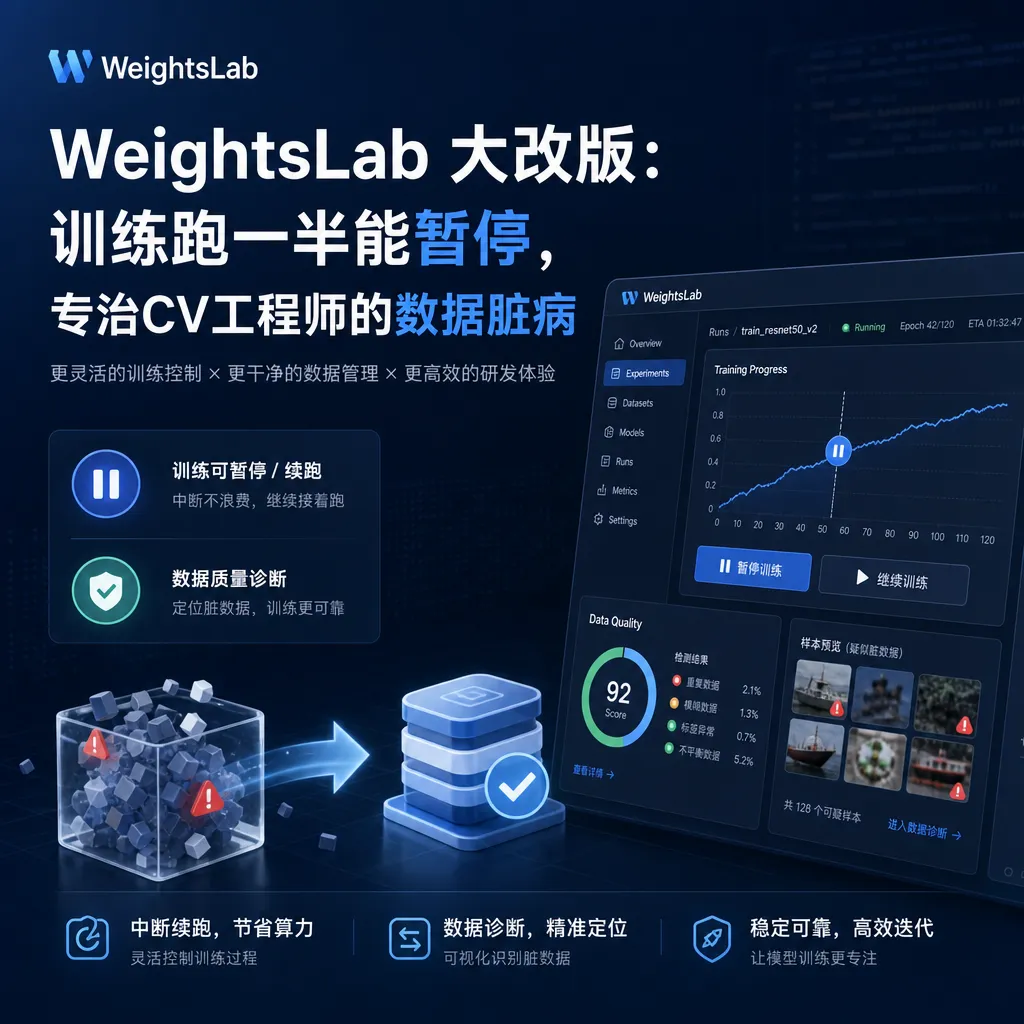
The open-source tool WeightsLab has launched a data-centric debugging feature that supports pausing during training, real-time monitoring of loss signals, locating mislabeled and outlier samples. It is PyTorch-native and designed for CV teams working with images, videos, and LiDAR point cloud scenarios.
Stop Debugging the Model — The Problem Is Most Likely in the Data
This happened this week — the GrayboxTech team gave their open‑source project WeightsLab a major overhaul and posted it on Reddit’s r/MachineLearning forum. The pitch is simple: pause training halfway, inspect live loss signals, identify issues like mislabeling, class imbalance, and outliers in the data, then decide whether to keep burning GPU cycles.
For any engineer who has tuned a CV model, this scenario is familiar: three days spent debugging model architecture, learning rate, optimizers, only to find out the labeling team marked a cat as a dog, or a batch contained a pile of oddly‑sized dirty data. WeightsLab’s redesign targets exactly this pain point — shifting the debugging focus from “model code” to “the data itself.”
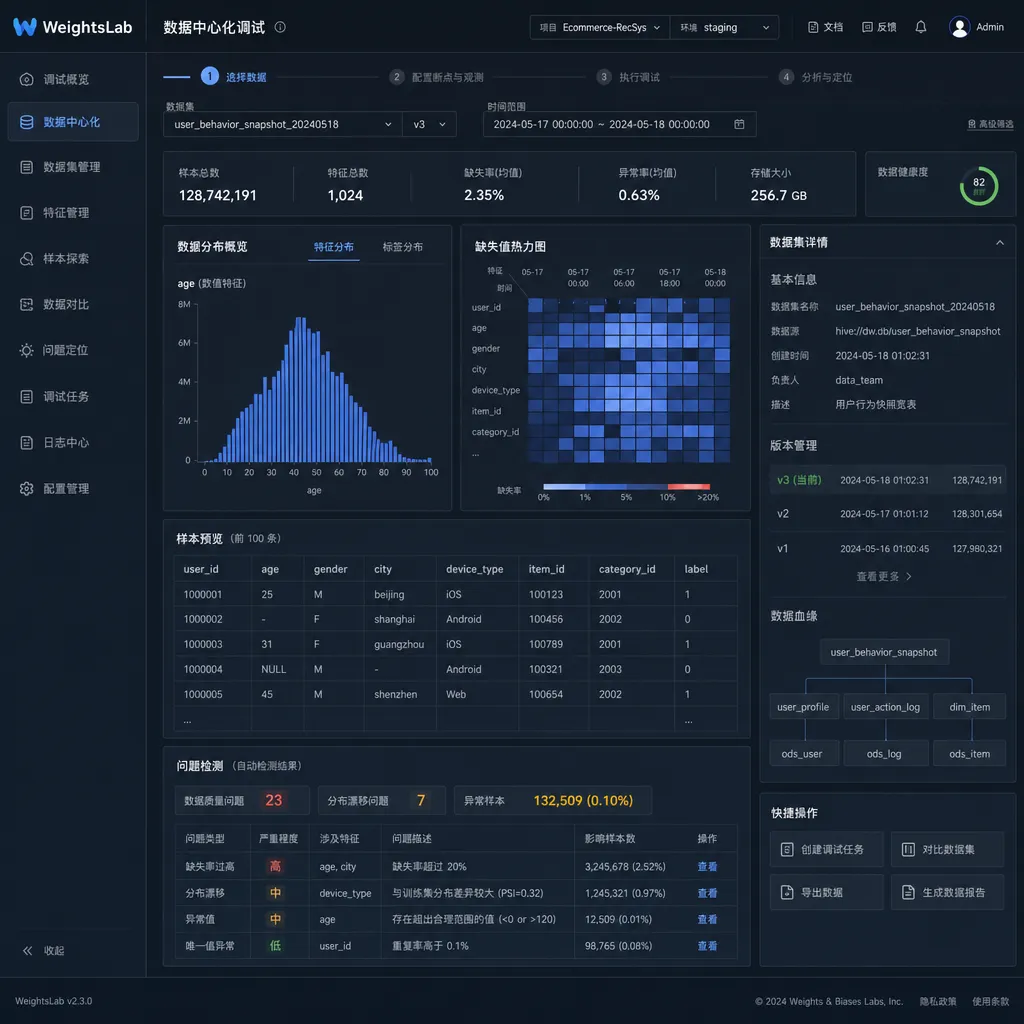
What Is This Thing
Let’s clarify the positioning. WeightsLab is not another TensorBoard replacement, nor a domestic clone of W&B. It defines itself as “data‑centric debugging for teams training neural nets,” with the core concept being to turn Andrew Ng’s recent data‑centric AI advocacy into concrete tooling.
Key attributes:
- Open‑source, repository publicly available on GitHub
- PyTorch‑native, no need to change frameworks or wrap things in odd wrappers
- For CV engineers, focusing on image, video, and LiDAR point cloud data
- Supports team collaboration, not a single‑machine local tool
Its workflow breaks down into three steps: pause training → inspect loss signals in real time → pinpoint issues at the sample level. Sounds simple, but compare it to existing toolchains and you’ll see no one has nailed this combination.
Why “Pause Training” Is an Underrated Capability
Current mainstream training monitoring is essentially post‑hoc log review. TensorBoard shows curves, W&B shows metrics, MLflow logs experiments — they are “observers,” not “interveners.” When problems arise, you have to wait for the current training run to finish, analyze checkpoints, restart your experiment. On an 8‑GPU H100 job, a wasted run can cost thousands of dollars.
WeightsLab works differently. It lets you pause during training, dive into the current step’s state, and inspect which samples have abnormally high loss, which classes have gradient directions wildly different from others, and which batches contain visually obvious outlier images. After reviewing, you can:
- Mark these samples for removal from the dataset
- Correct labels and continue training
- Adjust sampling strategy so minority classes get more visibility
- Stop training entirely and clean the dataset
This interactive logic is more like Jupyter Notebook’s “intervene anytime” style, rather than traditional training scripts’ “run to completion.” For multi‑day training jobs, discovering by the third epoch that “oh, 7% of the dataset is mislabeled” saves not just time, but real money.
How to Use Live Loss Signals
The interesting part here is the concept of live loss signals.
Traditional loss monitoring looks at aggregated scalars: average loss per batch, training/validation loss curves per epoch. This granularity only tells you “overall training health,” not “which specific sample is causing trouble.”
WeightsLab drills loss signals down to the sample level. You see not just a curve, but a heatmap of samples × loss — images that consistently remain in the high‑loss zone during training basically point to three types of issues:
- Labeling errors: The model can’t learn because the label itself is wrong
- Naturally difficult samples: Edge cases like severe occlusion or extreme lighting
- Outlier samples: Images that don’t belong in this dataset at all, e.g., abnormal resolution, off‑topic content
These three require entirely different handling: fix mislabeled data, keep (and possibly weight) hard samples, remove outliers. In traditional monitoring they all blend into a single loss curve. WeightsLab re‑introduces sample identity into visualization — a very pragmatic design.
Why Focus on CV and Call Out LiDAR
The redesign explicitly supports images, videos, and LiDAR point clouds. Calling out LiDAR is a signal — they’re targeting not generic ML engineers but those in autonomous driving, robotics, and 3D perception.
This group faces the worst data issues, for several reasons:
- Point cloud labeling costs 5–10× more than images, naturally inflating mislabel rates
- In multi‑sensor fusion scenarios, misaligned timestamps and calibration drift produce dirty data
- Data volumes are huge: a single scene could be several GB, making manual visual inspection impractical
In NLP, the competition is around model scale and RLHF; CV has already returned to a “data is king” state. Tesla’s closed‑loop data system and Waymo’s auto‑labeling pipelines are essentially solving data quality problems. WeightsLab’s choice to cut into CV is a sound market judgment.
How It Fits into Existing Toolchains
Developers care most about this. Right now, tuning a CV model typically means:
- Training framework: PyTorch / PyTorch Lightning
- Monitoring: TensorBoard or Weights & Biases
- Data management: DVC or custom S3 scripts
- Labeling: CVAT, Label Studio, SuperAnnotate
- Data quality: Cleanlab, FiftyOne
Where does WeightsLab sit? I’d say its closest competitor is the FiftyOne + Cleanlab combo, but it goes further — embedding debugging directly into the training loop rather than reviewing after training ends.
# Example integration (based on public info assumptions)
from weightslab import Trainer

trainer = Trainer(model, dataset, ...)
trainer.enable_live_inspection()
trainer.fit()
# During training, open the Web UI to pause, inspect, and mark samples
Note this is illustrative — check the repo for actual API. The idea is to inject inspection points into the training loop, not take over afterwards.
Questions Worth Asking
It looks promising, but let’s not hype it blindly. Some practical questions:
1. Is pause‑training friendly to distributed training? Pausing on a single GPU is easy, but if you pause one process in 8‑GPU DDP, how long do the others wait? In team scenarios with collaborative inspection, how do you ensure consistent state? This is an engineering challenge worth monitoring in the repo.
2. How do you visualize massive datasets? ImageNet’s 1.3M images, COCO’s hundreds of thousands, and larger autonomous driving datasets with tens of millions of samples — materializing all sample loss signals in the frontend without freezes?
3. Coexistence with W&B / TensorBoard or replacement? This affects migration willingness. If it’s just a replacement, migration cost is high; if it can coexist as a W&B supplement, adoption likelihood rises.
These aren’t widely discussed in Reddit comments yet — we’ll need real user feedback over time.
Why Data‑Centric Is Hot Again
Looking back, Andrew Ng’s “data‑centric AI” term from 2021 got a lukewarm reception. The renewed interest stems from a changed backdrop:
In the era of large models, the “scale is all you need” pretraining gain is mostly exhausted. In downstream fine‑tuning and domain adaptation, the marginal benefit of improving data quality far exceeds piling on parameters. A clean 10k sample set beats a dirty 100k sample set — this is industry consensus.
It’s even more obvious in CV. Base models (SAM, DINOv3, etc.) already have strong general perception; engineers’ focus has shifted from “design better backbones” to “prepare better fine‑tune data.” In such a context, tools like WeightsLab show real value.
Open‑sourcing is a smart choice. In this CV niche, closed‑source tools are hard to gain traction — FiftyOne rose through open‑source. GrayboxTech’s open‑source + paid team collaboration model is a reasonable bet.
Practical Advice
If your team has CV training tasks, this tool is worth half a day’s trial. My take:
- Single‑GPU or small‑scale training: Integrate directly, will save significant effort in data cleaning
- Multi‑GPU DDP training: Wait for user feedback on distributed support stability
- Production‑level pipeline: Don’t replace the existing monitoring stack yet — evaluate it as a supplementary tool
- Point cloud data teams: Highest priority — few comparable tools support LiDAR well
A side note — OpenAI Hub mainly serves LLM API usage scenarios, calling GPT, Claude, Gemini, DeepSeek via a single key, with domestic direct connections compatible with OpenAI format. Tools like WeightsLab address local training pain points, while Hub is about model inference usage. But if you’re building a mixed CV training + LLM post‑processing pipeline, the two can be used together.
Final Thoughts
WeightsLab’s redesign isn’t revolutionary, but it’s a solid product call. While everyone is competing on models, parameters, and compute, going back and strengthening tooling for the data layer is a contrarian yet pragmatic move.
Whether an open‑source tool can break out depends on the community in the end. The Reddit thread’s current traction is modest — hopefully more CV engineers will post feedback in the issue tracker and help turn such data‑centric debugging tools into industry standards. After all, skipping one wasted training run saves enough GPU time to buy the team several nice meals.
References
- Data-centric debugging for teams training neural nets - Reddit — Original WeightsLab redesign post, author notes and community discussion
- GrayboxTech/weightslab - GitHub — WeightsLab open‑source repo, PyTorch‑native data‑centric training debugger
- A long read on reinforcement learning and whether decentralized RL is possible - Zhihu — Background reading on RL and decentralized training


