
Kimi Code Native Video Understanding: Not Frame Extraction, Truly "Understands"
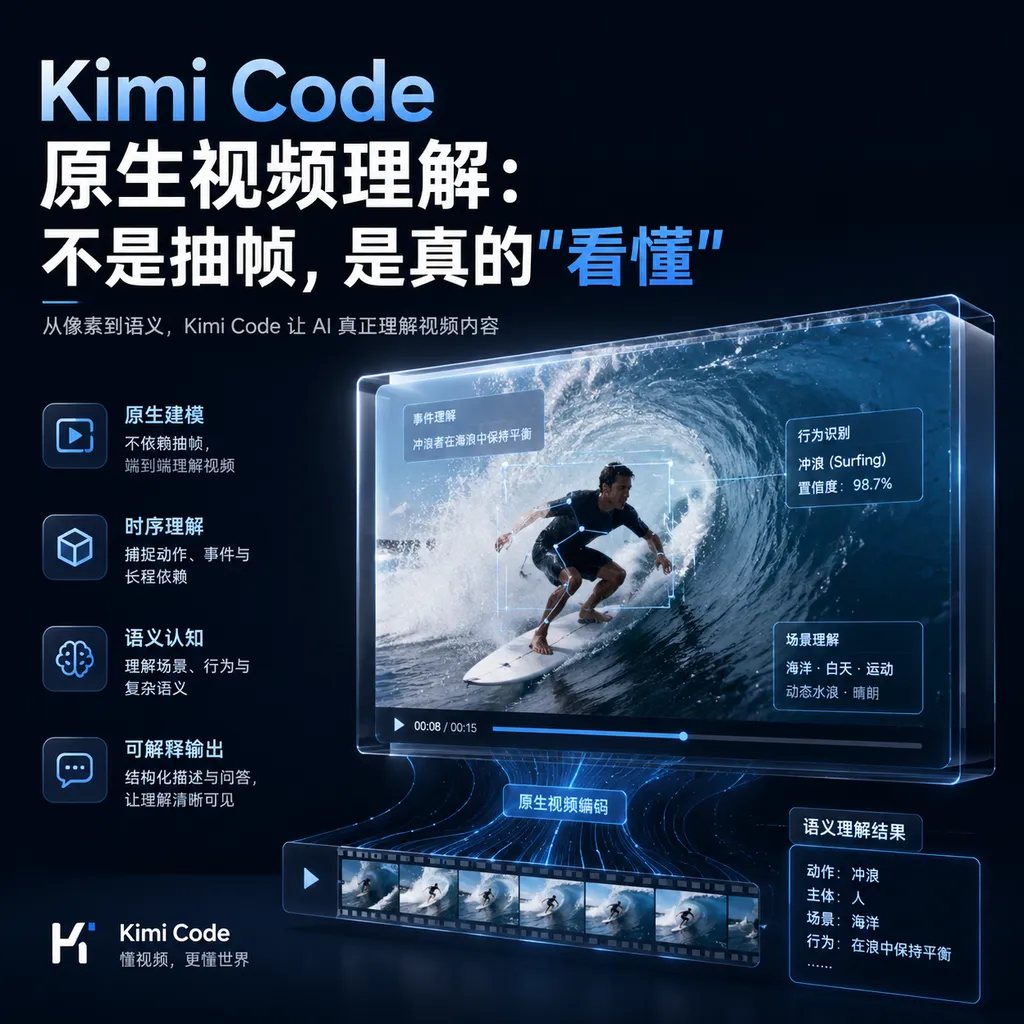
Kimi Code upgrade now supports native video comprehension, breaking through the limitations of traditional frame extraction solutions, and is able to understand continuous dynamic processes in videos. This is of great significance for scenarios such as software testing, operation recording analysis, and video reverse engineering.
From “Guessing from Pictures” to “Understanding from Video,” Kimi Code Adds a Key Missing Piece
Kimi Code has recently quietly launched native video understanding capabilities.
Note the keyword: native. It’s not about extracting a few frames from a video and letting the model guess, but allowing the model to truly “watch” the complete video and understand the temporal relationships and dynamic changes within it.
The significance of this capability becomes clear only when placed in real-world scenarios.
The Fatal Flaw of Frame Extraction: Can’t Guess “What Happened in Between”
Previously, the mainstream approach to video understanding was frame extraction. Record a 30-second operation video, and the model might only see four screenshots at the 1-second, 10-second, 20-second, and 30-second marks.
Here’s the problem:
- Which button did the user click at the 5-second mark? Unknown.
- What did the error message look like at 15 seconds? Missed.
- Was the animation transition between two screenshots smooth or choppy? The model can only guess.
The frame-based approach essentially amounts to “describing pictures”—giving the model a few static images and letting it imagine the story in between. This works tolerably well for slow-changing content (like PPT presentations) but in dynamic scenarios such as UI interactions, software operations, or gameplay recordings, it’s basically blind guessing.
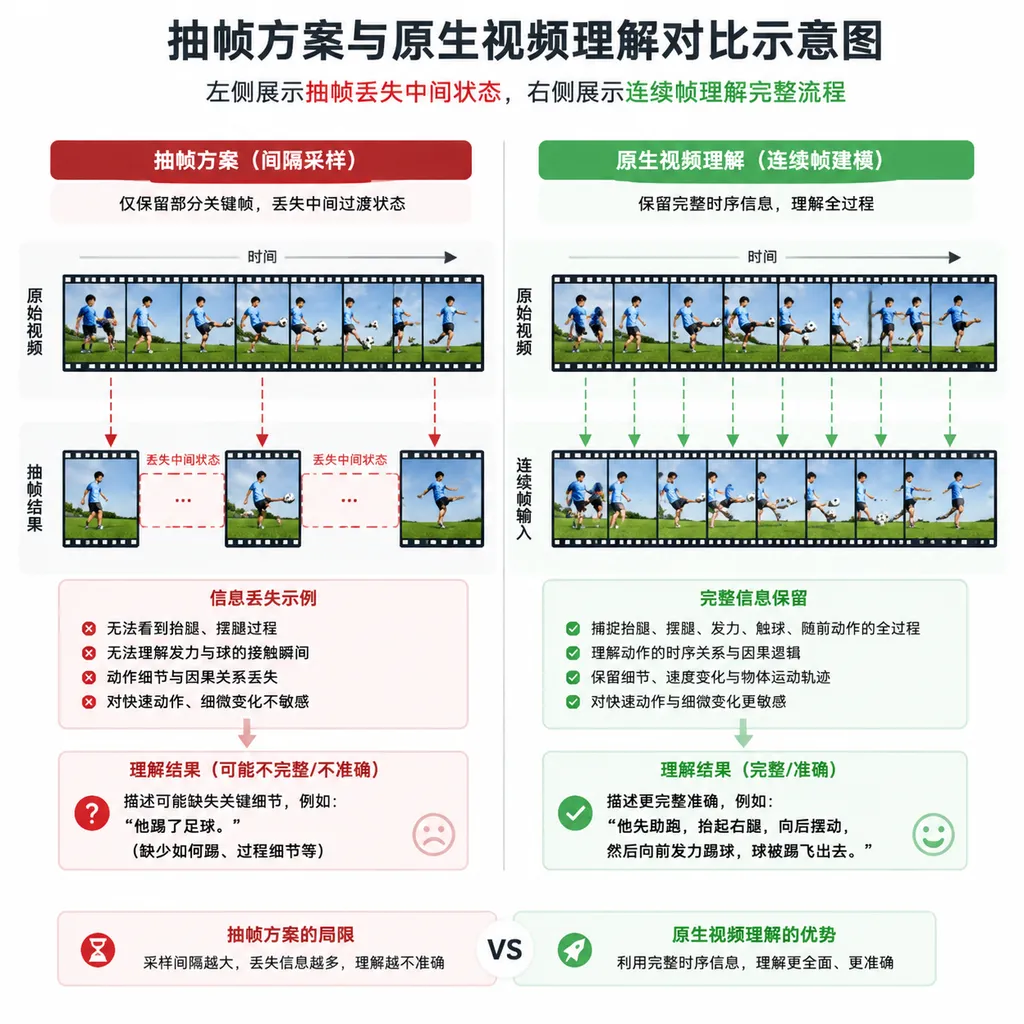
Native video understanding solves exactly this problem: the model can process continuous sequences of video frames and understand the complete timeline.
What Can It Actually Do? Three Scenarios Explained
Scenario 1: Software Test Screen Recording Analysis
This is the most discussed scenario in the community.
Traditional approach: Testers record an operation video and then write the test report manually, describing each step and result. Or use frame extraction so the model sees a few screenshots and guesses what happened in between.
Now: Feed the recording directly to Kimi Code, and it can understand:
- Which button the user clicked
- How the page responded
- Whether there was a loading state in the middle
- Whether the final result matched expectations
A Linux.do community user put it perfectly:
“It understands the complete interaction flow rather than guessing what happened between a few screenshots.”
This is not about a 10% or 20% efficiency boost—it’s a qualitative shift from “unusable” to “usable.”
Scenario 2: Code Replication of Animations/Interactions
Front-end developers often encounter this requirement: see a beautiful animation and want to replicate it in their own project.
Previously: Watch the animation repeatedly, manually break down changes frame by frame, guess what easing function and time curve were used. Experienced developers might get it done in half an hour, inexperienced ones might struggle all afternoon.
Now: Record an animation video, and Kimi Code can automatically break down:
- Start and end states of the animation
- The transition process in between
- Timing rhythm and easing curves
- Possible CSS/JS implementation methods
This capability had an embryonic form when Kimi K2.5 was released. At the time, a QuantumBit review noted:
“Uploading an animation recording can automatically break down the logic and generate professional code.”
Now this capability has been further strengthened in Kimi Code.
Scenario 3: Structured Understanding of Tutorial Videos
Technical tutorial videos are an important learning channel for developers, but the issue with videos is uneven information density—the truly key operations might be only a few steps in a 20-minute video.
Native video understanding can help by:
- Extracting key operation steps from the video
- Identifying code snippets and command line input
- Generating a structured guide
Equivalent to compressing a 20-minute video into an executable checklist.
Technical Approach: Why Is “Native” Hard to Do?
Video understanding sounds simple—just handle more images, right?
But in practice, the difficulty isn’t “whether it can be processed” but “how to process efficiently.”
A 30-second, 30fps video has 900 frames. If each frame is processed as a complete image, computation and cost explode. The frame extraction approach became popular because it’s a pragmatic compromise: trading information loss for computational efficiency.
Native video understanding must solve several key problems:
1. Temporal Modeling
Image understanding needs only spatial information (what’s in the picture). Video understanding requires temporal information (in what order scenes occur, and the causal relationships between them).
2. Information Compression
Many adjacent frames in a video are highly similar. Identifying and compressing redundant information while keeping key changes is essential for cost control.
3. Long-Range Dependencies
Software operation recordings often have this: Click a button at second 1, result appears at second 10. The model needs to establish such long-range causal links.
Kimi’s expertise here goes back to K2.5, where the official introduction emphasized “integration of vision and text, thought and real-time, dialogue and Agent functionality,” with video understanding as an important component.
According to Kimi’s official docs, Kimi Code currently runs the Kimi K2.7 Code model, supporting 256k context. This context length is critical for video understanding—longer context means processing longer videos and retaining more complete temporal information.
Comparing with Competitors: Overview of Video Understanding Capabilities
Video understanding isn’t exclusive to Kimi. Current status of mainstream models:
| Model | Video Understanding | Implementation | Main Limitation | |-------|---------------------|----------------|-----------------| | GPT-4o | Supported | Native multimodal | Limited video length | | Claude | No native video | Requires frame extraction | Loss of temporal info | | Gemini 2.0 | Supported | Native multimodal | Higher cost | | Kimi K2.7 | Supported | Native understanding | Newly launched, ecosystem in progress |
GPT-4o has a mature video understanding capability, but call cost is high and length is limited.
Claude’s shortcoming is video. Anthropic’s multimodal route is conservative; video understanding has never had native support.
Gemini 2.0 invests heavily in video understanding, benefitting from Google’s access to massive YouTube data. But Gemini’s API availability in China is problematic.
Kimi’s advantages: native support, direct domestic access, and deep integration with the Kimi Code toolchain. For developers needing video understanding in a domestic environment, it might be the most convenient choice currently.
Agent Swarm Support: Not Just Understanding but Acting
The value of video understanding lies not just in “comprehending” but in “acting after comprehension.”
This brings us to Agent Swarm architecture introduced in Kimi K2.5.
Traditional single-Agent mode: One model does everything from start to finish, easily losing focus with complex tasks.
Agent Swarm mode: Multiple agents with independent functions collaborate, each with its own responsibility.
Example: You record a software test video, wanting AI to analyze issues and generate a test report.
Single-Agent approach: One model watches video, analyzes issues, and writes the report—heavy cognitive load.
Agent Swarm approach:
- Agent A handles video understanding, extracting key operations and state changes
- Agent B handles problem analysis, comparing expected vs actual behavior
- Agent C handles report generation, organizing into structured documentation
Three agents work in parallel, passing intermediate results.
According to Kimi’s official data, Agent Swarm can reduce key steps by 3–4.5 times compared to single-Agent mode, and reduce actual run time by up to 4.5 times.
Combined with video understanding, possibilities include:
- Automated testing: Screen recording → understand operation flow → generate test cases → execute validation → output report
- Tutorial creation: Record operation video → extract key steps → generate illustrated tutorial → auto-generate captions
- Bug reproduction: User submits issue video → understand reproduction steps → auto-verify in test environment → locate problem code
Real-World Experience: Community Feedback and Known Limitations
From Linux.do community discussions, native video understanding has just launched, and users are still exploring best practices.
Currently known:
Effective scenarios:
- Software operation recordings with clear UI changes
- Animation effects analysis with moderate time span
- Structured operation flows with clear steps
Challenging scenarios:
- Videos with extremely subtle changes
- Ultra-long videos (specific limit TBD)
- Unstructured content (e.g., vlogs, interviews)
Community members are generally concerned: Does video understanding require a Kimi subscription? How is cost calculated?
As of now, video understanding is part of Kimi Code. Specific invocation methods and costs require reference to Kimi’s official docs. Kimi API platform’s model list shows kimi-k2.7-code with 256k context, plus a high-speed version kimi-k2.7-code-highspeed with output around 180 Tokens/s.
How Can Developers Get Started?
If you want to try Kimi Code’s video understanding capability, entry points include:
1. Kimi Code CLI
According to official docs, Kimi Code CLI v0.14.0 has major updates, supporting importing configs from Claude Code and Codex, with low migration cost.
Config file location: ~/.kimi-code/config.toml
2. VS Code Integration
Kimi Code for VS Code can seamlessly integrate into existing workflows, supporting image/video input.
3. Kimi API
To integrate video understanding into your own app, you can call through Kimi API. Currently available code models:
kimi-k2.7-code: strongest coding model, 256k contextkimi-k2.7-code-highspeed: high-speed version, output around 180 Tokens/skimi-k2.6: general model, strong agentic coding capabilities
Final Thoughts: Video Is the Next Battleground
Looking back, AI’s information understanding capabilities have been expanding:
- Text → Image → Audio → Video
Each expansion unlocks new application scenarios.
The difficulty of video understanding lies in that it’s not just “more images,” but it introduces the time dimension. This extends AI’s understanding from “static states” to “dynamic processes.”
For developers, this means many scenarios previously requiring manual work can be automated:
- Test recordings no longer need manual reports
- Animation replication no longer requires frame-by-frame analysis
- Tutorial videos no longer need manual summarization
Of course, the technology has just launched; maturity is yet to be verified. But the direction is clear: enabling AI not only to “understand” the static world but also to “understand” the dynamic world.
This Kimi Code update marks a substantive step in that direction.
References:
- Kimi Code supports native video understanding, not frame extraction - Linux.do — Community discussion analyzing usage scenarios for native video understanding capability
- Kimi releases and open-sources K2.5 model - Zhihu — Official release info for Kimi K2.5, introducing Agent, code, and visual understanding capabilities


