
CUGA: IBM and HuggingFace created an Agent framework, and it comes with 24 runnable examples.
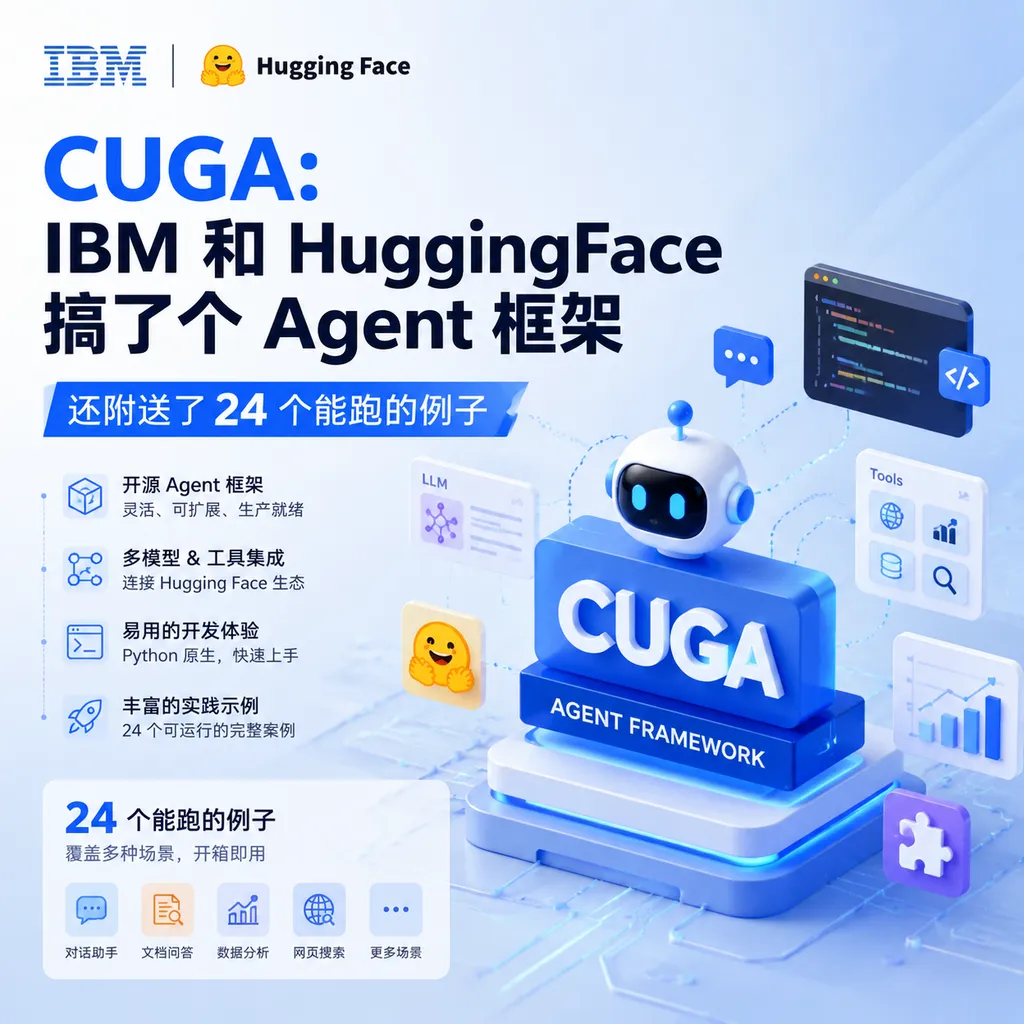
IBM Research has open-sourced the CUGA framework on Hugging Face, featuring "configurability" and "enterprise-grade" capabilities, and has released 24 real-world Agentic application examples all at once. For teams looking to quickly get started with AI Agent development, this may be the most practical beginner resource available at the moment.
CUGA: IBM and Hugging Face made an Agent framework, complete with 24 runnable examples
Last week, IBM Research officially open-sourced the CUGA (Configurable Universal General Agent) framework on the Hugging Face platform and simultaneously released 24 complete agentic application examples.
This isn’t just another “Hello World”-level demo collection. From financial data analysis to code review, from travel planning to corporate knowledge base Q&A, these examples cover the most common scenarios in Agent development. IBM’s intent is clear: not just to tell you “what Agents can do,” but to directly give you a set of code that you can “modify and use right away.”
Why create another wheel?
There are already plenty of Agent frameworks on the market — LangChain, AutoGPT, CrewAI, smolagents… so why add another, CUGA?
IBM’s answer: Configurable.
Most existing frameworks make trade-offs between “flexibility” and “out-of-the-box usability.” LangChain is highly flexible, but its configuration complexity scares off many teams; AutoGPT is usable out-of-the-box, but deep customization requires significant code changes. CUGA aims for a middle path: define Agent behavior logic via YAML configuration files while retaining code-level extensibility.
Put more plainly: You can adjust an Agent’s workflow without writing code, but if needed, code changes are still easy.
What does CUGA’s architecture look like?
CUGA’s core design is divided into four layers, a layering approach worth discussing.
1. Chat Layer
Handles user input, understands intent, and constructs goals. This layer may seem simple, but it has one key design: context management.
One of the most common Agent pitfalls is “forgetting” — for example, by the third step, forgetting constraints from step one. CUGA explicitly tracks context at this layer; each round of dialogue updates and passes along the complete task state.
2. Planning Layer
This is the Agent’s “brain.” After getting the user’s goal, the planning layer will:
- Break tasks down into executable substeps
- Identify dependencies between steps
- Determine which steps can run in parallel
- Predict potential failure points for each step
This layer uses the standard ReAct (Reasoning + Acting) paradigm, with an interesting modification: supports dynamic replanning. If a step fails mid-execution, the planning layer generates a new subsequent plan based on the current state rather than simply retrying or giving up.
3. Execution Layer
Responsible for calling tools, APIs, or executing code. CUGA supports two modes here:
- JSON Agent Mode: Generates structured JSON instructions, which the framework parses to call the corresponding tool
- Code Agent Mode: Directly generates Python code for execution
JSON mode is safer and more controllable, suited for production; Code mode is more flexible, suited for prototyping and complex logic. You can switch between them with a single line in the config file.
4. Validation Layer
This layer is a clear advantage of CUGA compared to many frameworks: execution result validation.
Many Agent frameworks “finish and forget,” not caring whether results are correct. CUGA’s validation layer checks whether execution results meet expectations. If not, it can trigger retries or revert to the planning layer to replan.
This is particularly important for enterprise use — you can’t let an Agent “confidently make mistakes” in production.
What’s in the 24 examples?
Honestly, no matter how good a framework’s design is, without examples it’s useless. The 24 examples CUGA released are the real value.
I went through them and categorized by scenario:
Data Analysis (6)
| Example Name | Core Capability | Applicable Scenario | |--------------|-----------------|---------------------| | Stock Analyzer | Real-time stock data retrieval + technical indicator computation + trend analysis | Financial research/investment | | Sales Dashboard | Data aggregation + visualization chart generation | Sales operations | | Log Analyzer | Log parsing + anomaly detection + root cause analysis | IT operations | | Survey Processor | Questionnaire data cleaning + statistical analysis + report generation | Market research | | Metrics Monitor | Multi-source monitoring + threshold alerting | DevOps | | Data Reconciler | Cross-system data comparison + discrepancy reporting | Finance/Audit |
Common to these examples is multi-step, multi-tool collaboration. For instance, Stock Analyzer’s complete flow includes: call a market API to fetch data → use pandas to calculate indicators → use matplotlib to plot charts → generate text analysis → consolidate into a report. CUGA’s example shows how to link these steps via configs while handling possible data anomalies.
Code & Development (5)
| Example Name | Core Capability | Applicable Scenario | |--------------|-----------------|---------------------| | Code Reviewer | Code quality check + security scan + improvement suggestions | Code review | | Doc Generator | Code parsing + documentation generation + formatting | Technical documentation | | Test Writer | Code analysis + unit test generation + coverage check | Test development | | Dependency Auditor | Dependency analysis + vulnerability scan + upgrade suggestions | Security compliance | | Migration Assistant | Code conversion + compatibility check + migration script generation | Technical upgrade |
This group is, in my opinion, the most practical. For example, Code Reviewer doesn’t simply throw code to an LLM and ask “what’s wrong,” but:
- Uses AST to parse code structure
- Identifies key functions and logic branches
- Calls LLM separately for each part
- Aggregates results and sorts by severity
- For security-related issues, calls dedicated security tools for cross-validation
This LLM + traditional tools hybrid approach is far more reliable than pure LLM solutions.
Content & Knowledge Management (5)
| Example Name | Core Capability | Applicable Scenario | |--------------|-----------------|---------------------| | Knowledge Base QA | Document retrieval + multi-turn Q&A + citation tracking | Enterprise knowledge base | | Content Summarizer | Long document summarization + key point extraction + multi-language support | Content operations | | Research Assistant | Literature search + information integration + report generation | Academic research | | Meeting Transcriber | Speech-to-text + key point extraction + action item identification | Meeting management | | Email Classifier | Email classification + priority judgment + auto-reply draft | Customer service/administration |
These examples highlight CUGA’s RAG (Retrieval-Augmented Generation) integration ability. The framework has built-in vector database support — just specify the embedding model and retrieval strategy in the config, no need to write connection code.
Process Automation (4)
| Example Name | Core Capability | Applicable Scenario | |--------------|-----------------|---------------------| | Travel Planner | Multi-service queries + itinerary optimization + booking integration | Business travel management | | Expense Processor | Invoice recognition + expense categorization + approval process | Expense reimbursement | | Onboarding Bot | Process guidance + system configuration + progress tracking | HR/IT | | Incident Handler | Issue classification + escalation judgment + handling suggestions | Customer service/IT operations |
Process automation is the most common enterprise Agent use case. This group’s value is showing how to handle multi-system interactions and exceptions. For example, Travel Planner must call airline, hotel, and car rental APIs; any step failure needs a fallback — such complexity is common in real projects.
Interaction & Integration (4)
| Example Name | Core Capability | Applicable Scenario | |--------------|-----------------|---------------------| | Slack Bot | Message listening + multi-command handling + asynchronous response | Team collaboration | | GitHub Assistant | PR analysis + Issue classification + auto-reply | Open source projects | | API Tester | API call + response validation + report generation | Quality assurance | | Webhook Handler | Event listening + conditional triggering + multi-channel notification | System integration |
Integration examples show CUGA’s “glue” capability — embedding AI into existing systems. The GitHub Assistant example is quite complete: covers auto-labeling new Issues, auto-reviewing PRs, and cleaning stale Issues.
What’s it like to run?
After all this talk, what’s the actual experience?
I tried several examples locally — overall smoother than expected. CUGA offers two ways to run:
Method 1: Experience directly via Hugging Face Spaces
IBM deployed a CUGA demo Space on Hugging Face — you can try it right in your browser, no environment setup. Great for quickly seeing what the framework can do.
Method 2: Local deployment
Clone the repo, then:
# Clone repo
git clone https://github.com/ibm/cuga-apps.git
cd cuga-apps

# Install dependencies
pip install -r requirements.txt

# Configure model (supports multiple backends)
export CUGA_MODEL_PROVIDER=groq  # or openai, huggingface, local
export CUGA_API_KEY=your_api_key

# Run example
python examples/stock_analyzer/main.py
For model backend, CUGA’s flexibility is nice:
- Groq: Official recommendation, fast inference, free quota sufficient for testing
- Hugging Face Inference API: Use open-source models, low cost
- OpenAI API: GPT-4 series, most stable quality
- Local models: Supports models deployed via Ollama or vLLM
If your workflow needs multiple models, consider an API aggregation platform like OpenAI Hub to manage backends with one key.
What does a config file look like?
Since CUGA’s main pitch is “configurable,” config files are key. Here’s a simplified Stock Analyzer config:
agent:
  name: stock_analyzer
  description: "Analyze stock data and generate investment advice"

  # Model used
  model:
    provider: groq
    name: llama-3.1-70b-versatile
    temperature: 0.3

  # Available tools
  tools:
    - name: stock_data_fetcher
      type: api
      endpoint: https://api.example.com/stocks
      params:
        - symbol: string
        - period: string

    - name: technical_analyzer
      type: python
      module: tools.technical
      function: calculate_indicators

    - name: chart_generator
      type: python
      module: tools.visualization
      function: plot_stock_chart

  # Workflow
  workflow:
    - step: fetch_data
      tool: stock_data_fetcher
      inputs:
        symbol: "{{ user_input.symbol }}"
        period: "{{ user_input.period | default('1y') }}"

    - step: analyze
      tool: technical_analyzer
      inputs:
        data: "{{ steps.fetch_data.output }}"
      depends_on: [fetch_data]

    - step: visualize
      tool: chart_generator
      inputs:
        data: "{{ steps.fetch_data.output }}"
        indicators: "{{ steps.analyze.output }}"
      depends_on: [fetch_data, analyze]

    - step: generate_report
      type: llm
      prompt: |
        Based on the following data, generate an investment analysis report:
        Stock symbol: {{ user_input.symbol }}
        Technical indicators: {{ steps.analyze.output }}
        Include trend analysis, risk warnings, and operational suggestions.
      depends_on: [analyze]

  # Validation rules
  validation:
    - check: output_not_empty
      on_fail: retry
      max_retries: 2

    - check: no_hallucination
      method: cross_reference
      sources: [steps.fetch_data.output, steps.analyze.output]
Noteworthy design points:
- Tool definition separated: API calls and local Python functions are declared identically, making switching easy
- Explicit dependencies:
depends_onmakes execution order clear; the framework handles parallelism automatically - Template syntax: Jinja2-style makes referencing context variables more flexible than hardcoding
- Configurable validation rules: Retry on failure, hallucination checks can be defined here
Benefit: Low iteration cost. PM says “use a different data source” or “add a validation step” — just edit the YAML, no code modifications needed.
How does it compare to others?
Since there are many Agent frameworks, a side-by-side comparison is useful:
| Feature | CUGA | LangChain | AutoGPT | CrewAI | smolagents | |---------|------|-----------|---------|--------|------------| | Learning curve | Medium | Steep | Gentle | Medium | Gentle | | Config flexibility | High | High | Low | Medium | Low | | Out-of-the-box | Medium | Low | High | Medium | High | | Enterprise features | Strong | Medium | Weak | Medium | Weak | | Community ecosystem | New | Mature | Mature | Growing | Growing | | Documentation quality | Medium | High | Medium | Medium | High |
CUGA advantages:
- Config-driven, non-developers can adjust
- Validation layer friendly to production
- IBM backing, enterprise trust factor
- Examples cover wide scenarios, highly referential
CUGA disadvantages:
- Community just starting, harder to find answers
- Documentation incomplete; some advanced usage requires reading the source
- Limited support for non-Python ecosystems
My judgment: If your team aims to deploy Agent apps in enterprise settings, CUGA is worth serious evaluation. Its configuration approach reduces maintenance cost, and its validation/error handling is production-suitable.
For personal projects or quick prototypes, smolagents or plain LangChain might be quicker to start.
Pitfalls to watch
I hit several issues during testing — worth noting:
1. Model choice matters
CUGA’s multi-step workflow demands high instruction-following ability. Smaller models or weak prompt adherence can derail mid-step. Officially recommended: Llama 3.1 70B or above, GPT-4 series also fine.
2. Precise tool definitions
Tool descriptions in the config are fed to LLM for decision-making. Vague descriptions lead to wrong tool choices. Invest time in clear purpose, input/output for each tool — saves debugging time.
3. Don’t neglect validation rules
Validation is great but must be scene-specific. Default general checks may be insufficient; tailor custom validation to your business logic.
4. Enable logging
When Agents fail, without logs it’s nearly impossible to debug. CUGA supports detailed logs — in dev, enable full logs; in production, keep key step records.
logging:
  level: DEBUG  # DEBUG in dev, INFO in production
  include_llm_calls: true  # Log inputs/outputs for each LLM call
  include_tool_calls: true # Log tool call details
What to look forward to
CUGA is still in 0.x versions. IBM’s roadmap includes:
- Multi-Agent collaboration: Multiple CUGA Agents communicating and coordinating
- Memory persistence: Long-term memory storage and retrieval
- More tool integrations: Expanded official tool library
- Visual orchestration: Graphical workflow design (important for non-technical users)
If you plan to use CUGA in projects, start with simple scenes, run a few official examples, then gradually customize. The framework is in rapid iteration — APIs may change — lock versions in production.
The Agent framework space is lively now, with new projects every few weeks. CUGA’s differentiation is its “enterprise-grade” and “configurable” positioning, and the 24 examples indeed show some engineering depth.
For teams aiming to deploy AI Agents into real business scenarios in 2024, this is worth time to investigate.
References
- Build real agentic apps using CUGA: two dozen working examples on a lightweight harness — IBM Research’s blog, detailed introduction to CUGA framework and design ideas for the 24 examples
- CUGA on Hugging Face: Democratizing Configurable AI Agents — Integration description and usage guide for CUGA on Hugging Face
- Comprehensive analysis of 20 Agentic AI frameworks in 2026 — Zhihu column comparing characteristics and applicable scenarios of mainstream Agent frameworks


