
Haystack: An Underrated Production-Grade AI Framework
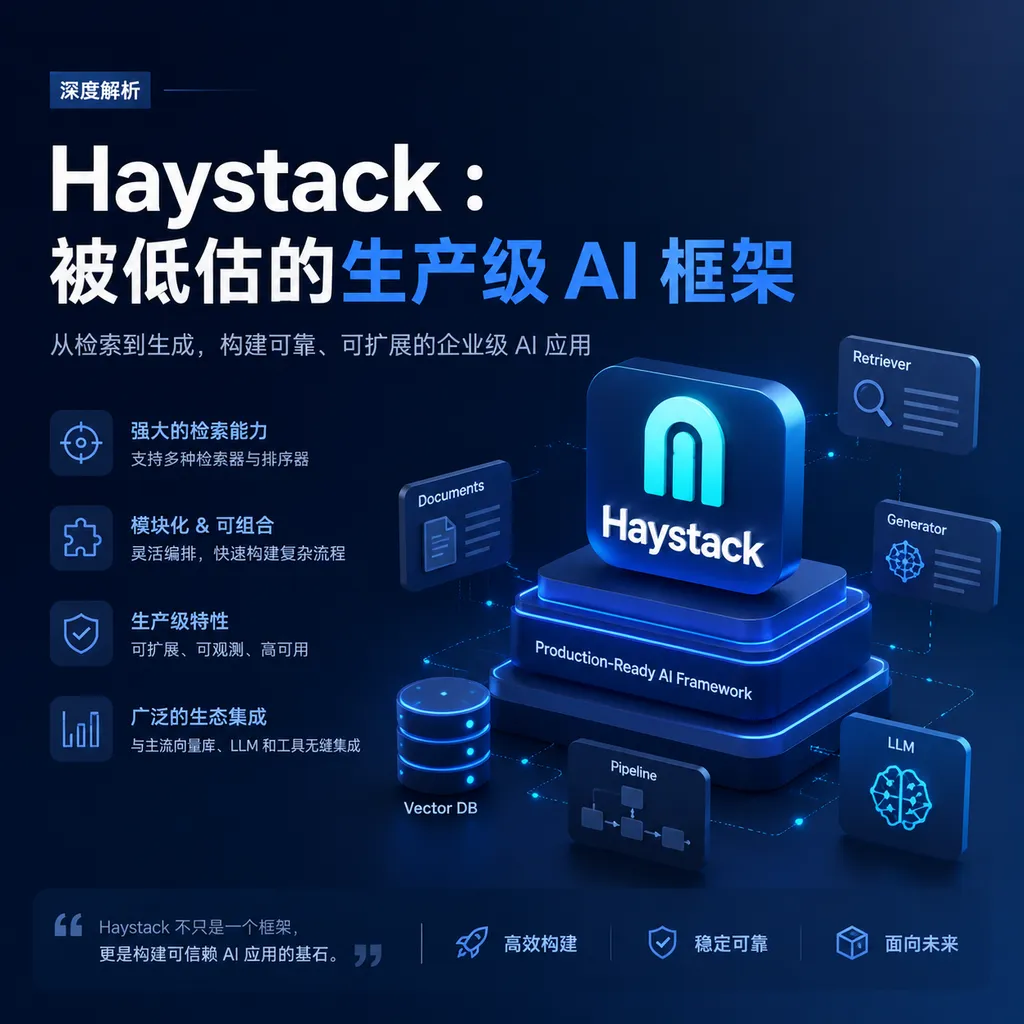
The open-source Haystack framework by deepset has been quietly working in the RAG and AI Agent fields for many years and has now evolved into a mature, production-grade orchestration framework. Compared to LangChain’s “all-encompassing” approach, Haystack has taken a more pragmatic path.
Haystack is not a new thing. This open-source AI framework from the German company deepset has been around since the GPT-3 era. But it’s only recently, as more and more teams push RAG and Agent applications into production, that Haystack’s value has truly come to light.
In a nutshell: Haystack is an AI orchestration framework built for production environments, using modular pipelines to construct RAG, semantic search, and Agent applications.
Why it’s worth paying attention now
Over the past two years, LangChain has almost become synonymous with LLM application development. But as project complexity has grown, many teams have begun to complain: LangChain’s abstraction layers are too thick, debugging is difficult, and there are plenty of pitfalls during production deployment.
Haystack took a different route. Its design philosophy is simple—each component does one thing, does it well, then connects via a pipeline. This sounds like a basic principle of software engineering, but few LLM application frameworks actually deliver on it.
Version 2.x was a watershed moment. deepset almost completely rewrote the framework and even changed the package name from farm-haystack to haystack-ai. The new architecture is lighter, more flexible, and more suitable for production deployment.
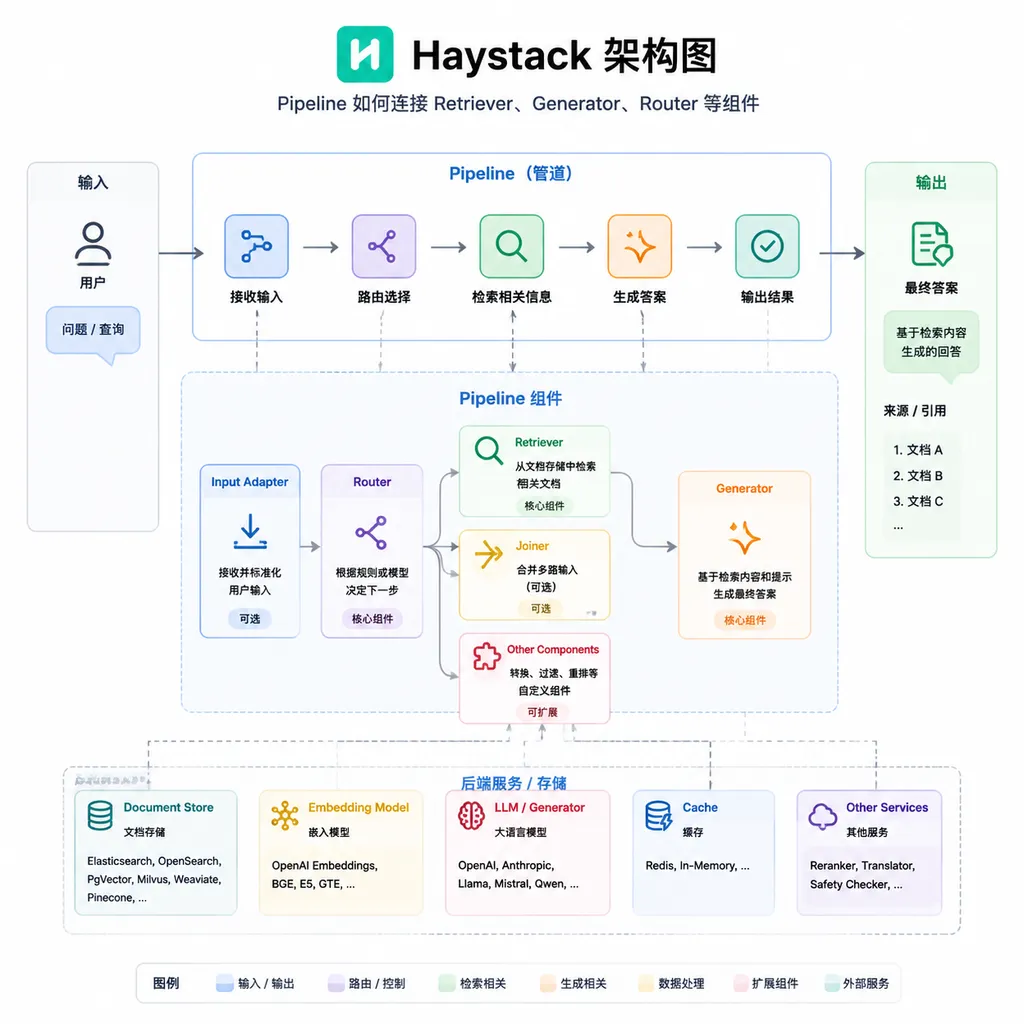
Core concepts: Understanding Haystack in three minutes
Component
In Haystack, everything is a component. A retriever is a component, a generator is a component, and a text splitter is a component. Each component has clear input and output interfaces, and can be assembled like Lego blocks.
Currently built-in components cover the core scenarios of AI applications:
- Retriever: Finds relevant content from a vector database or document store
- Generator: Calls an LLM to generate answers
- Embedder: Converts text into vectors
- Router: Routes requests to different branches based on conditions
- Agent: Autonomous components capable of calling tools and performing iterative reasoning
Pipeline
The pipeline is the soul of Haystack. It defines how data flows between components. A typical RAG pipeline looks like this:
User question → Embedder → Retriever → Prompt Builder → LLM → Answer
The key is that this pipeline is serializable. You can export it to YAML, put it under version control, migrate between environments, and even deploy it automatically via CI/CD. This is critical for production environments.
Document Store
Haystack is not tied to any particular vector database. Elasticsearch, Chroma, MongoDB, Pinecone, Qdrant, Weaviate—mainstream solutions all have official or community integrations. Switching databases? Just change a single line of configuration.
Hands-on: Building a RAG pipeline
Nothing beats seeing code. Here’s a minimal RAG example:
# Install dependencies
# pip install haystack-ai

from haystack import Pipeline, Document
from haystack.document_stores.in_memory import InMemoryDocumentStore
from haystack.components.retrievers.in_memory import InMemoryBM25Retriever
from haystack.components.builders import PromptBuilder
from haystack.components.generators import OpenAIGenerator

# 1. Prepare the document store
document_store = InMemoryDocumentStore()
document_store.write_documents([
    Document(content="Haystack is an open-source AI orchestration framework by deepset, supporting RAG and Agent applications."),
    Document(content="Haystack 2.x adopts a new architecture, package name is haystack-ai, don’t confuse it with the older farm-haystack."),
    Document(content="Haystack supports multiple document store backends including Elasticsearch, Chroma, MongoDB, etc."),
])

# 2. Define the prompt template
template = """
Answer the question based on the following documents. If the documents do not contain relevant information, say so truthfully.

Documents:
{% for doc in documents %}
- {{ doc.content }}
{% endfor %}

Question: {{ question }}
Answer:
"""

# 3. Build the pipeline
pipeline = Pipeline()
pipeline.add_component("retriever", InMemoryBM25Retriever(document_store=document_store))
pipeline.add_component("prompt_builder", PromptBuilder(template=template))
pipeline.add_component("llm", OpenAIGenerator(model="gpt-4o-mini"))

# Connect components
pipeline.connect("retriever", "prompt_builder.documents")
pipeline.connect("prompt_builder", "llm")

# 4. Execute the query
result = pipeline.run({
    "retriever": {"query": "What databases does Haystack support?"},
    "prompt_builder": {"question": "What databases does Haystack support?"}
})

print(result["llm"]["replies"][0])
This code does four things:
- Creates an in-memory document store and writes a few sample documents
- Defines a Jinja2 template as a prompt
- Connects the retriever, prompt builder, and LLM using a pipeline
- Executes the query and retrieves the result
Note the pipeline.connect() step. Haystack’s pipeline connections are explicit—you can clearly see where data comes from and where it goes. This transparency is invaluable for debugging.
Agent: More than just RAG
RAG has long been Haystack’s strong suit, but the framework aims higher. Version 2.x includes a built-in Agent component that supports tool calling and iterative reasoning.
The core idea behind Agent is to let the LLM decide what to do next. If it encounters a question that requires looking up information, it calls a retrieval tool; if it needs to do a calculation, it calls a computation tool; for complex tasks, it breaks them into subtasks and solves them one by one.
from haystack.components.agents import Agent
from haystack.tools import Tool

# Define a simple tool
def search_database(query: str) -> str:
    """Search the internal database"""
    # Actual implementation omitted
    return f"Found 3 records related to {query}"

search_tool = Tool(
    name="search_database",
    description="Search the company’s internal database for relevant information",
    function=search_database
)

# Create Agent
agent = Agent(
    generator=OpenAIGenerator(model="gpt-4o"),
    tools=[search_tool]
)
Haystack’s Agent implementation is relatively conservative, avoiding excessive fancy abstractions. This is actually an advantage—code is predictable, behavior is explainable, and you know where to look when problems occur.
Comparison: Haystack vs LangChain vs LlamaIndex
These three frameworks are often compared but have different positioning:
| Dimension | Haystack | LangChain | LlamaIndex | |-----------|----------|-----------|------------| | Core positioning | Production-grade AI orchestration | General LLM application framework | Data indexing and querying | | Design philosophy | Explicit pipelines, transparent and controllable | Chained calls, rich abstractions | Index-first, query-oriented | | Learning curve | Medium | Steep (many abstractions) | Gentle | | Production readiness | Strong (native support for serialization, monitoring) | Medium (requires extra config) | Medium | | Agent capabilities | Built-in, conservative | Rich, multiple types | Supports, query-focused | | Community ecosystem | Medium-sized, high quality | Largest, but uneven | Active, data-focused |
Selection advice:
- If you want to quickly prototype, LangChain’s ecosystem is the richest, with plenty of ready-made chains and tools
- If your core need is document indexing and semantic search, LlamaIndex is more focused
- If you want to push RAG or Agent applications into production, Haystack’s engineering-oriented design will save you a lot of hassle
There’s no silver bullet. Choose based on team background, project stage, and specific needs. But if “production reliability” is the priority, Haystack deserves serious consideration.
Production deployment: Haystack’s hard strengths
Many frameworks run smoothly in Jupyter Notebook but falter in production environments. Haystack has put effort into this area.
Pipeline serialization
# Export pipeline to YAML
pipeline.dump(open("rag_pipeline.yaml", "w"))

# Load pipeline from YAML
loaded_pipeline = Pipeline.load(open("rag_pipeline.yaml"))
Serialization means you can:
- Put pipeline configs under version control
- Use the same config across development, testing, and production
- Hot update pipelines without restarting the service
Cloud-native support
Haystack pipelines are Kubernetes-ready. Official deployment guides cover:
- Containerization best practices
- Horizontal scaling strategies
- Health checks and monitoring integration
- Logging and tracing configuration
Observability
The biggest fear in production is a black box. Haystack includes detailed logging and tracing support—inputs and outputs of each component can be recorded. Together with deepset Studio (enterprise tool), you can visualize and debug pipeline execution flows.
Document store: Rich choices
Haystack supports a wide range of document store backends:
Vector databases:
- Chroma (lightweight, suitable for prototyping)
- Qdrant (high performance, feature-rich)
- Pinecone (managed service, hassle-free)
- Weaviate (supports hybrid search)
- Milvus (for large-scale scenarios)
Traditional search engines:
- Elasticsearch (full-text + vector search)
- OpenSearch (AWS ecosystem)
General databases:
- MongoDB Atlas (document DB + vector search)
- PostgreSQL + pgvector (relational + vector)
Changing backends doesn’t require modifying business logic—just replace the Document Store component. This design offers flexibility and reduces migration costs.
Common pitfalls
A few traps beginners often fall into:
Pitfall 1: Installing the wrong package
# Wrong: this is the old 1.x version, no longer maintained
pip install farm-haystack

# Correct: this is the new 2.x version
pip install haystack-ai
The two packages have completely incompatible APIs—mixing them will cause problems. If you see a tutorial using farm-haystack, it’s outdated.
Pitfall 2: Thinking it’s only for Q&A
Haystack 1.x indeed leaned toward Q&A scenarios. But 2.x is now a general AI orchestration framework, capable of:
- RAG (Retrieval-Augmented Generation)
- Semantic search
- Document classification
- Information extraction
- Multimodal applications
- Autonomous Agents
Pitfall 3: Believing it has fewer features than LangChain
Haystack does have fewer integrations compared to LangChain. But “more integrations” does not equal “more powerful.” Haystack’s strategy is to focus on core features, with third-party integrations via community extensions—quality often matters more than quantity.
Ideal scenarios
Based on my observations, Haystack is particularly suitable for these types of teams:
1. Enterprise internal knowledge bases
Need to connect multiple data sources, ensure retrieval accuracy, and maintain long-term iterations. Haystack’s modular design makes evolution easier.
2. Scenarios requiring high reliability
Industries like finance, healthcare, and legal, where model output needs to be explainable and traceable. Haystack’s transparent pipeline design naturally supports this.
3. Integrating into an existing tech stack
If the company already uses Elasticsearch or MongoDB and wants to add AI capabilities, Haystack’s non-binding design can directly plug into existing infrastructure.
4. Private deployment needs
Sensitive to data security and cannot send content to public clouds. Haystack is fully open-source and can run entirely locally.
Final thoughts
Back to the opening question: why is Haystack underrated?
One reason is marketing. deepset is a German company with a technically pragmatic style, unlike Silicon Valley startups that excel at hype. LangChain has more funding and a bigger buzz, naturally dominating mindshare.
Another reason is timing. Haystack existed before the LLM boom, with its early image as an “NLP Q&A framework.” Although 2.x is a complete transformation, updating brand perception takes time.
But technical choices shouldn’t follow trends. If you’re working on a RAG or Agent application—especially heading to production—spend a few hours trying Haystack. It might not wow you immediately, but it will save you from many future pitfalls.
A framework’s value lies not in flashy demos, but in how much peace of mind it provides in production.
References
- deepset-ai/haystack - GitHub: Haystack official repository with complete source code, examples, and contribution guidelines


