
HF × NVIDIA join forces: Fine-tuning large models no longer requires configuration hell
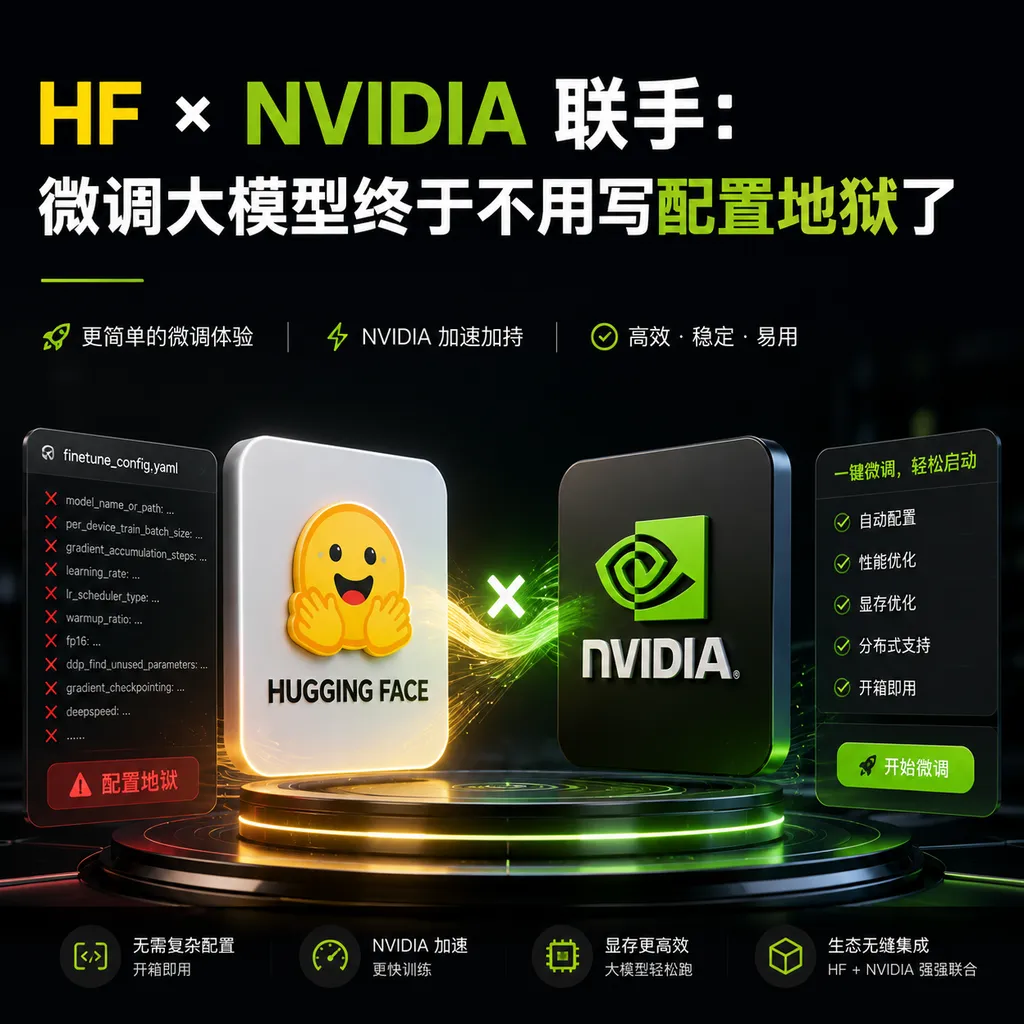
Hugging Face and NVIDIA have jointly launched NeMo AutoModel, allowing developers to leverage NVIDIA's enterprise-level training optimization capabilities with just a few lines of code to fine-tune any model on Hugging Face. This might be the most developer-friendly infrastructure upgrade of the year.
HF × NVIDIA Join Forces: Fine-tuning Large Models Without Configuration Hell
How painful is it to fine-tune a large model?
Anyone who has tried knows: distributed configuration, mixed precision strategies, gradient checkpointing, memory optimization, data parallelism... just getting these things to work might take you a week. Not to mention adapting to different model architectures and optimizing parameters for different hardware.
Now Hugging Face and NVIDIA have decided to solve this problem.
What Happened
The two companies jointly launched NeMo AutoModel—an advanced interface directly integrated into the Hugging Face Transformers library. Its core selling point is straightforward: you only need to specify the model and dataset you want to fine-tune, and it takes care of all the optimization work.
This is not a standalone new framework, but exists as the community_integrations module of Transformers. In other words, your existing Hugging Face workflow hardly needs to change.
from transformers import AutoModelForCausalLM
from nemo.collections.llm import AutoModel

# Load any model from Hugging Face Hub
model = AutoModel.from_pretrained("meta-llama/Llama-3.2-1B")

# Start fine-tuning with one line, optimization strategy auto-configured
model.finetune(
    dataset="squad",
    method="sft"  # or "lora" for parameter-efficient fine-tuning
)
As simple as that. No distributed configuration files, no DeepSpeed JSON hell, no manual calculation of gradient accumulation steps.
Technical Details: What Exactly Is It Doing for You
Native PyTorch DTensor Support
NeMo AutoModel is built natively on PyTorch's DTensor (Distributed Tensor). What does that mean?
Traditional distributed training frameworks (like DeepSpeed, FSDP) usually require extensive code-level adaptation. You have to tell the framework which parameters to shard, how to shard them, and what the communication strategy is. DTensor abstracts this to the tensor level—your code still looks like single-GPU code, but the underlying system automatically handles distributed logic.
This isn’t a new concept, but making it completely transparent to users and seamlessly integrating it into the Hugging Face ecosystem is the core value of NeMo AutoModel.
Two Fine-Tuning Modes Out of the Box
AutoModel currently supports two mainstream fine-tuning approaches:
1. SFT (Supervised Fine-Tuning)
Full parameter fine-tuning, all weights are updated. Suitable when you have ample computing resources and want to maximize model performance on a specific task.
from nemo.collections.llm import AutoModel, SFTConfig

config = SFTConfig(
    learning_rate=2e-5,
    num_epochs=3,
    batch_size=8,
    gradient_accumulation_steps=4
)

model = AutoModel.from_pretrained("meta-llama/Llama-3.2-1B")
model.finetune(dataset="your_dataset", config=config)
2. PEFT/LoRA
Only updates a small portion of parameters (typically 0.1%-1%), drastically reducing memory requirements. For most use cases, LoRA achieves performance close to full fine-tuning, but at perhaps one-tenth the cost.
from nemo.collections.llm import AutoModel, LoRAConfig

lora_config = LoRAConfig(
    r=16,           # LoRA rank
    alpha=32,       # scaling factor
    target_modules=["q_proj", "v_proj"],  # modules to adapt
    dropout=0.05
)

model = AutoModel.from_pretrained("meta-llama/Llama-3.2-1B")
model.finetune(dataset="squad", method="lora", config=lora_config)
What Does “Day 0 Support” Mean
NVIDIA emphasizes a concept in its official documentation: Day 0 Support.
Translated: When a new model is released on the Hugging Face Hub, NeMo AutoModel can immediately support its fine-tuning—no need to wait for the NVIDIA team to manually adapt it.
This is achieved through AutoModel's generic abstraction of Transformers architectures. As long as the new model adheres to standard Transformers interfaces (which most do), AutoModel can automatically recognize its structure and apply optimization strategies.
This solves a long-standing pain point: previously with the NeMo framework you had to wait for official configs for specific models; now that wait time is zero.
How Does It Compare to Existing Solutions
vs Native Transformers Trainer
Hugging Face’s own Trainer API is already very user-friendly, but its optimization capabilities are limited. It can handle basics like mixed precision and gradient checkpointing, but more aggressive optimizations (like tensor parallelism and sequence parallelism) require manual effort.
NeMo AutoModel packages NVIDIA’s enterprise-level training optimizations for you. These techniques were previously available only to NeMo framework users; now regular Hugging Face users can enjoy them directly.
vs DeepSpeed
DeepSpeed is Microsoft’s distributed training framework—powerful but complex to configure. A typical DeepSpeed config can have hundreds of lines of JSON with various interdependencies. Mistuning a single parameter can make training fail or run incredibly slowly.
AutoModel's philosophy is "sensible defaults + override when needed." It automatically selects optimal strategies based on your model size and hardware. Of course, you can tweak manually, but you usually don’t need to.
vs Axolotl, LLaMA-Factory
These are popular community fine-tuning tools promising “one-click fine-tuning.” They lower the barrier by packaging common configs into YAML templates. But when you need something outside the template’s scope, you still have to dive deep.
NeMo AutoModel differs in its deep integration with the underlying training framework. It’s not just a wrapper on top of Transformers; it makes NeMo’s training capabilities an optional backend in Transformers.
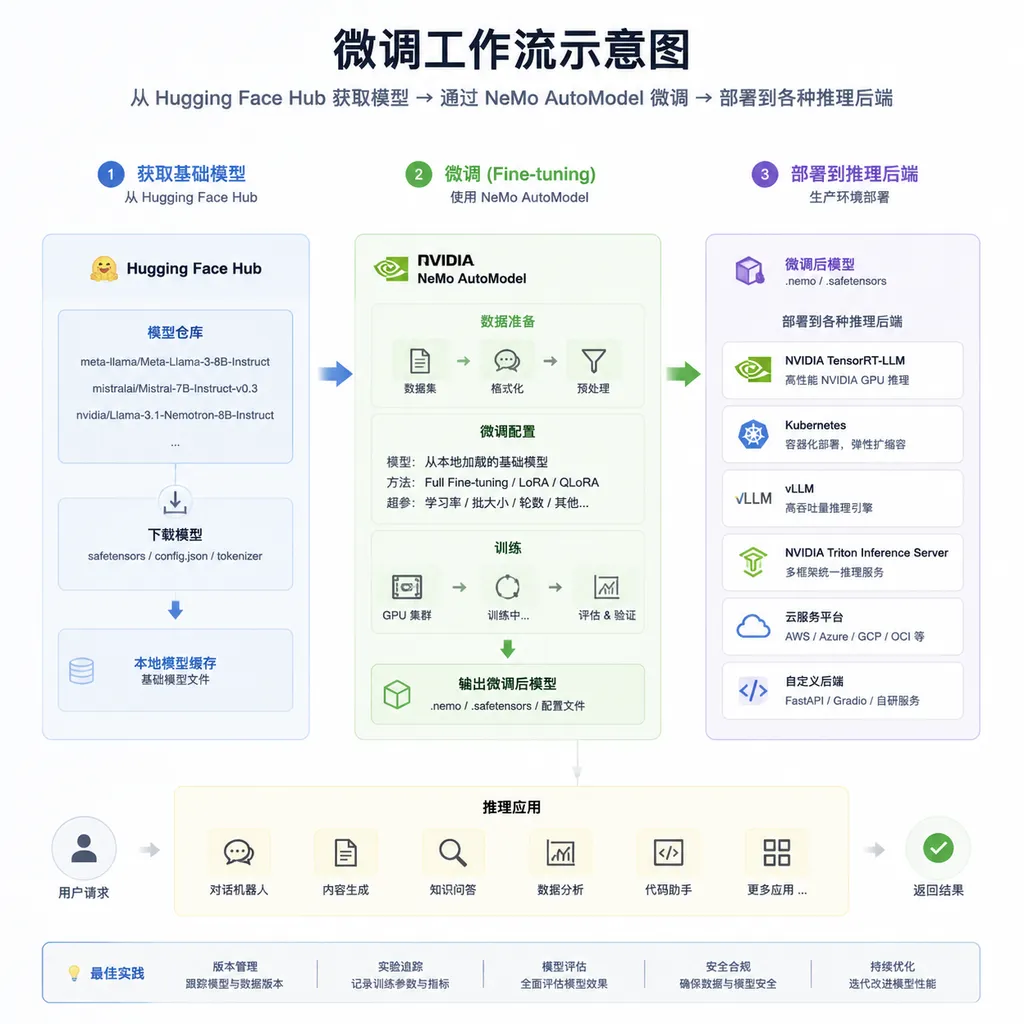
What Does the Actual Workflow Look Like
Let’s walk through a complete fine-tuning process using LLaMA 3.2 1B on the SQuAD dataset:
Step 1: Environment Setup
# Install NeMo AutoModel (requires NVIDIA GPU)
pip install nemo-toolkit[all]
pip install transformers>=4.40.0
Note: NeMo has CUDA version requirements; currently CUDA 12.1+ is recommended. Consumer GPUs (like RTX 4090) should be fine; for cloud servers verify your CUDA version.
Step 2: Prepare Data
AutoModel supports loading datasets directly from Hugging Face Datasets or custom formats:
from datasets import load_dataset

# Option 1: Use HF dataset name directly
dataset = "squad"

# Option 2: Load local or custom data
dataset = load_dataset("json", data_files="your_data.jsonl")
For instruction fine-tuning (SFT), data format usually looks like:
{
  "instruction": "Answer the following question",
  "input": "What is the capital of France?",
  "output": "The capital of France is Paris."
}
Step 3: Configure and Start Training
from nemo.collections.llm import AutoModel, SFTConfig

# Load pre-trained model
model = AutoModel.from_pretrained(
    "meta-llama/Llama-3.2-1B",
    torch_dtype="auto",  # auto-select precision
)

# Configure training parameters
config = SFTConfig(
    output_dir="./llama-finetuned",
    num_epochs=3,
    per_device_train_batch_size=4,
    gradient_accumulation_steps=8,
    learning_rate=2e-5,
    warmup_ratio=0.1,
    logging_steps=10,
    save_strategy="epoch",
)

# Start fine-tuning
model.finetune(
    dataset="squad",
    config=config
)
Step 4: Export and Deploy
After fine-tuning, the model is saved in standard Hugging Face format and can be pushed to the Hub:
# Save locally
model.save_pretrained("./llama-finetuned")

# Push to Hugging Face Hub
model.push_to_hub("your-username/llama-squad-finetuned")
Importantly: The fine-tuned model is not locked into the NeMo ecosystem. You can load it with any tool that supports Transformers—vLLM, TGI, llama.cpp, your choice.
Supported Model Range
Currently NeMo AutoModel has the most mature support for:
| Model Series | Support Status | Notes | |--------------|----------------|-------| | LLaMA Series | ✅ Full Support | Includes LLaMA 2, 3, 3.1, 3.2 | | Mistral Series | ✅ Full Support | Includes Mistral 7B, Mixtral | | Qwen Series | ✅ Full Support | Includes Qwen 1.5, 2, 2.5 | | Gemma Series | ✅ Full Support | Includes Gemma 2 | | Phi Series | ✅ Full Support | Phi-3, Phi-3.5 | | Other Decoder-only | 🔄 Auto Adapt | Theoretically supported; actual results to be verified |
Vision-Language models (VLM) are also within scope, but documentation is currently sparse. For multi-modal model fine-tuning, follow upcoming official updates.
How Is Performance
No detailed official benchmarks yet, but based on NeMo’s optimization abilities, key improvements likely include:
- Memory Efficiency: Through activation recomputation and optimized attention (possibly integrating Flash Attention 2), enabling larger batch sizes with the same memory
- Training Speed: Mixed precision training, fused operators, communication optimization—especially beneficial in multi-GPU settings
- Convergence Stability: Verified learning rate scheduling and gradient clipping configurations to reduce training failure rates
A reasonable expectation: For single-GPU fine-tuning of models under 7B parameters, compared to native Transformers Trainer, speed gains of 20%-50%; for multi-GPU distributed training, improvements may be more notable.
What Does This Mean
For Individual Developers
The fine-tuning barrier has dropped again. Previously you needed at least a basic understanding of DeepSpeed or FSDP to fine-tune efficiently; now you can start running and dive deeper if needed.
More importantly, this narrows the gap between “models trained on A100” and “models trained on 4090.” Optimization strategies are no longer proprietary black magic.
For Enterprise Users
Hugging Face ecosystem + NVIDIA optimization = community vitality plus enterprise-level reliability. Attractive for production environments.
And since the output is still standard Transformers format, enterprises needn’t worry about being locked into a specific framework.
For the Whole Ecosystem
This is another step in democratizing NVIDIA’s training tech. The NeMo framework has always been aimed at high-end users—large companies and research institutions. Now, through integration with Hugging Face, NVIDIA is making these capabilities available to a broader developer base.
We can expect other frameworks (like DeepSpeed, PyTorch’s native FSDP) to also accelerate simplification of their interfaces. Competition is good for developers.
Some Caveats
Hardware Requirements: NeMo AutoModel requires an NVIDIA GPU. If you use AMD GPUs or Apple Silicon, this approach isn’t suitable for now.
Learning Curve: While basic usage is simple, for customization you still need to understand NeMo concepts. AutoModel lowers the entry barrier but doesn’t eliminate complexity.
Stability: As a newly released integration, there may be bugs in edge cases. In production, validate thoroughly on test datasets first.
Documentation Completeness: Official docs are still being improved, and some advanced uses may require reading the source code.
How to Get Started
If you want to try NeMo AutoModel, suggested steps are:
- Run the official example on a small model (like LLaMA 3.2 1B)
- Reproduce it on your own dataset
- Gradually tweak parameters to understand their effects
- Expand to larger models or more complex training strategies
Currently, NVIDIA’s NeMo-AutoModel documentation site is the most comprehensive; Hugging Face’s integration docs are comparatively brief—checking both works best.
Fine-tuning large models is transitioning from an “advanced skill” to a “basic operation.” Tools like NeMo AutoModel are accelerating the process.
However, no matter how good the tool, it can’t replace understanding of the actual task. Data quality, evaluation methods, hyperparameter tuning—these still depend on you.
The tool lowers the barrier; the rest is up to you.
References
- NeMo Automodel - Hugging Face Transformers Documentation – Official integration documentation introducing NeMo AutoModel usage and Transformers integration
- Instantly Run Hugging Face Models with NVIDIA NeMo Framework's Day 0 Support - Zhihu – Chinese article explaining Day 0 Support concept and AutoModel design philosophy


