
WorkFlowX Open Source: Bringing an End to the Black Box Era of AI Programming
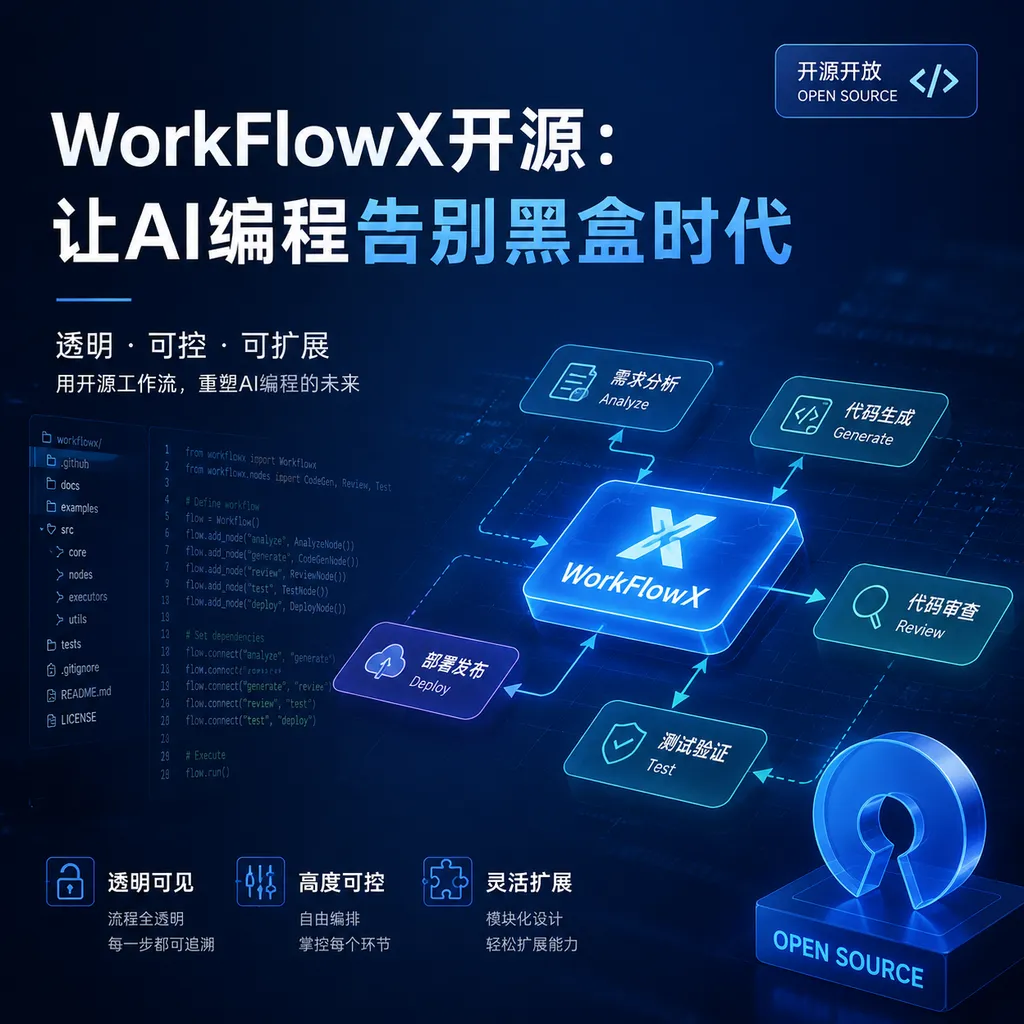
Domestic developers have open-sourced the multi-agent workflow framework WorkFlowX, featuring controllability, traceability, and efficient token usage. The new version introduces Socratic-style dialogue routing, with a cache hit rate of up to 98%.
Another AI Programming Tool? This Time It's Different
After using Cursor or Copilot to write code for a while, you might start feeling this way: AI can indeed get the job done, but how exactly does it think, what happened in between—you have no idea. As long as the generated code runs, great; if it doesn’t, you just ask again—in essence, you’re still chatting with a black box.
Recently, domestic developer TreeX open-sourced WorkFlowX, which aims to solve this very problem. It’s not just another “AI that helps you write code,” but a multi-agent development workflow framework with a core selling point: visible.
The project is already live on GitHub, MIT licensed, fully open-source.
What Problem Does It Actually Solve?
First, some background. Current mainstream AI programming tools—whether Cursor, Windsurf, or various Copilot variants—are essentially single-turn or short-chain dialog modes: you state your requirement, AI outputs the code, done.
This mode works fine for simple tasks, but once the requirements get complex—e.g., “Refactor the module’s authentication logic while maintaining compatibility with the old API”—you run into problems:
- Context loss: midway through the conversation, AI forgets what was said before
- Process not traceable: if there’s a bug, you don’t know where it occurred
- Severe token wastage: you have to repeat background info every time
- Difficult validation: AI says “it’s done,” but you’re not sure it actually understood the requirement
Professor Andrew Ng proposed the concept of Agentic Workflow last year—basically to solve these problems: break complex tasks into multiple steps, have multiple agents collaborate with planning, verification, and the ability to trace back.
But concepts are one thing; truly usable open-source implementations are rare. Frameworks like Dify and LangGraph are general-purpose and not specifically optimized for programming; commercial products like Claude Code and Cursor are black boxes—you can’t customize their workflows.
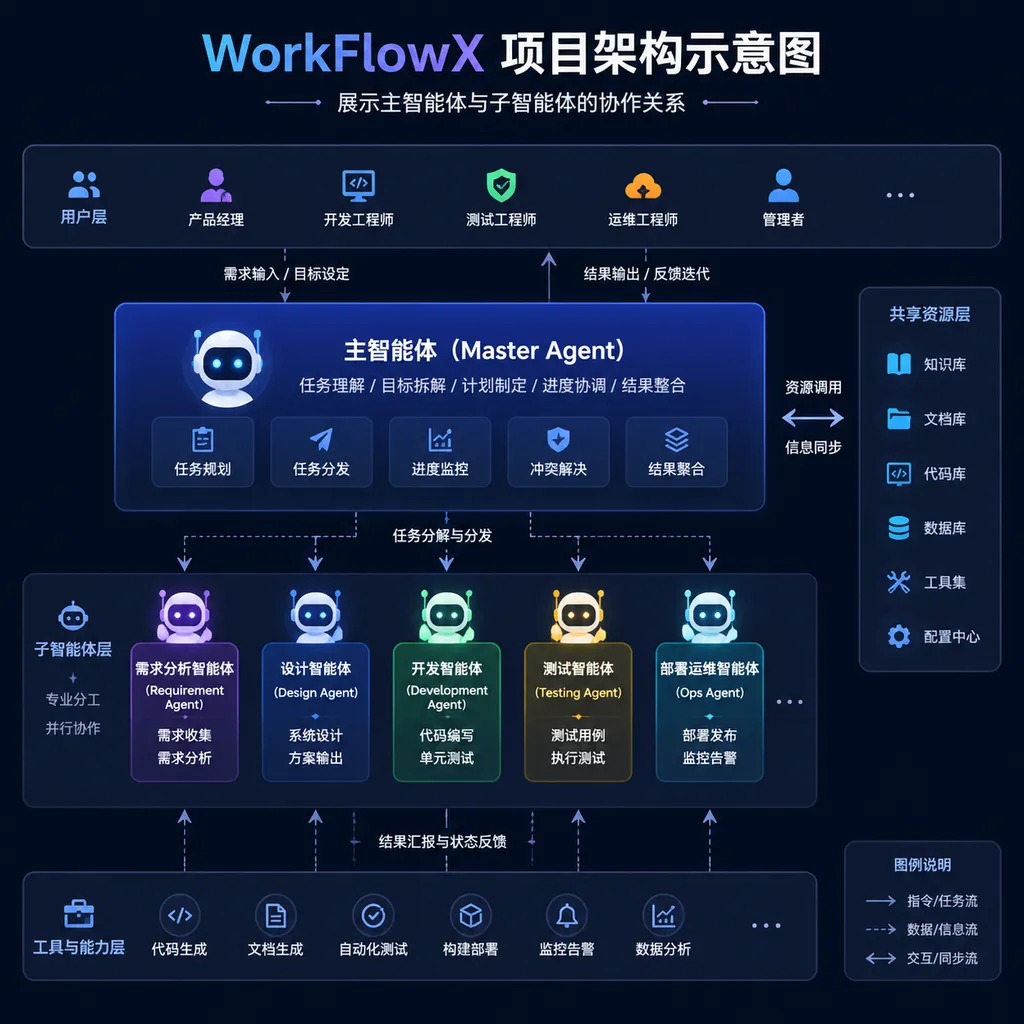
WorkFlowX’s positioning is clear: multi-agent workflows specifically for AI programming, emphasizing controllability and traceability.
Core Design: Hybrid Tree + AC Cross-Validation
WorkFlowX’s architecture has a few notable points.
Requirement Serialization with Hybrid Tree
Traditional AI programming tools treat your requirement as a sentence; WorkFlowX serializes it into a tree structure. A complex requirement is broken down into multiple sub-tasks, each with clear inputs/outputs, acceptance criteria, and dependencies.
The benefit is: you can trace back to any node at any time, see what decision AI made at that point, and what code it generated. If something goes wrong, you don’t have to check everything from scratch—just target the faulty sub-task.
The author calls this structure Hybrid Tree, mixing features of task trees and context trees.
AC Cross-Validation
AC stands for Acceptance Criteria. In WorkFlowX, after each sub-task is completed, it doesn’t directly proceed to the next step—instead, it passes through a verification agent.
The verification agent checks:
- Does the code meet the original requirement?
- Does it introduce new bugs?
- Does it break existing functionality?
- Is the code style consistent?
Only if it passes verification does it proceed. It’s somewhat like automated testing in CI/CD, but with finer granularity, embedded within the generation process.
Three Modes
For tasks of varying complexity, WorkFlowX offers three modes:
| Mode | Scenario | Features | |------|----------|----------| | Fast Mode | Simple bug fixes, small feature additions | Single agent execution, fast speed | | Standard Mode | Medium complexity feature development | Main agent plans + sub-agents execute | | Deep Mode | Complex refactors, architectural changes | Full workflow with multi-round verification |
Developers can choose according to task complexity, avoiding overkill.
New Version Update: Simplified Process + Socratic Routing
This latest release has two major updates.
Simplified Process
The previous version’s workflow had some “over-engineering” issues: the main agent had to frequently dispatch sub-agents, making transitions cumbersome. The new version centralizes planning and orchestration in the main agent, reducing unnecessary transition overhead.
In simple terms: the main agent is now “smarter” and can decide when to call sub-agents and when to handle tasks itself.
Socratic Dialogue Routing
This is an interesting new feature. The author found many users liked the brainstorming function of Superpowers (an AI programming plugin)—discussing requirements with AI before actually writing code.
The new WorkFlowX puts this capability into an external skill called SocratesX. Its operation resembles Socratic dialogue: it doesn’t give direct answers but uses counter-questions to help you clarify requirements.
For example, you say “I want to add a login function.” SocratesX asks:
- Which login methods are supported—email, phone, third-party?
- Should login state be persistent? How long is token validity?
- How to handle login failure? Do you have protection against brute force attacks?
- What’s the existing user system like?
Once you answer these, the requirement becomes clear—much more reliable than letting AI guess your intent.
Now the main agent will auto-route based on user input: if the requirement is clear, it proceeds directly to execution; if vague, it calls SocratesX to clarify first.
Token Efficiency: Cache Hit Rate Up to 98%
The author shared real usage data, using CCS (Context Caching Statistics) to measure cache hit rates across scenarios:
| Scenario | Cache Hit Rate | |------|------------| | Feature iteration development | 94% | | Bug fixes | 98% | | Code refactoring | 89% | | New feature development | 85% |
These numbers are impressive. For comparison, regular AI programming tools typically achieve a 30%-50% cache hit rate because they repeat context in every conversation.
High hit rates mean two things:
- Cost savings: API call costs are cut in half
- Speed: cached requests respond much faster
WorkFlowX achieves this because its context reuse mechanism is well-designed. The Hybrid Tree structure allows precise reuse of relevant context, without rebuilding it from scratch.
Comparison with Other Solutions
A quick comparison between WorkFlowX and other solutions:
| Solution | Type | Controllability | Traceability | Customizability | Token Efficiency | |------|------|--------|----------|------------|------------| | Cursor | Commercial | Low | Low | Low | Medium | | Claude Code | Commercial | Medium | Medium | Low | Medium | | Dify | Open-source | High | High | High | Medium | | LangGraph | Open-source | High | High | High | Medium | | WorkFlowX | Open-source | High | High | High | High |
Dify and LangGraph are general-purpose workflows—they can do anything, but are not specially optimized for programming. WorkFlowX’s advantage is scene focus: it is designed for AI programming, so the experience in this scenario is better.
Of course, focus also means limitations. If you want to use it for customer service bots or content generation, that’s not its strength.
Real Usage Experience
I spent some time running WorkFlowX—here’s my impression.
Learning Curve
The project’s structure is relatively clear; documentation is decent. But because it’s a multi-agent framework, it has more concepts than a plain AI coding tool. If you’ve never used Agentic Workflow before, you’ll need some time to understand Hybrid Tree, AC verification, etc.
I recommend starting in “Fast Mode” and moving to Standard and Deep Modes as you get familiar.
Config Flexibility
Every stage of the workflow can be customized:
- Main agent prompt can be modified
- Verification rules can be written yourself
- Sub-agents can be added as needed
- The threshold for switching between modes can be adjusted
This flexibility is valuable for teams with special requirements.
Debug Experience
This is where WorkFlowX shines. Every step’s input, output, decision process, and timing are fully recorded. No guessing—check the logs and you can pinpoint issues.
In contrast, with Cursor or Copilot, when an error occurs you have to ask again and hope it works this time.
Shortcomings
- Depends on model capability: even with excellent workflow design, weak base models struggle. Tests show GPT-4 level models perform well; weaker ones fail more with complex tasks
- Learning curve: compared to plug-and-play Copilot, onboarding takes longer
- Small community: newly open-sourced, few issues and PRs—troubleshooting may require self-exploration
Suitable Scenarios
Based on analysis, WorkFlowX suits these scenarios:
Suitable:
- Medium-to-large project feature development requiring rigorous code review and quality control
- Teams needing traceability for AI-generated code
- Developers wanting to customize AI programming workflows
- Scenarios sensitive to token costs
Not suitable:
- Quick code completion—Copilot suffices
- No time to learn new concepts—require plug-and-play
- Simple projects that don’t require complex workflows
Industry Context
WorkFlowX’s emergence reflects a trend in AI programming tools: from “usable” to “useful.”
In 2024, AI programming tools boomed—competition was about “whether you have it.” From 2025 onwards, it’s about “is it controllable,” “is it efficient,” and “can it be integrated into engineering processes.”
Andrew Ng’s four Agentic Workflow modes (reflection, tool use, planning, multi-agent collaboration) are moving from paper to products. WorkFlowX makes solid attempts at “planning” and “multi-agent collaboration,” and being fully open-source benefits the community.
Of course, the field is rapidly iterating. The best practices in six months are unknown—but what’s certain is AI programming is shifting from “chatting to write code” to “planned, verified, traceable” engineering processes. This direction is right.
Final Note
If you’re interested in AI programming workflows, WorkFlowX is worth a try. You don’t have to use it in production, but running it and studying its design will help you understand Agentic Workflow.
The project is under active development, and the author is active in the Linux.do community—you can directly provide feedback there.
References
- WorkFlowX GitHub Repository - Project source code and documentation
- WorkFlowX Open-Source Promotion Post - Author’s detailed introduction of the new version updates
- Understanding Agentic Workflow - Concept analysis and list of 20 open-source projects


