
Bash4LLM+: 500 lines of Bash to connect all LLM APIs together
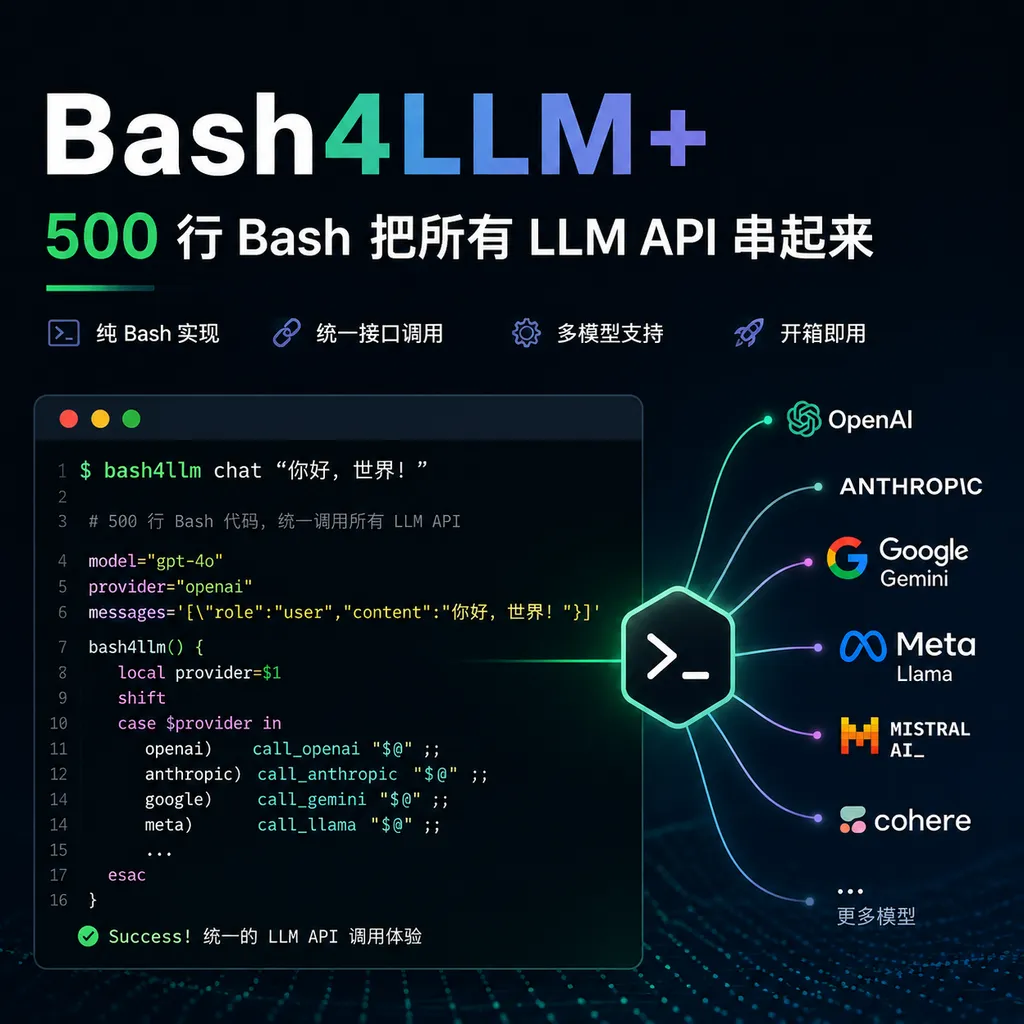
A zero-dependency pure Bash script that can interact with mainstream LLM APIs such as OpenAI, Claude, Gemini, and DeepSeek using only curl and jq, suitable for lightweight AI workflows in servers, containers, and constrained environments.
When Everyone Is Writing Python SDKs, Someone Got the Job Done with Bash
A recent project that popped up on Hacker News is called Bash4LLM+, created by kamaludu, who describes it as “a lightweight, dependency-free Bash wrapper for LLM APIs.” In short: you don’t need to install Python, you don’t need to pip install a bunch of packages, and you don’t even need Node.js. As long as your system has bash, curl, and jq, you can call mainstream models like GPT, Claude, Gemini, DeepSeek, and Qwen right from the terminal.
This sounds a bit counter-trend. Nowadays, people building LLM toolchains often pile on LangChain, LlamaIndex, and various Agent frameworks, leading to dependency trees hundreds of MB in size. Bash4LLM+, however, goes in the opposite direction — the core of the entire project is just a few shell scripts totaling less than a thousand lines of code.
But thinking about it, this positioning is actually quite smart. Shell is the greatest common denominator of Unix systems — whether you SSH into an edge device with only BusyBox, run an init script in a Docker container, or want to add some AI capabilities to a CI/CD pipeline, Bash is the layer least likely to break.
What Problem Does It Actually Solve
Anyone who has done operations work or written automation scripts has probably encountered this scenario: you want to add a line in a shell script like “have the large model determine if this log is abnormal,” but you find that you either have to spin up a Python subprocess or manually craft a long JSON string with curl, handling streaming responses, error retries, and differing authentication headers from each vendor.
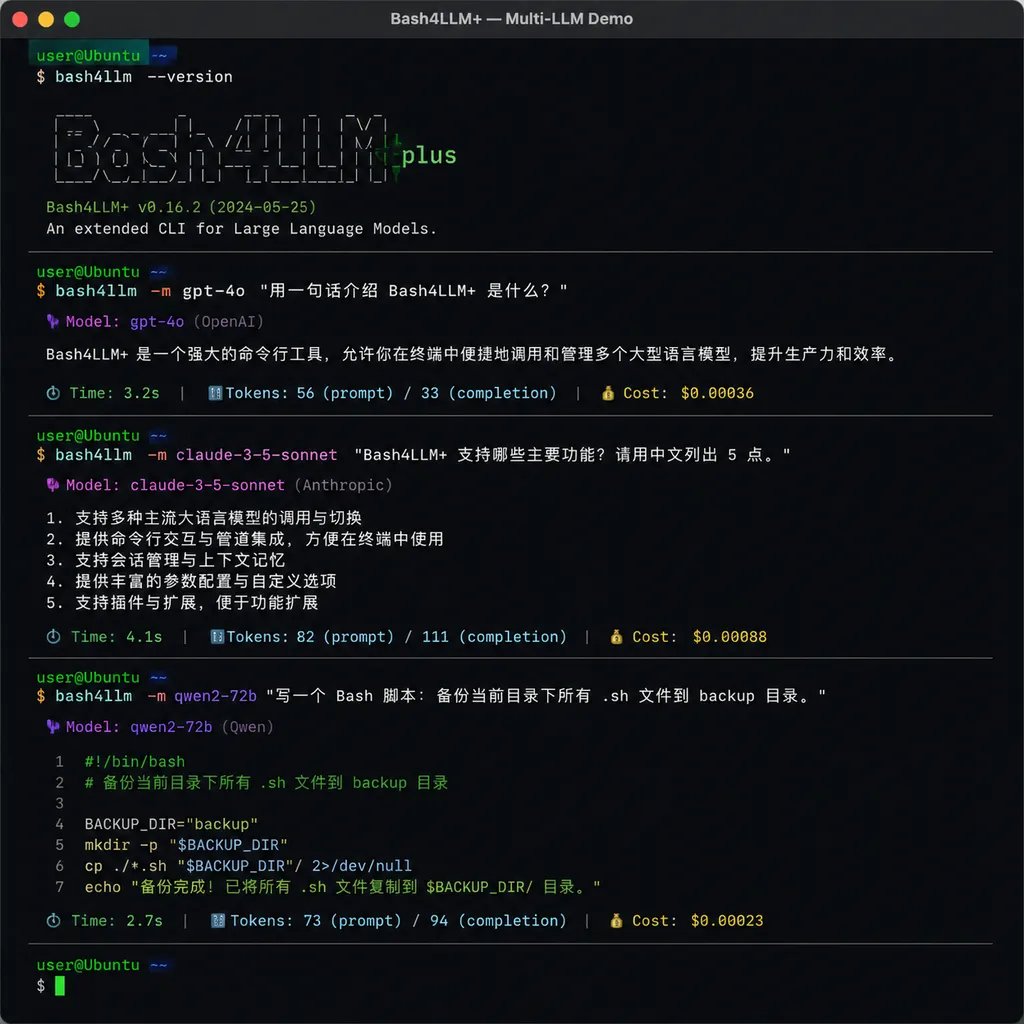
Bash4LLM+ takes care of all that grunt work. Its design philosophy is very straightforward — abstract a unified command-line interface, which is connected to various vendors’ APIs via adapters. In your script you can write:
bash4llm chat --provider openai --model gpt-5.2 "Analyze the cause of abnormalities in these logs"
bash4llm chat --provider anthropic --model claude-sonnet-4.5 "Same question"
bash4llm chat --provider deepseek --model deepseek-v3.2 "Ask again"
Switching models only requires changing the --provider and --model parameters, while authentication, request body formatting, and response parsing are all handled internally by the script.
This kind of “cross-vendor abstraction” isn’t new — projects like LiteLLM and OpenRouter have been doing it for a while. But Bash4LLM+ sets itself apart in that it doesn’t introduce a runtime. LiteLLM is a Python library — you need a Python environment; OpenRouter is a hosted service — you have to go through its proxy. Bash4LLM+ is just a few .sh files — clone them, chmod +x and you’re good to go. Even the configuration files are simple key-value format.
Technical Implementation: Mastering JSON Processing with jq
Looking through the source code, the author’s implementation has a few noteworthy points.
First is request construction. Different vendors’ API formats differ significantly: OpenAI uses a messages array with a role/content structure; Anthropic’s early versions require system to be passed separately and don’t allow system messages in messages; Gemini has its own nested contents/parts structure. Bash4LLM+ takes the user prompt, normalizes it, and then uses a jq template for each provider to create the corresponding payload.
Example logic (simplified):
build_openai_payload() {
  jq -n \
    --arg model "$MODEL" \
    --arg prompt "$PROMPT" \
    '{
      model: $model,
      messages: [{role: "user", content: $prompt}],
      stream: true
    }'
}
Here jq acts as a “JSON template engine,” much safer than manually concatenating strings — you won’t have to worry about quotes, newlines, or Unicode characters in the prompt breaking the JSON.
Second is streaming response handling. SSE (Server-Sent Events) format is essentially lines of data: {...}. Bash4LLM+ uses curl --no-buffer together with while read line to read line by line, extracting the delta.content field with jq -r and echoing it directly. This approach is surprisingly elegant in shell — much simpler than spinning up an async loop and writing a generator in Python.
Third is configuration management. The project stores API keys and default parameters in ~/.bash4llm/config, in simple KEY=VALUE format, loaded via the source command. No YAML, no TOML, no JSON schema — but it works.
Who It’s For and Who It’s Not For
Here’s my take.
Suitable scenarios:
- Server-side automation. For example, adding an AI summary layer to Nagios or Prometheus alerts, or having the model analyze yesterday’s access logs in a cron job. In these cases, you don’t want the overhead of a whole Python virtual environment for a single API call.
- Container init scripts. One
RUNline in a Dockerfile calling an LLM to generate a config is orders of magnitude faster thanpip install openai. - CI/CD integration. GitHub Actions and GitLab CI runners come with bash and curl by default — adding this script is basically zero cost.
- Embedded/edge devices. On devices like OpenWrt routers or Raspberry Pi, even Python feels heavy.
- Learning purposes. If you want to understand the exact API protocols of various LLMs, reading this project’s source is much more direct than reading SDK docs.
Unsuitable scenarios:
- Complex Agent workflows. For tool usage, state management, or multi-step reasoning, Bash’s expressive power is too limited — better stick to Python or TypeScript.
- Production systems needing strict type safety. Shell scripts are notoriously fragile in error handling — even
set -euo pipefailcan’t save every scenario. - Multimodal. Handling base64 encoding and uploading of images or audio in Bash is painful, though possible.
Comparison with Similar Projects
The Shell + LLM space has actually been lively these past two years. Here are some comparable projects:
- Simon Willison’s llm CLI: Feature-rich and has a good plugin ecosystem, but is fundamentally a Python tool — requires installation.
- shell_gpt (sgpt): Aimed at “ChatGPT in the terminal,” more interactive usage, also Python.
- mods (charmbracelet): Written in Go, single binary with great UX, but you must download the binary for your platform.
In this lineup, Bash4LLM+ is the “most extremely lightweight” option. Its trump card is zero dependencies — if you can SSH into a machine and run curl, you can use it.
A Practical Example: Log Anomaly Detection
Here’s a concrete example. Suppose you have a server and want an LLM to scan the nginx error log every hour, and send a WeCom notification when it finds anomalies.
With Bash4LLM+, that’s roughly:
#!/bin/bash
set -euo pipefail

LOG_FILE="/var/log/nginx/error.log"
RECENT_LOGS=$(tail -n 200 "$LOG_FILE")

ANALYSIS=$(bash4llm chat \
  --provider deepseek \
  --model deepseek-v3.2 \
  --system "You are an operations expert. Analyze the following nginx error log. Only output a short description starting with 'ALERT:' if a real anomaly is found; otherwise output 'OK'." \
  "$RECENT_LOGS")

if [[ "$ANALYSIS" == ALERT:* ]]; then
  curl -X POST "$WECOM_WEBHOOK" \
    -H "Content-Type: application/json" \
    -d "$(jq -n --arg msg "$ANALYSIS" '{msgtype:"text", text:{content:$msg}}')"
fi
The whole script is under 20 lines — drop it into crontab and it’ll run. With Python, just dealing with venv and dependencies could take some time.
Some Pitfalls to Watch Out For
While elegantly designed, Bash is still Bash, and some inherent limitations are unavoidable:
- Fragile error handling. If the API returns 4xx/5xx, the script defaults to printing the error JSON to stdout — the user must manually check returned content. In production, it’s best to wrap it yourself.
- Weak concurrency. Bash has no native concurrency model — to call in bulk you must use
xargs -Por&+wait, with less flexible scheduling. - Cross-platform compatibility. macOS ships with bash 3.2 (ancient), lacking certain syntax like associative arrays and
mapfile. The author says bash 4+ is supported — Mac users should install a newer version via brew. - API key security. Configuration files store keys in plain text without keychain integration — on shared servers, be mindful of permissions.
A Bigger Trend
The emergence of projects like Bash4LLM+ actually reflects a trend: LLMs are moving from “application layer APIs” down to “infrastructure primitives.”
In the past two years, integrating LLMs meant “adding AI capabilities to applications” — SDKs, frameworks, Agents. But as model inference becomes cheap enough and APIs stable enough, the next step is to make them, like grep, sed, and awk, part of the shell toolchain. You should be able to casually use them in a pipeline:
cat error.log | llm "Find the 3 most severe problems" | mail -s "Daily Report" admin@example.com
This “Unix philosophy + LLM” combination might outlive any flashy Agent framework. Bash4LLM+ is a very clean implementation in this direction.
By the way, if you want to use a single key to access OpenAI, Anthropic, Google, DeepSeek, etc., without signing up for each or handling domestic access issues, platforms like OpenAI Hub integrate smoothly with Bash4LLM+ — just point the base URL at them, tweak the provider config in Bash4LLM+, and you’re good to go.
Summary
Bash4LLM+ is not here to replace existing LLM tools. Its value lies in filling the “lightweight shell integration” niche — when you just need a shell script to call a large model and don’t want to introduce any extra runtime, it is one of the cleanest current options.
I recommend it to operations engineers, SREs, and any developers who often think “it’d be nice if I could call AI here” when writing automation scripts. Even if you ultimately don’t use it, reading the source code will teach you plenty of practical techniques for handling LLM APIs with Shell + curl + jq.
References
- Bash4LLM+ GitHub repository — Project homepage with full source code, installation instructions, and usage examples
- awesome-LLM-resources — Comprehensive index of LLM-related tools and resources, where you can find more lightweight tools like this


