
Cursor launches a mobile app, putting the coding AI right in your pocket.
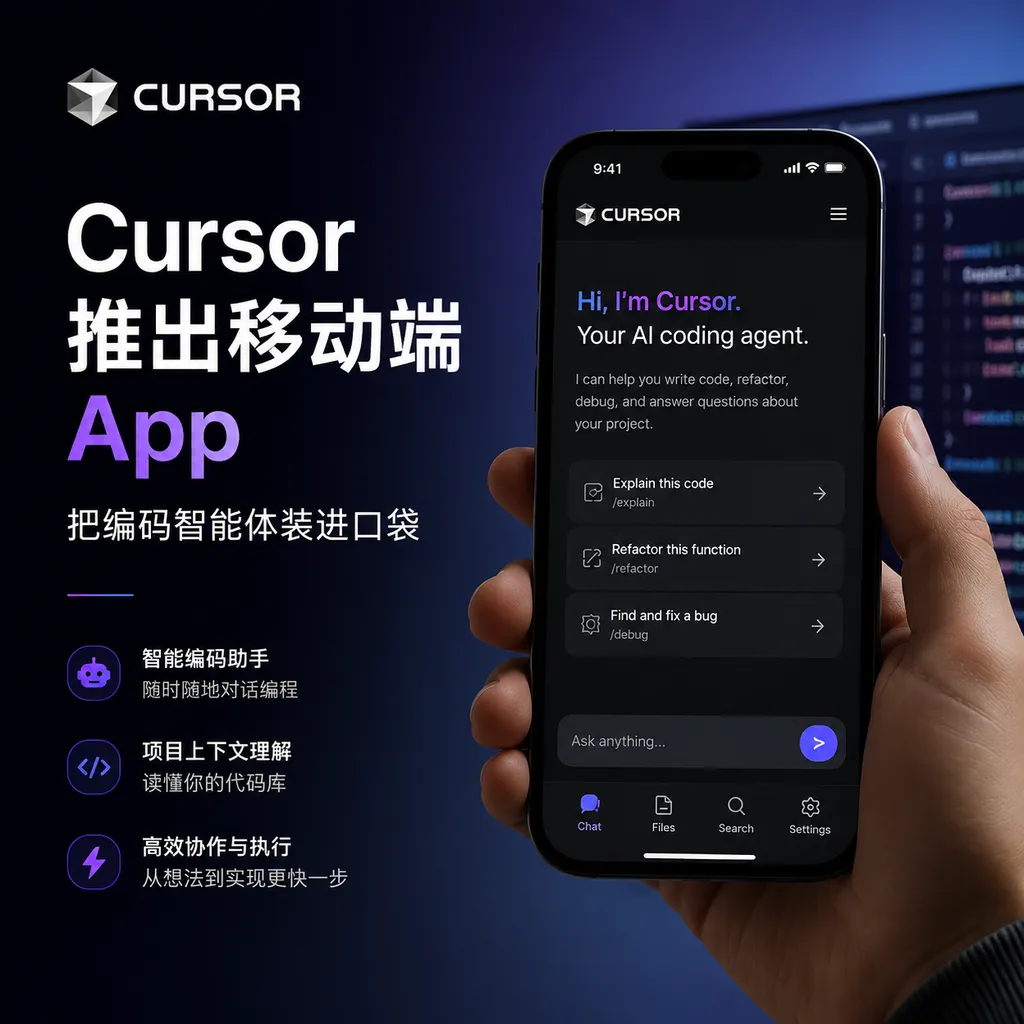
Cursor officially releases its mobile application, allowing developers to remotely schedule local and cloud-based coding agents, review screenshots, and take over stalled tasks directly from their phones. This means the IDE is no longer the only entry point—AI agents are breaking free from desktop boundaries.
Cursor officially launched its own mobile App today, allowing developers to schedule and supervise coding agents running locally or in the cloud directly from their phones. This is a natural extension—ever since Cursor 3 shifted its core interaction model from “editing files” to “orchestrating agents,” bringing this command center to mobile was almost an inevitable next step.
To put it more plainly: during your subway commute after work, you can take out your phone to see how the agent you tasked in the morning with refactoring the authentication module is doing, annotate a screenshot to keep it from going down a dead end. Two years ago, this sounded like a joke; today, it’s a real workflow provided by Cursor.
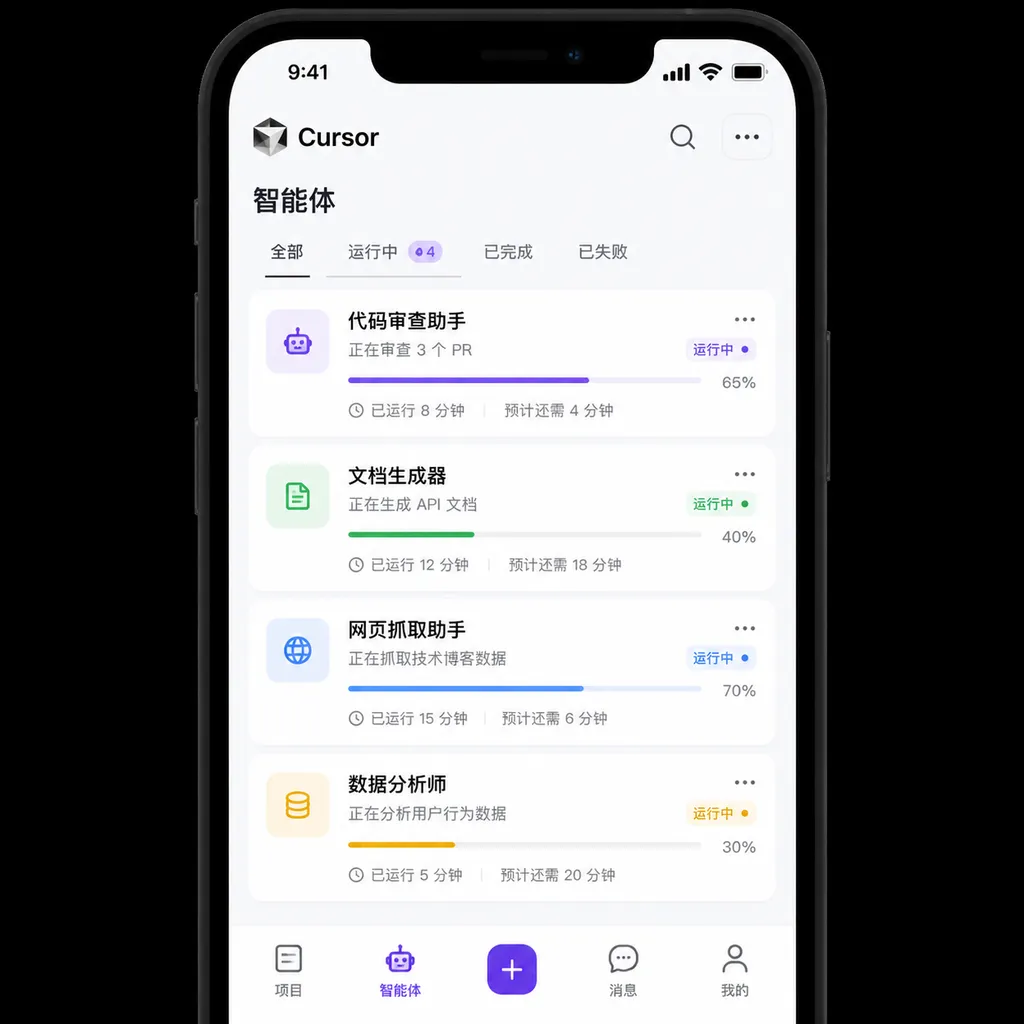
What the mobile app can actually do
This App is not a wrapped web view, nor is it intended for “coding on your phone”—that path has been proven unworkable by a series of failed attempts. Cursor has figured out one thing: developers on mobile don’t need an IDE, they need a remote control.
The core functionality revolves around a few actions:
- View running agents: Whether started locally, running in the cloud, or triggered from Slack or GitHub, all are collected in one list with clear status.
- Review agent output: Cloud agents automatically generate demo screenshots and screen recordings, viewable directly in the App. For example, after an agent modifies a login page, it will capture and send you a working screenshot for review.
- Comment and intervene: If an agent strays, you can circle and annotate screenshots, leave messages, or give new instructions to pull it back on track.
- Assist with decision points: When an agent encounters a fork requiring a decision (e.g., whether to make a breaking change to a public API), your phone will receive a notification so you can guide it with a quick message.
- Start new tasks: Send a prompt at any time to kick off a cloud agent. Back at your desk, you can switch to the desktop client to continue.
The most crucial design element here is the demo output from cloud agents. Previously, if you let an agent run for 45 minutes, it would give you a diff—you’d have to read and imagine the effect yourself. Now, it records the process—what page it visited, which buttons it clicked, what errors it saw—and presents this as video or screenshots. This “prove it” output makes mobile review feasible, since instead of reading hundreds of lines of code on a 6-inch screen, you can watch a 30-second video to judge correctness.
Why now
To understand this App’s significance, you need to look at two reversals in Cursor’s internal data.
In March 2025, Cursor’s users who relied on Tab autocompletion numbered 2.5 times those who used agents—at that point, Cursor was still “VS Code with AI.” A year later, the ratio has flipped entirely: autonomous agent users now outnumber Tab completion users two to one. More striking are Cursor’s own engineering team stats: 35% of merged PRs were fully written by cloud agents. Another official blog updated it to “over 30%,” but—either way—one third of the code is no longer written by humans.
This shift forces the tool’s form to change accordingly. If developers spend large chunks of their day “waiting for agents to finish,” there’s no need to sit in front of a monitor the whole time. The value of mobile lies here: using waiting time productively, enabling supervision and decision-making anywhere.
Cursor 3’s “Agents Window” (Cmd+Shift+P to summon) already implemented this concept on desktop—sidebar lists all agents, with IDE taking a back seat. The mobile App is the same concept, replicated on another screen.
Diverging paths of Claude Code and Copilot
In this wave of coding agent competition, three companies have offered three entirely different formats worth examining:
| Tool | Main entry point | Design philosophy | |------|------------------|-------------------| | Claude Code | Terminal CLI | agents are command-line tools invoked by developers in the shell | | GitHub Copilot | IDE embedded | agents are editor enhancement plugins | | Cursor 3 + Mobile | dedicated command center + mobile | agents are first-class citizens, IDE is optional |
Cursor’s approach is the most radical. Claude Code assumes you’re an old-school engineer comfortable with CLI, Copilot assumes you can’t leave VS Code, while Cursor outright assumes you may not even be at your computer—you might be in a meeting, commuting, or onsite with a client. This assumption is bold but not absurd; if agents can genuinely complete over 30% of work independently, “where the human is” naturally becomes less important.
The mobile App has another implicit advantage: it fully enforces the “asynchronous” nature of agents. Previously, asynchronous development was more of a concept; now you can start tasks in the morning, check progress over lunch, merge PRs before leaving—without staying put. For parents, cross-time-zone collaborators, or developers simply unwilling to be chair-bound, this is genuine liberation.
A few caveats
After talking about the advantages, some cold water is needed.
First is cost. On Reddit and Hacker News, the biggest complaints about Cursor focus on token consumption. Some users have compared: the same workflow costs 12% of quota on Claude Code in one day, but Cursor burns through 80%. Others have switched from Cursor to Claude Code Max, claiming “same efficiency, one tenth the cost.” Cloud agents are convenient, but each runs in an independent VM and iterates automatically until validation passes—this mechanism’s token burn rate is also real. Mobile makes starting agents too easy, which could make bills spiral.
Second is the risk of detachment from code. In the community, the phrase “this view makes people completely detached from the code itself” recurs. This isn’t nostalgia, but a real risk: when you only see an agent’s screenshots and summaries and no longer read diffs line by line, the last safeguard on code quality is left to the agent. In the short term, PR review may catch issues, but long term, will the team’s code comprehension deteriorate? That’s an open question.
Third is vendor lock-in. Some have bluntly said on Reddit: “I want a command center that can manage all AI agents, not be tied to just one.” Cursor’s official response is that it supports models from all vendors—technically true—but its own Composer 2 enjoys higher limits in the cloud, making the potential guiding direction obvious. As agent orchestration becomes the main battlefield, platform stickiness will likely surpass that of the IDE era.
Technical details
The engineering behind the mobile App is not trivial. To let a phone see local agent status in near real-time, several issues must be addressed:
- Reachability of local agents: How can agents running on your computer be accessed by your phone? The community already has solutions like
cursor-remote, which run a lightweight local web server paired with a PWA frontend. The official Cursor version likely uses a more reliable tunneling solution, pushing status to its own service and then to your phone, avoiding the hassle of NAT traversal. - Session migration between local and cloud: Cursor 3 supports pushing local sessions to the cloud to continue running, and vice versa. For the mobile app to seamlessly display both types of agents, the scheduling layer must have a unified abstraction.
- Generation of demo output: Cloud agents in VMs take screenshots and record video themselves. This infrastructure was just a demo a year ago, now it’s production-grade. See the official example analyzing a clipboard vulnerability—the agent wrote exploitation code, spun up a backend, clicked buttons in a browser to verify, and archived screenshots. This goes beyond “writing code,” resembling a junior engineer who can execute tasks.
In closing
The mobile App is a small update on its own, but in the context of Cursor’s product line over the past year, it’s a clear signal: the shape of coding tools is decoupling from IDEs.
In the PC era, IDEs were the highest priority entry point because code had to be written, read, and debugged there. But once agents take over the “writing” part, the human role increasingly resembles “product manager + code reviewer + direction decision-maker”—none of which require an IDE, or even a keyboard. Phone, tablet, Slack, email—any channel that can deliver instructions and review results is enough.
Cursor’s move is a bet on this judgment. If it wins, coding agents will become infrastructure like CI/CD, and IDEs will be “precision tools opened only when needed.” If it loses, developers will return to their big screens, because ultimately humans still need to safeguard the code.
The likely answer lies somewhere in between, but the release of the mobile App shows Cursor has placed its bet. For teams evaluating coding agent tools, now is a good time to revisit workflows—not because one tool is stronger, but because the shape of work itself is changing.
Incidentally, over at OpenAI Hub, mainstream models beyond Cursor’s own Composer 2 (GPT, Claude, Gemini, DeepSeek, etc.) are already integrated, with direct access from within China and OpenAI-compatible formats. If your agent workflow requires switching and comparing across multiple models, you can save yourself the trouble of setting up proxies and managing multiple keys.
References
- Cursor remote control solutions community discussion - Reddit: First-hand developer feedback on Cursor mobile, cloud agent costs, and experience
- Cursor official GitHub Issues: Engineering discussions and issue tracking related to mobile App and cloud agents


