
Hugging Face launches Coasty: one API to handle all computer‑operation agents
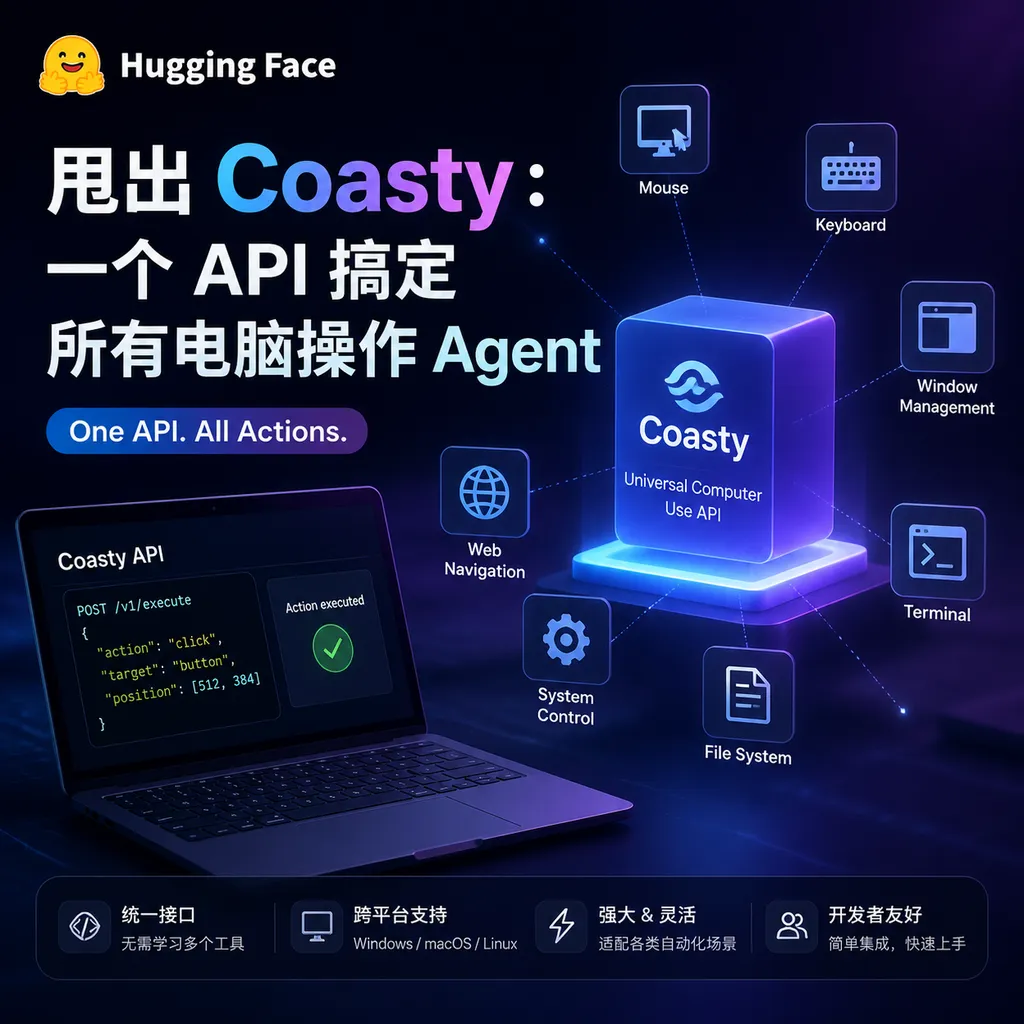
Hugging Face and YC S26 project Coasty have jointly launched a universal API for Computer-Use Agents, abstracting clicking, screenshotting, and the execution environment into standardized interfaces, so developers no longer need to set up virtual machines themselves.
Hugging Face Launches Coasty: One API for All Computer-Use Agents
On July 14, Hugging Face, together with YC S26 project Coasty, officially released a product of the same name — Coasty, a universal API designed specifically for Computer-Use Agents (CUA). Simply put, if you want an AI to click buttons, fill out forms, or move data across software, you used to need a bunch of virtual machines, tons of pyautogui scripts, and manual handling of screenshot feedback and state synchronization. Now, it’s all handled with a single HTTP request.
This is a big deal. Over the past half year, the CUA track has been heating up — Anthropic’s Computer Use, OpenAI’s Operator, and Google’s Project Mariner are all competing for the same territory — but developers have been missing a “base layer.” Just like in 2023 when everyone needed a unified inference API for booming LLMs, Coasty aims to be that “base layer” for the CUA era.
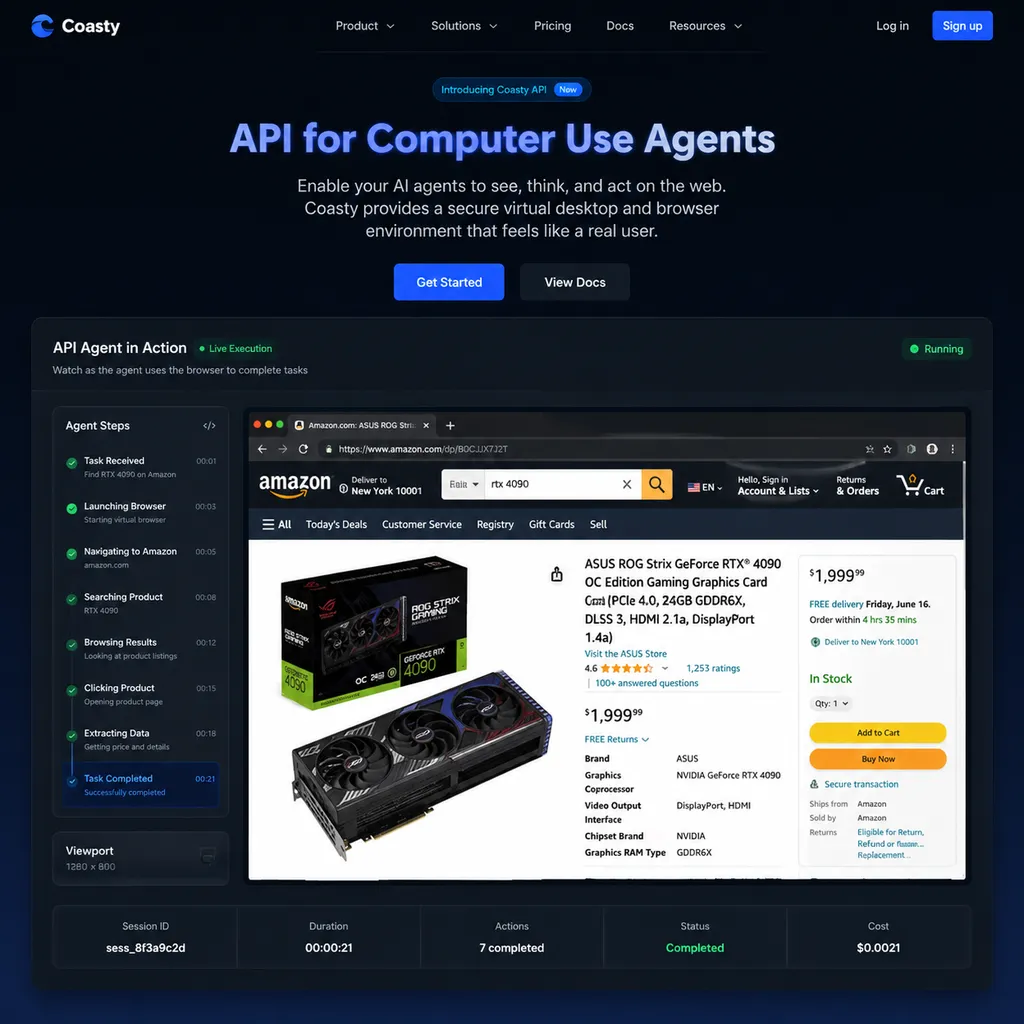
What Problem Does It Actually Solve?
Anyone who’s built a CUA app knows the pain. You get capabilities from Claude or some open-source VLM, the model returns something like "click coordinate (523, 411)"—and then what?
Then you have to build a full infrastructure:
- An isolated execution environment (Docker, Firecracker, or Windows instance on the cloud?)
- A screenshot-feedback loop (how often to capture? how much compression?)
- Action executors (xdotool on Linux, UI Automation on Windows, AppleScript on macOS—write them all)
- Session state management (what if the Agent crashes halfway?)
- Security isolation (what if the Agent “accidentally” deletes root?)
The Hugging Face team had already struggled through these issues in the smolagents CUA 2.0 Space. Coasty abstracts all of these into a standardized API—developers can focus solely on Agent logic while offloading the rest to Coasty.
Three Core Abstractions
According to the docs, Coasty’s API is built around three concepts:
Session: An isolated virtual desktop environment—Ubuntu, Windows 11, Android, or a pure browser sandbox. You can specify resolution, preinstalled software, and initial URL upon creation.
Action: The primitive operations, including click, type, scroll, drag, key, screenshot, shell, etc. All actions are idempotent and have timeout protection to prevent deadlocks.
Observation: The feedback after each action, including a screenshot (PNG/WebP), DOM snapshot (optional), accessibility tree (optional), and metadata such as active window and cursor position.
This design clearly takes inspiration from the Gym-style reinforcement learning interface — env.step(action) -> observation. The advantage is that it’s model-agnostic: you can use GPT-5, Claude Opus 4.5, Qwen3-VL, or your own fine-tuned model. Coasty only handles the "eyes and hands," not the "brain."
Why It’s Better Than DIY
Let’s take a concrete use case: building an “automatic invoice organizer” Agent — logs into your mailbox to find invoice emails, downloads PDFs, uploads them to a specific WeChat Work folder, and registers them in a Feishu spreadsheet.
Doing it yourself looks like this:
- Start an Ubuntu Docker container, install Chrome and WeChat Work Linux edition, set up Chinese IME
- Use Xvfb + VNC for screenshots in a headless environment
- Write a Flask wrapper for pyautogui
- Handle Chrome’s “restore session” pop-ups
- Manage persistent login states for WeChat Work cookies
- Once deployed, 100 concurrent users will likely choke your host CPU
Using Coasty instead:
from coasty import Coasty

client = Coasty(api_key="...")

session = client.sessions.create(
    os="ubuntu-22.04",
    resolution="1920x1080",
    preinstalled=["chrome", "wechat-work"],
    persistent_profile="user-123-invoices"
)

obs = session.observe()
# obs.screenshot, obs.a11y_tree, obs.active_window

session.act({"type": "click", "x": 523, "y": 411})
session.act({"type": "type", "text": "invoice"})
The persistent_profile field is especially important — it allows login states, cookies, and downloaded files to persist across sessions. This has been a major unsolved issue in Anthropic’s Computer Use demos, where each run starts with a fresh login.
Where Coasty Stands Among Competitors
Many players are doing similar things. A quick rundown:
- Anthropic Computer Use: powerful, but locked to Claude and requires developers to build their own Docker environments
- OpenAI Operator: highly managed, but only available through ChatGPT UI, no developer API
- Browser Use / Steel.dev: browser-only, no desktop app support
- E2B / Modal Sandbox: general code execution sandbox, not optimized for GUI control
- Scrapybara: quite similar in concept but Windows-focused and still early-stage
Coasty’s differentiation lies in cross-OS support + deep GUI integration + Hugging Face’s model ecosystem. You can spin up a Hugging Face-hosted open-source VLM (like Qwen3-VL, InternVL3, or UI-TARS) directly within a Coasty session to power your Agent—Coasty provides the glue between model and runtime for you.
A Subtle but Important Detail: Data Flowback
While reading the docs, one flag stands out: session.record=True. When enabled, the full operation history (screenshot sequence + action sequence + timestamps) is structurally recorded and exportable as a training dataset.
The intention is clear — Hugging Face wants Coasty to be the entry point for CUA training data. The smolagents team’s CUA 2.0 Space already focused on preference annotation. Now Hugging Face owns the data source, execution environment, model hosting, and training framework — a full closed loop.
For the open-source community, this could mean we’ll see a wave of high-quality open CUA models in the next six months. Since UI-TARS, there hasn’t been a standout open successor primarily because of data scarcity.
Pricing and Beta Status
Coasty is currently in Public Beta. Anyone can register for credits. Pricing is time-based per session — Ubuntu environments cost about $0.12/hour, while Windows sessions are pricier at $0.35/hour due to licensing. Compared with running a g4dn instance on AWS with VNC, these rates are reasonable.
For developers in China, the official Coasty nodes are in the US West and Europe, resulting in noticeable latency (250ms+). OpenAI Hub is reportedly evaluating integration with Coasty, meaning that if connected, you could use the same API key to call GPT-5, Claude, or Gemini for planning, and drive Coasty for execution — no extra network setup needed.
Final Thoughts
Everyone’s talking about Agents in 2024, but most “Agents” are still stuck at the level of “multi-turn LLM + tool functions” — in essence, just text in and text out. The real bottleneck for GUI-operating Agents isn’t model capability but infrastructure. Even the strongest Claude Opus can’t book a flight if the execution layer isn’t stable, the state isn’t persistent, and concurrency can’t scale — the product won’t land.
Coasty’s emergence helps standardize that “last mile” of CUA. As an analogy: in 2020, LLM app developers had to host their own models; in 2023, the OpenAI API abstracted that away and app ecosystems exploded. CUA right now feels like LLMs in late 2022 — model capabilities are there, but the unified infrastructure is missing.
If Coasty can achieve the same abstraction level as the OpenAI API did, the next wave of Agent applications may arise right here. Of course, whether it truly delivers depends on its stability, concurrency, and cross-system consistency over the next several months. Testing it with a real-world automation scenario during the Beta will tell more than any number of demos.
References
- Hugging Face smolagents CUA 2.0 Space — Hugging Face’s official Computer Use Agent demo and annotation platform; part of Coasty’s technology originates here.


