
Google AI Studio is now available on mobile — directly *“fiddling”* with the app on your phone.
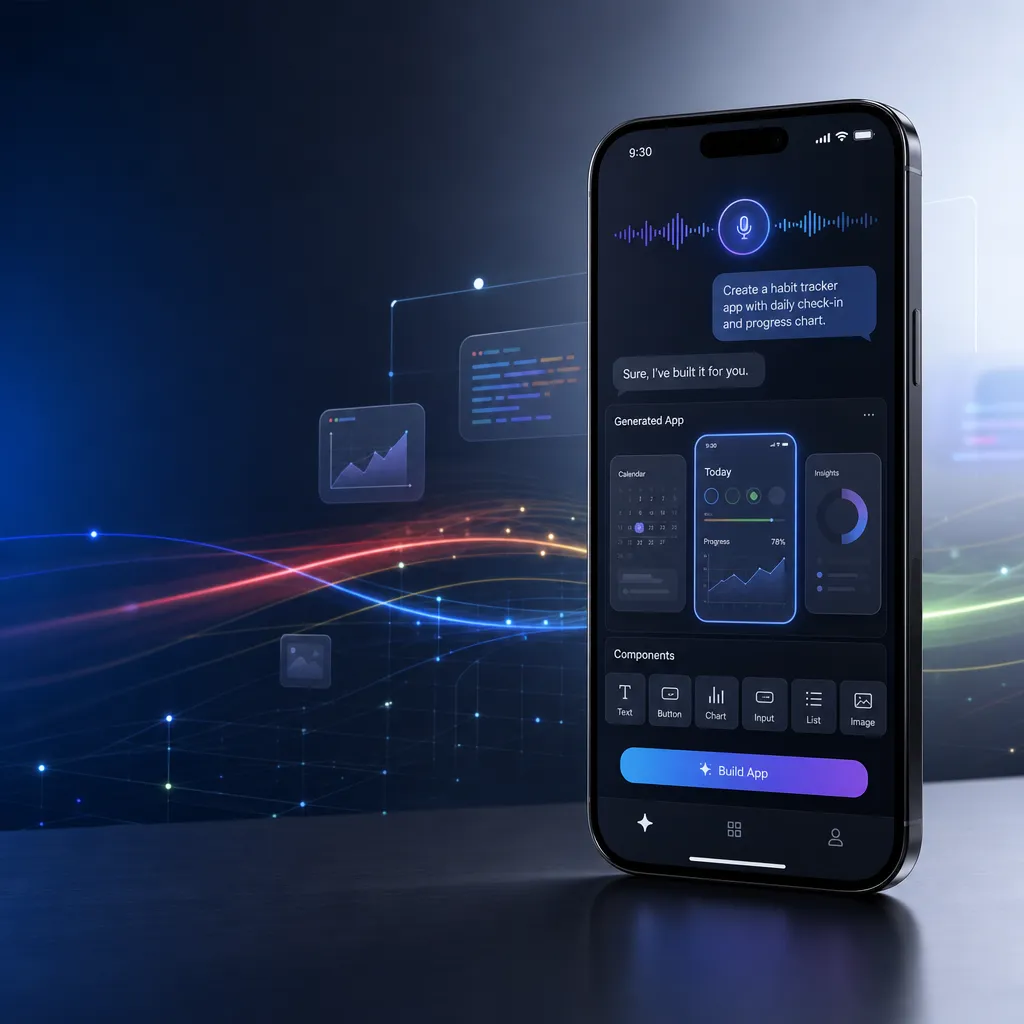
Google is about to launch AI Studio iOS and Android clients, allowing users to directly generate functional applications on their phones via natural language. The Android version is already live, and the iOS version is expected to be released on July 1.
Google AI Studio Goes Mobile: Build Apps on Your Phone with Just Your Voice
Google is bringing AI Studio to mobile devices. The Android version is already available on Google Play, and the iOS version is expected to arrive on the App Store on July 1. This means that developers (and anyone who wants to make small tools) can now generate applications directly on their phones using natural language—no need to open a computer or write any code.
This is not just another chatbot app. The core capability of AI Studio Mobile is native code generation — you state your requirement, and Gemini 3 Pro writes executable application code for you, which can be previewed and used instantly on your phone. For more complex needs, you can export the project to Antigravity for further development with one tap.
From Cloud Tool to Pocket Development Environment
AI Studio itself isn’t new. It’s Google’s Gemini API rapid development platform launched in 2024, allowing developers to test prompts, debug models, and generate code directly in the browser. However, the web version is mainly limited to desktop use—you need to sit at your computer, open a browser, sign in, and start working.
The mobile release changes that workflow. Now, you can take out your phone during your commute, while waiting in a café line, or between meetings, say what you need, and get a usable mini-tool in seconds. This immediacy and portability are things the desktop version can’t provide.
More importantly, the mobile version isn’t a simplified version of the web one. According to Google’s developer blog, AI Studio Mobile supports the full capabilities of Gemini 3 Pro, including:
- Multimodal input: text, images, videos, and audio can all serve as prompts
- Native code generation: directly generate HTML/CSS/JavaScript or mobile-native code
- Real-time preview: run the generated app instantly on your phone
- Agent tool integration: supports complex multi-step tasks and workflows
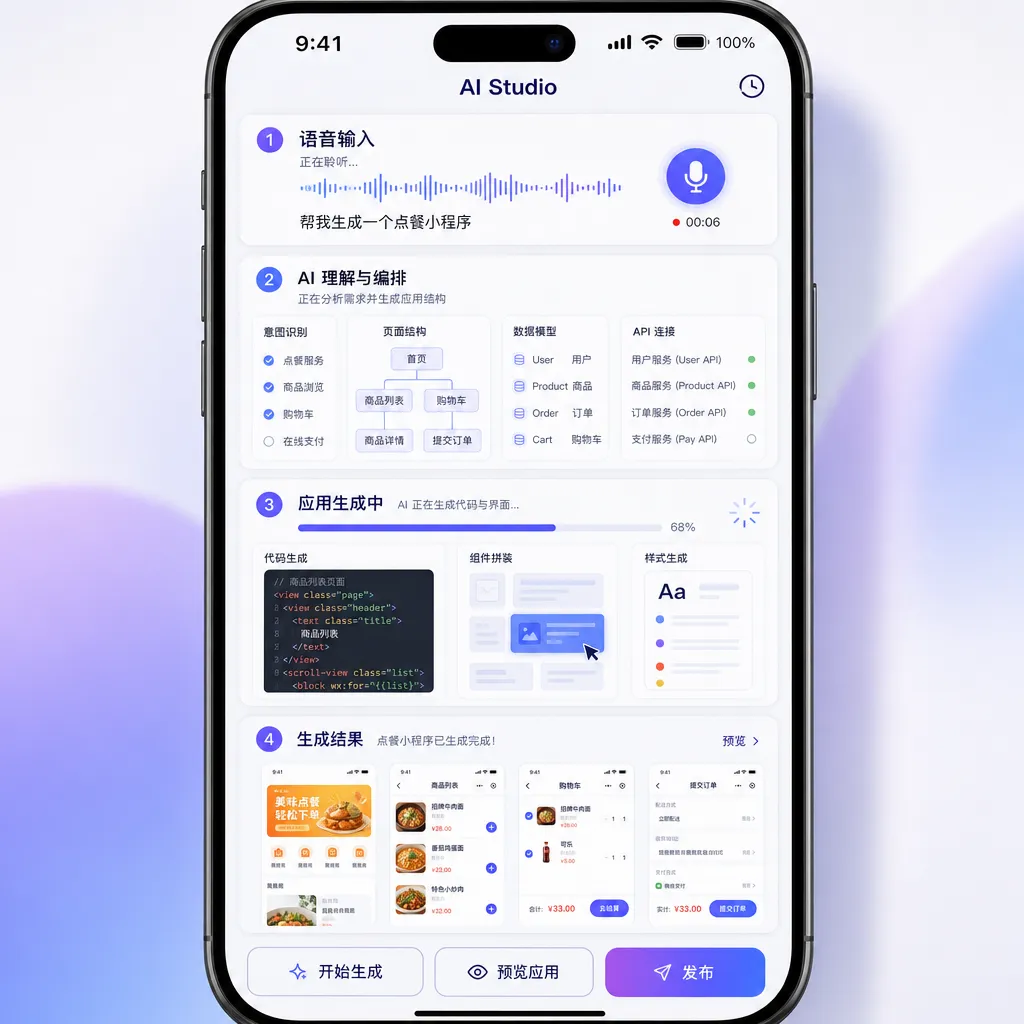
Gemini 3 Pro’s Reasoning Power Is the Key
The ability of AI Studio Mobile to “build an app just by speaking” depends on Gemini 3 Pro’s reasoning capabilities. Released earlier this year, it’s Google’s most powerful generative AI model to date, showing major improvements in code generation, document understanding, and agent workflows.
Specifically for code generation, Gemini 3 Pro has several advantages:
1. Zero-Shot Task Handling
You don’t need to provide example code or detailed technical specs. Simply describe what you want, and the model infers your intent and generates the corresponding implementation. For example, say “make a tool to track daily water intake,” and the model will infer the need for input fields, counters, local storage, and data visualization, then output the complete code.
2. Multimodal Understanding
You can take a picture of a sketch on paper and say “make a page based on this layout.” Gemini 3 Pro can recognize the elements in the sketch, understand the layout relationships, infer the interaction logic, and then generate corresponding frontend code. This feature is particularly useful on mobile, where cameras and microphones make multimodal input feel natural.
3. Agent Workflows
Gemini 3 Pro supports complex multi-step tasks. If your request is more sophisticated—for example, “create a diary app that fetches weather data, tracks mood, and generates daily summaries”—the model automatically decomposes the task, plans the steps, calls the necessary tools and APIs, and integrates them into a complete app.
These capabilities have already been proven on the desktop version. Google has showcased web-based examples like generating retro games from a single prompt, creating complete apps from napkin sketches, or turning voice notes into interactive landing pages. The mobile version inherits these abilities while adding new use cases thanks to the portability and sensors in smartphones.
More Freedom on Android, More Restrictions on iOS
The experience of AI Studio Mobile differs between Android and iOS.
Android has fewer restrictions. Generated apps can be installed directly on the phone—no App Store review required. You can share the generated APK with friends or keep it for yourself. This flexibility makes Android ideal for rapid prototyping and creating personal tools.
iOS, on the other hand, is more limited. Due to Apple’s sandboxing and app review policies, apps generated by AI Studio can’t be installed directly. You can preview and test them within the app, but to actually use them, you must export the code, compile it in Xcode, sign it, and distribute it through TestFlight or the App Store—a much more complex process than on Android.
That said, iOS has its advantages. Apple’s SwiftUI and UIKit frameworks are more mature, so the iOS code generated by Gemini 3 Pro tends to be of higher quality. And if your goal is to publish on the App Store, the iOS export feature outputs a project that conforms to Apple’s requirements, saving you a lot of manual adjustment.
From Mini Tools to Complex Apps: The Role of Antigravity
AI Studio Mobile is great for small utilities but not suited for developing large or complex applications. If your project goes beyond what can be described in a single prompt, you’ll need a more professional environment.
Google’s solution is Antigravity — an agent-based development platform designed specifically for Gemini 3 Pro. Its core concept is “task-oriented” rather than “file-oriented.” You don’t manage files or configure build tools manually; instead, you tell Antigravity what you want to accomplish, and the agent team handles the technical tasks automatically.
AI Studio Mobile integrates seamlessly with Antigravity. If you make a small app on your phone and decide it could evolve into something bigger, you can export it to Antigravity with one tap and continue working on your desktop. This workflow perfectly fits the “inspiration on the go, implementation on desktop” scenario.
Pricing and Availability
AI Studio Mobile itself is free, but with rate limits. For casual users who just generate a few simple tools, the free tier should be sufficient. Heavy users can upgrade to a paid plan.
Gemini 3 Pro API pricing:
- Input: $2 per million tokens
- Output: $12 per million tokens
This pricing applies to prompts under 200,000 tokens. For longer contexts (Gemini 3 Pro supports up to 1 million tokens), the rates differ.
The Android version is already live on Google Play and can be downloaded directly. The iOS version will be released on July 1 and available on the App Store under “Google AI Studio.”
For developers in China, Gemini APIs can be accessed via aggregated platforms like OpenAI Hub, which allows access to all major models (including Gemini) with a single key—no need for a Google account or proxy setup.
The Idea of “Voice-Built Apps”
“Building apps by talking” might sound like a joke, but it points to a real trend: the barrier to programming is rapidly falling.
Ten years ago, building an app required learning programming languages, mastering frameworks, understanding OS APIs, setting up build tools, and debugging runtime errors—skills that took months or years to acquire.
Five years ago, low-code platforms became popular. You could build simple apps by dragging and configuring components instead of writing code. But low-code tools had limited flexibility—complex logic still required coding.
Now, AI-native development tools have arrived. You don’t need to learn coding or understand technical details; just describe what you want in natural language, and AI generates working code. The bar is now low enough for anyone to participate.
AI Studio Mobile is a microcosm of this trend. It’s not meant to replace professional developers but to empower more people to bring their ideas to life. A product manager can mock up a prototype before a meeting, a designer can turn a sketch into an interactive demo, and a student can build a data visualization tool for a project.
Of course, “voice-built apps” are still limited. The generated code quality varies, complex logic can break, and performance or security still need human tuning. But these gaps are closing fast as models improve. Gemini 3 Pro is already far ahead of last year’s models—and next year’s will be even more capable.
Google Is Pushing Hard
The launch of AI Studio Mobile is part of Google’s broader acceleration in AI developer tools.
This year, the company has been releasing updates at a much faster pace. In addition to AI Studio Mobile, it has introduced:
- Gemini 3 series models: Gemini 3 Pro, Gemini 3 Flash, Gemini 3.1 Flash Lite, covering various performance and cost needs
- Antigravity platform: agent-based environment for complex multi-step and team workflows
- Gemini CLI: command-line tool to access Gemini APIs directly in terminal and automate workflows
- Vibe Code: a new AI Studio feature that generates full apps from single prompts, similar to v0.dev but integrated into Google’s ecosystem
- Native Android support: Gemini Nano can now run directly on Android devices without an internet connection
The scale and speed of these updates clearly surpass last year’s efforts. Google’s investment in AI developer tools is ramping up, aiming to create a complete ecosystem—from models to tools to platforms.
AI Studio Mobile is a crucial link in that chain. It brings Gemini’s power from the cloud to users’ pockets, making AI-native development more immediate and accessible. For developers, it’s a tool worth watching. For Google, it’s a key strategic move.
References
- Discussion on upcoming Google AI Studio Android and iOS apps – community post on Linux.do with download links and user feedback
- Gemini 3 for developers official blog – Google’s overview of Gemini 3 Pro’s capabilities, pricing, and developer tools updates


